- Shopping, made easy.
- /
- Get the app!
Before you purchase this usb c hub, you need to know:
1、Please check if your laptop owns a USB Type-c(Gen 2)/Thunderbolt 3 port, and support DisplayPort Alternate Mode, if you don't know how to recognize it, feel free to let us know, we welcome compatibility reports from users as well.
2、Plug in the Laptop's power adapter to the USB-C Power Delivery port before connecting an external hard drive or multiple devices to the hub.
3、Due to the process of EDID (Extended Display Identification Data) communication, once you plug the monitors, it might blackout screen for a few seconds. The recovery time depends on the and monitor (1 minute at max).
4、The HDMI-Displayport cable only support transfer Displayport to HDMI signal while not support HDMI to Displayport signal.
5、If the USB C hub doesn't work properly with your new Chromecast with Google TV, please check the User Maual and Set up.
Specifications:
1. Material: ABS+aluminum
2. Hub size: 4.13 x 1.85 x 0.59 inch
3. Weight: 0.25 Ib
4. Chip: Vl102+VL817+ITE6563+RTL8153B
Frequest Questions and Answers
1、Questions: Does the usb c female port of the hub support video output?
Answer: The leftmost c-port only supports charging and the middle A-port only supports data transferring, both of them don't support video output.
2、Can I get 4K resolution when using the hub with iPad?
Answer: Our USB C adapter supports a maximum HDMI output of 4K30HZ, and the specific HDMI resolution output depends on the customer's external device.
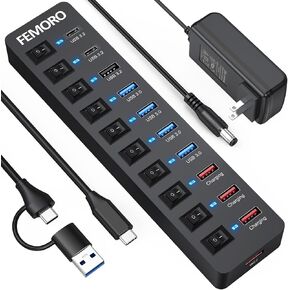 Powered USB Hub 3.2 11-Port, Type C & USB3.2 Gen2 (10Gbps)*3 + USB3.0 (5Gbps)*4 + Power-only Port*4 with 12V 4A Power Adapter Individual Switches Multiport Expander for Laptop PC Phone External SSD
KWD 14
Powered USB Hub 3.2 11-Port, Type C & USB3.2 Gen2 (10Gbps)*3 + USB3.0 (5Gbps)*4 + Power-only Port*4 with 12V 4A Power Adapter Individual Switches Multiport Expander for Laptop PC Phone External SSD
KWD 14
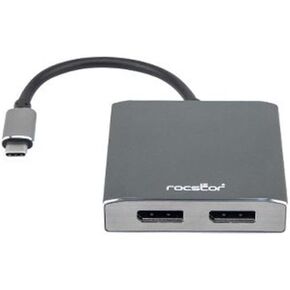 Rocstor Y10A201-A1 Premium USB-C to Dual DisplayPort Multi Monitor Adapter - 4K 60Hz – USB Type- C 2-Port MST Hub - 4Kx2K 60Hz, Aluminum Charcoal Grey
KWD 12.500
Rocstor Y10A201-A1 Premium USB-C to Dual DisplayPort Multi Monitor Adapter - 4K 60Hz – USB Type- C 2-Port MST Hub - 4Kx2K 60Hz, Aluminum Charcoal Grey
KWD 12.500
 -17%
Lasko 12" 289 CFM Pivoting Utility Fan and MyCool Mini USB Desk Fan with AC Adapter and USB Cable
KWD 34
-17%
Lasko 12" 289 CFM Pivoting Utility Fan and MyCool Mini USB Desk Fan with AC Adapter and USB Cable
KWD 34
 9 in 1 USB-C HUB to HDMI RJ45 VGA USB2.0 USB3.0x3 Audio/Mic PD
KWD 12.500
9 in 1 USB-C HUB to HDMI RJ45 VGA USB2.0 USB3.0x3 Audio/Mic PD
KWD 12.500




