- التسوق ، اصبح سهلا.
- /
- احصل على التطبيق!
HDMI to Component Converter (HDMI to YPbPr converter)
Convert HDMI input into analog YPbPr video and R/L audio output to connect to modern home theater or older video equipment.
HDMI to component converter input support Xbox/ PS3/ PS4/ Apple TV/ Roku/ Fire TV/ STB/ Blu-ray Players/ Game Console / DVD and so on.
Component output support with YPbPr TV/ monitor and projector.
HDMI video input format: 480i/576i/480p/ 576p/ 720p/ 1080i/ 1080P
YPbPr video output format: 480p@60Hz, 720p@50/60Hz, 1080p@50/60Hz
NOTE:
1. 3D and 4K are not supported.
2. It cannot be used in reverse mode.
3. The product needs to be connected to the power supply.
4. Port ""YPbPr"" must be correctly connected.
5. Support friendly customer service and warranty, feel free to contact us if you have any questions.
How to use:
1. Connect the ""HDMI"" port to the input signal source.
2. Connect the ""YPbPr"" port to the TV/monitor/projector with YPbPr.
3. Connect the power supply (5V1A)
4. Set the switch ON the side of the product to "ON".
5. The TV setting input mode is YPbPr.
Troubleshooting:
1. If there is no signal, check the resolution of the signal source. Do not support 3D and 4K, please reduce the signal source resolution to 1080p, 720p or lower.
2. Replace the power supply for the signal source or product. It will keep starting when the power is insufficient.
3. Replace the HDMI cable or reinsert it (note that it cannot be used in reverse and cannot be used as a Component to HDMI converter).
4. Check whether ""YPbPr"" is correctly connected. (Cannot be used as RCA, does not work.)
Video: Green connects to Green(Y), Blue connects to Blue (Pb), Red connects to Red (Pr). Audio: White connects to White, Red connects to Red.
5. If the screen keeps blinking, reconnect all cables.
Component interface identification:
YPbPr: Indicates progressive scan color difference output. Compared with AV and S-Video, chromatic aberration divides the signal into three primary colors: red, green and blue for input.
The three groups of video signals are as follows: The luminance is marked with Y, the color difference signals after removing the luminance signal from two of the three primary color signals (blue and red) are marked as Pb and Pr, or Cb and Cr, and the connection points of the three lines are distinguished by green, blue and red. If these three lines are inserted incorrectly, it may cause the screen to fail to display or show strange colors.
The interfaces of LCD TVS are divided into input interfaces and output interfaces. The input interface is responsible for receiving external video and audio signals, and the output interface is responsible for sending video or audio signals. When using this product, please connect it correctly and select the input mode YPbPr on the TV.
 ال في واي مكبر صوت سماعة راس A010 محمول 3.5 ملم قابل لاعادة الشحن بمرحلتين، مكبر صوت هاي فاي متوافق مع MP3/4 والهواتف والكمبيوتر واجهزة الصوت الرقمية المختلفة 3.5 ملم
KWD 10.500
ال في واي مكبر صوت سماعة راس A010 محمول 3.5 ملم قابل لاعادة الشحن بمرحلتين، مكبر صوت هاي فاي متوافق مع MP3/4 والهواتف والكمبيوتر واجهزة الصوت الرقمية المختلفة 3.5 ملم
KWD 10.500
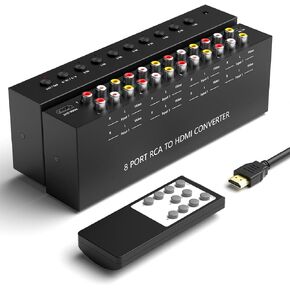 Azduou 4 AV إلى HDMI، 1080P/720P 4 Way RCA مركب CVBS AV محول إلى محول HDMI يدعم 4:3/16:9 التبديل، لـ Sega Xbox PS1 PS2 PS3 N64 NGC SNES WII VHS VCR Camera DVD (مع جهاز تحكم عن بعد)
KWD 9
Azduou 4 AV إلى HDMI، 1080P/720P 4 Way RCA مركب CVBS AV محول إلى محول HDMI يدعم 4:3/16:9 التبديل، لـ Sega Xbox PS1 PS2 PS3 N64 NGC SNES WII VHS VCR Camera DVD (مع جهاز تحكم عن بعد)
KWD 9
 LVY إيثرنت موسع RJ45 مقرنات كابل الشبكة مقرنة القط 5 اقتران Lnternet أنثى إلى أنثى موصل Lnline مقرنة لـ Cat5 / Cat5e / Cat6e / Cat7 كابل تمديد إيثرنت (3 حزم أسود)
KWD 3
LVY إيثرنت موسع RJ45 مقرنات كابل الشبكة مقرنة القط 5 اقتران Lnternet أنثى إلى أنثى موصل Lnline مقرنة لـ Cat5 / Cat5e / Cat6e / Cat7 كابل تمديد إيثرنت (3 حزم أسود)
KWD 3
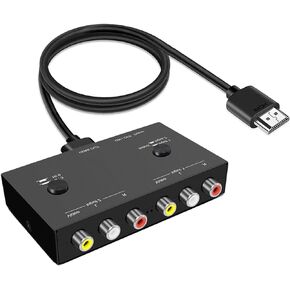 محول LVY 2AV إلى HDMI محول RCA مزدوج إلى HDMI، 2 مدخل RCA 1 دعم إخراج HDMI 16:9/4:3 متوافق مع مشغلات WII، N64، PS1، PS2، PS3، VHS، VCR DVD وغيرها (متعدد AV إلى HDMI)
KWD 12.500
محول LVY 2AV إلى HDMI محول RCA مزدوج إلى HDMI، 2 مدخل RCA 1 دعم إخراج HDMI 16:9/4:3 متوافق مع مشغلات WII، N64، PS1، PS2، PS3، VHS، VCR DVD وغيرها (متعدد AV إلى HDMI)
KWD 12.500




