- التسوق ، اصبح سهلا.
- /
- احصل على التطبيق!

STC-1000 Operation Instruction
Main function
Switch the modes between cool and heat Control temperature by setting the temperature set value and the difference value:Temperature calibration; Refrigerating control output delay protection; Alarm when temperature exceeds temperature limit orwhen sensor error.
Specification and size
Frontpanel size:75(L)x34.5(W)(mm) Mounting size:71(L)x29(W)(mm)
Product size:75(L)x34.5(W)x85(D)(mm) Sensor length: 1m(include the probe)
Technical parameters
Temperature measuring range:-50~99CResolution:0.1C
Accuracy:±1C(_50C~70C)
Sensor.NTC sensor(1PC)
Relay contact capacity:Cool(10A/220VAC);Heat(10A/220VAC)
Ambient temperature: 0C~60C Storage temperature:-30C~75
Relative humidity: 20~85%(No condensate)
Panel instruction
Display instruction: Three_digit LED +Minus digit + Status indicator light(Status indicator light (Cool, Heat) + Set indicator light (Set)
Key instruction: " S" key: the key to set; "A" key: Up key;
"" key: Down key; "": the key to tum on and of the power
Indicator light status instruction
lndicator light
Function
Noto
Cool indicator light
On:Refrigeration starts;Of:Refrigeration slops;Flashcompressordelay
cool.Heat indicatgrlghit cap notbeon.status simuitaneously
Heat indicator light
|on: heating starts;Off:heating stops
set indicator lightl
on:parameter setting status
Key operation instruction
1.The way to check parameter:
Under normal working status, press "A" key it displays temperature setting value; press `" key it displays thediference value
2.The way to set parameter
Under controller normal working status, press "s " key for 3s or more to enter parameter modifying mode, and the "Set'indicator light on, screen displays the first menu code "F1"
Press *A"key or " key to adjust up and dow
 -16%
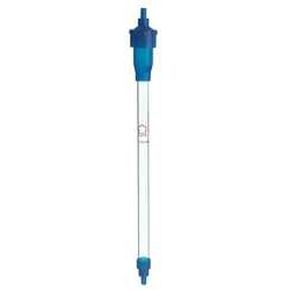
Kimble Flex-Column 420401-1505 أعمدة كروماتوغرافيا اقتصادية من زجاج البورسليكات، حجم 9 مل، معرف 1.5 سم، طول 5 سم، 1.77 سم 3 مساحة مقطعية مستعرضة
KWD 13.500
-16%
Kimble Flex-Column 420401-1505 أعمدة كروماتوغرافيا اقتصادية من زجاج البورسليكات، حجم 9 مل، معرف 1.5 سم، طول 5 سم، 1.77 سم 3 مساحة مقطعية مستعرضة
KWD 13.500
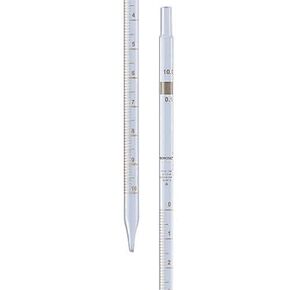 Borosil® ماصات Mohr (قياس) قابلة لإعادة الاستخدام من الفئة A (ممصات) مع تدرجات كهرمانية دائمة وأرقام تسلسلية فردية، شهادة فردية، 0.2 مل (فواصل زمنية 0.01 مل)، 10/CS
KWD 74.500
Borosil® ماصات Mohr (قياس) قابلة لإعادة الاستخدام من الفئة A (ممصات) مع تدرجات كهرمانية دائمة وأرقام تسلسلية فردية، شهادة فردية، 0.2 مل (فواصل زمنية 0.01 مل)، 10/CS
KWD 74.500
 مجموعة ماصات دقيقة ذات حجم متغير VTP-B1 من Vision Scientific: (0.5-10ul؛ 10-100ul؛ 100-1000ul) | عرض حجم 4 مواضع | عملية حقيقية بيد واحدة
KWD 61
مجموعة ماصات دقيقة ذات حجم متغير VTP-B1 من Vision Scientific: (0.5-10ul؛ 10-100ul؛ 100-1000ul) | عرض حجم 4 مواضع | عملية حقيقية بيد واحدة
KWD 61
 -10%
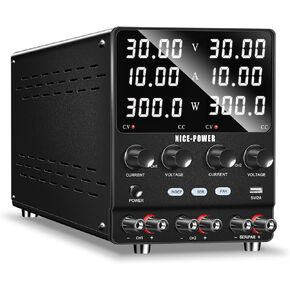
NICE-POWER Dual DC مزود الطاقة المتغير: 30V 10A سلسلة تنظيم التبديل القابلة للتعديل (60V 10A) الموازية (30V 20A) عالية الدقة 5V / 2A منفذ USB إمدادات الطاقة للمختبر
KWD 65.500
-10%
NICE-POWER Dual DC مزود الطاقة المتغير: 30V 10A سلسلة تنظيم التبديل القابلة للتعديل (60V 10A) الموازية (30V 20A) عالية الدقة 5V / 2A منفذ USB إمدادات الطاقة للمختبر
KWD 65.500




