- التسوق ، اصبح سهلا.
- /
- احصل على التطبيق!
1. Multifunction Design: The three in one design allows you to monitor RPM, oil pressure, and water temp with just one meter, saving space and reducing the need for multiple devices on boats, yachts, and RVs.
2. Construction: Made of 316L stainless steel front cover and anti fog curved glass, with IP67 and rating, digital oil pressure gauge is suitable for harsh marine environments and various vessels.
3. Backlight and LED Display: Boat RPM meter provides an easy to read red backlight for nighttime navigation, while digital display has high precision, repeatability, strong versatility, reliability and stability, easy to use.
4. Wide Voltage Range: Water temp oil pressure meter has a working voltage of 9‑32VDC and a maximum of 36V, with low power consumption, long lifespan, high accuracy, and fast startup time.
5. Secure Connection: Featuring a snap on wiring design for a sturdy connection, ensuring the gauge can operate even under strong vibrations, suitable for various transportation vehicles like boats, yachts, and outboard motors.
Spec:
Item Type: Digital Oil Pressure Water Temp RPM Gauge
Material: Stainless Steel 316L Bezel + Antifog Glass
Protection Level: IP67, fully with excellent antifog function
Display: Voltage + Oil Pressure + Water Level
Backlight Color: Red (default), Green, Blue, White, Yellow, Yellow Green, Orange, Purple (color switchable)
Operating Voltage: 9-32VDC
Operating Current: ≤60mA
Operating Temperature: -30℃ to +70℃
Storage Temperature: -40℃ to +85℃
Protection Level: IP67, can work underwater at 1m depth
Applications: Boats, Yachts, RVs, Trucks, Motorcycles
Wiring:
Red Wire - +9-32VDC
Black Wire - Speed Signal Input
Orange Wire - Backlight
Blue Wire - Power Negative (-)
White Wire - Oil Pressure Signal Input
Purple Wire - Water Temperature Signal Input
Gauge Function Instructions:
1. Short press the Mode button (less than 1 second) once to change the backlight color: backlight sequence is red (default), green, blue, white, yellow, yellow green, orange, purple.
2. Long press the Mode button (>4 seconds) to enter setting mode:
a. Short press the button (2 seconds).
b. Scroll to the desired parameter group for the gauge, release the button, wait 4 seconds without op for data to be saved automatically and exit setting mode to normal display mode.
c. Once in the tachometer speed ratio setting mode, holding the button will continuously increase the numerical value, release the button for the value to decrease continuously. Speed ratio adjustment range: 1‑300.0. Adjust to your desired speed ratio value, release the button > 4 seconds, the number is automatically saved. Between 1‑12.0 speed ratio, the step value is 0.1, between 12.0‑300.0 speed ratio, the step value is 0.5.
How to Use:
Installation Steps:
Step 1: Cut a 52‑53mm diameter hole in your central control or other pre‑installed location, ensuring there is at least 70mm of space behind the panel.
Step 2: Insert the gauge into the hole.
Step 3: Align the bracket screw holes with the screws on the back of the gauge, then tighten the screws to secure the bracket and frame to the panel.
Step 4: Plug the power harness directly into the back of the gauge's wiring port, then connect the corresponding sensor and harness according to the instructions provided to power on.
packing list:
1 x Digital Gauge
1 x Wiring
1 x Mounting Base
2 x Nuts
1 x Manual
Notice:
The product comes with a manual, please read carefully before installation.
 Omix-Ada 16751.02 عجلة رابط اسطوانة
KWD 2.500
Omix-Ada 16751.02 عجلة رابط اسطوانة
KWD 2.500
 -37%
كونتيننتال حزام مروحة مولد 111903137D (9.5 × 905 لسيارة فولكس فاجن بيتل)
KWD 6
-37%
كونتيننتال حزام مروحة مولد 111903137D (9.5 × 905 لسيارة فولكس فاجن بيتل)
KWD 6
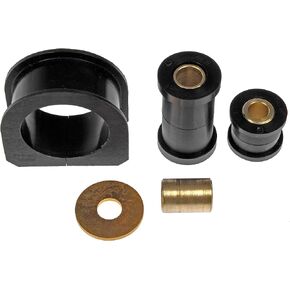 Dorman 905-401 الرف الأمامي والبطانة المسننة المتوافقة مع موديلات مختارة من تويوتا (OE FIX)، أسود
KWD 11
Dorman 905-401 الرف الأمامي والبطانة المسننة المتوافقة مع موديلات مختارة من تويوتا (OE FIX)، أسود
KWD 11
 6X سدادات تجميد التوسعة من الفولاذ المقاوم للصدأ 3922072 3812090 3900965 متوافقة مع دودج كومينز 4BT 6BT 6CT ISC ISB QSB
KWD 7.500
6X سدادات تجميد التوسعة من الفولاذ المقاوم للصدأ 3922072 3812090 3900965 متوافقة مع دودج كومينز 4BT 6BT 6CT ISC ISB QSB
KWD 7.500




