- التسوق ، اصبح سهلا.
- /
- احصل على التطبيق!
Our Screen Is High Quality LCD Display Touch Screen Digitizer Assembly Replacement Kits For Xiaomi Redmi K50 Gaming
Product Description:
-Material: Original
-Suitable For: For Xiaomi Redmi K50 Gaming LCD Display Touch Screen Digitizer Assembly Replacement Kits
-Size: 6.67Inch
-Resolution: 1080x2400 pixels
Package Including:
1x LCD Display Touch Screen Digitizer Assembly Replacement Kits
1x anti-fall all-inclusive tempered film
1x Free Tape
1x a set of special removal tools (2x screwdrivers
1x plastic spudger
2x Open Shell Fragments
1x suction cup)
Installation Precautions:
1. Check whether the product is in good condition and test it before installation. Do not remove protective film or labels during testing. Watch out for static issues.
2. The screen is glass, which is a very fragile product. Testing before installation is strongly recommended
3. Do not bend the cable. During installation and testing, make sure the LCD cable is not bent. Curvatures greater than 90 degrees will result in a black view.
4. If your phone has a black screen during installation, press and hold the power key and volume key at the same time. If the phone vibrates, it's because the mainline is not installed properly. Then reinstall the product.
5. If you are not professional in maintenance, or have no experience in repairing electronic equipment, we do not recommend you to replace the screen by yourself. Take it to a repair shop for help to save you time and money. Or find the relevant installation video on the YouTube platform and follow the installation steps to install.
 قطع غيار اصلاح لوحة شاشة LCD بديلة لجهاز نينتندو سويتش، تتضمن زجاج مقوى
KWD 14
قطع غيار اصلاح لوحة شاشة LCD بديلة لجهاز نينتندو سويتش، تتضمن زجاج مقوى
KWD 14
 قطع غيار اصلاح لوحة شاشة LCD بديلة لجهاز نينتندو سويتش لايت، تتضمن زجاج مقوى
KWD 13.500
قطع غيار اصلاح لوحة شاشة LCD بديلة لجهاز نينتندو سويتش لايت، تتضمن زجاج مقوى
KWD 13.500
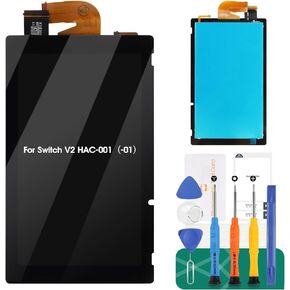 لاستبدال شاشة نينتندو سويتش V2 للتبديل مجموعات استبدال شاشة LCD للتبديل LCD محول الأرقام شاشة تعمل باللمس استبدال الجمعية HAC-001(-01) 2019
KWD 20.500
لاستبدال شاشة نينتندو سويتش V2 للتبديل مجموعات استبدال شاشة LCD للتبديل LCD محول الأرقام شاشة تعمل باللمس استبدال الجمعية HAC-001(-01) 2019
KWD 20.500
 -10%
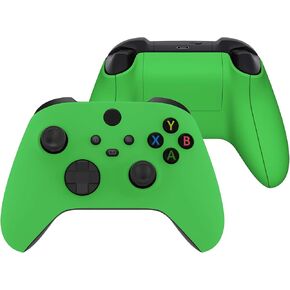
قذيفة مجموعة كاملة من الخضرة الخضراء مع وحدة تحكم Xbox Series X/S - وحدة تحكم غير مدرجة
KWD 13.500
-10%
قذيفة مجموعة كاملة من الخضرة الخضراء مع وحدة تحكم Xbox Series X/S - وحدة تحكم غير مدرجة
KWD 13.500




