- Shopping, made easy.
- /
- Get the app!
How to adjust 3d glasses to get a better 3D experience?
1. Play the source and turn on the 2D to 3D effect.
2. Put on the 3D glasses and press the glasses middle switch to turn on the 3D function. Wait for the glasses to be successfully paired with projector. You can see the correct picture in the glasses.
3. Press the volume up and down switch on the remote control panel to make the volume adjustment icon appear on the screen.
4. Press the switch in the middle of the glasses to adjust the left and right eye sequence of the screen. Each time you press the glasses switch, the left and right eye sequence will be switched. Pay attention to the relative position of the video image and the volume icon. Select the video image and the volume icon that appear far away.
Warm tip:
If you cannot make sure if our glasses can work with your projector, there are 2 ways to confirm it.
1:The 3D signal receiving window can receive the DLP-Link signal. As soon as you use 96-144Hz DLP-Link 3D projector and connect thru 3D image source.
2: Or if your projector has the logo of “DLP 3D Ready” below.
Specification:
3D Glasses Type: Active shutter glasses
Synchronous: DLP-Link
Display Compatibility: DLP-Link 3D Projector
Response Time: 2ms±0.5ms
Environment Temperature: 0℃ - 45℃
Storage Temperature: -10°C-60°C
Work Humidity: 20%-80%RH
Atmospheric Pressure: 86 kPa - 106 kPa
Size: For Adult
Ratio: 1000:1±200
Frequency: 96/100/120/144 Hz
Working Current: Work Hours: 45±5 hr
Power Supply: 3.7V 80mAH
Transmission: 38%±2
View Angle: 30°(L/R 15°)
SYNC Operation: White light DLP.Link
Net weight: 34.5g
Dimension: 145*40*147cm
Package Includes:
3D Active Glasses for Projector*2
USB Cable*2
Cleaning Cloth*2
User Manual*2
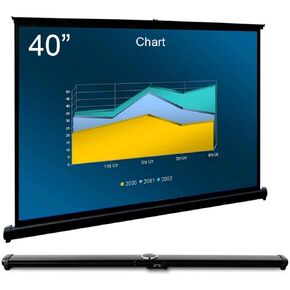 Cocar P1-SN50 50 inch Portable Projection Screen for Mini/Professional LED/LCD/DLP Projector Self Standing Pull-Out Style Indoor Outdoor Home Cinema - 4:3/16:9 Compatiable
KWD 29
Cocar P1-SN50 50 inch Portable Projection Screen for Mini/Professional LED/LCD/DLP Projector Self Standing Pull-Out Style Indoor Outdoor Home Cinema - 4:3/16:9 Compatiable
KWD 29
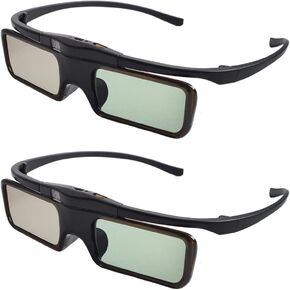 RF 3D Glasses Active Shutter RF 3D Glasses Rechargeable RF 3D TV Projectors 3D Movies Games Active Shutter RF 3D Glasses for Sony Epson Toshiba Sharp's RF 3D TV
KWD 17.500
RF 3D Glasses Active Shutter RF 3D Glasses Rechargeable RF 3D TV Projectors 3D Movies Games Active Shutter RF 3D Glasses for Sony Epson Toshiba Sharp's RF 3D TV
KWD 17.500
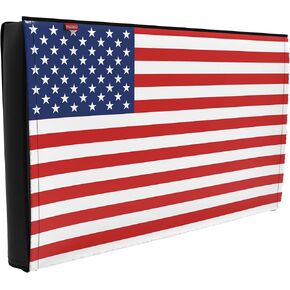 Outdoor 86"-90" TV Set Cover,Scratch Resistant Liner Protect LED Screen Best-Compatible with Standard Mounts and Stands (American Flag )
KWD 7.500
Outdoor 86"-90" TV Set Cover,Scratch Resistant Liner Protect LED Screen Best-Compatible with Standard Mounts and Stands (American Flag )
KWD 7.500
 RF 3D Glasses, Active Shutter RF 3D Glasses Rechargeable Suitable for RF 3D TV Projectors, RF 3D Eyewear, Compatible with TDG-BT500A, SSG-5100GB, AN3DG40, Pack of 4
KWD 9
RF 3D Glasses, Active Shutter RF 3D Glasses Rechargeable Suitable for RF 3D TV Projectors, RF 3D Eyewear, Compatible with TDG-BT500A, SSG-5100GB, AN3DG40, Pack of 4
KWD 9




