- التسوق ، اصبح سهلا.
- /
- احصل على التطبيق!
Specification:
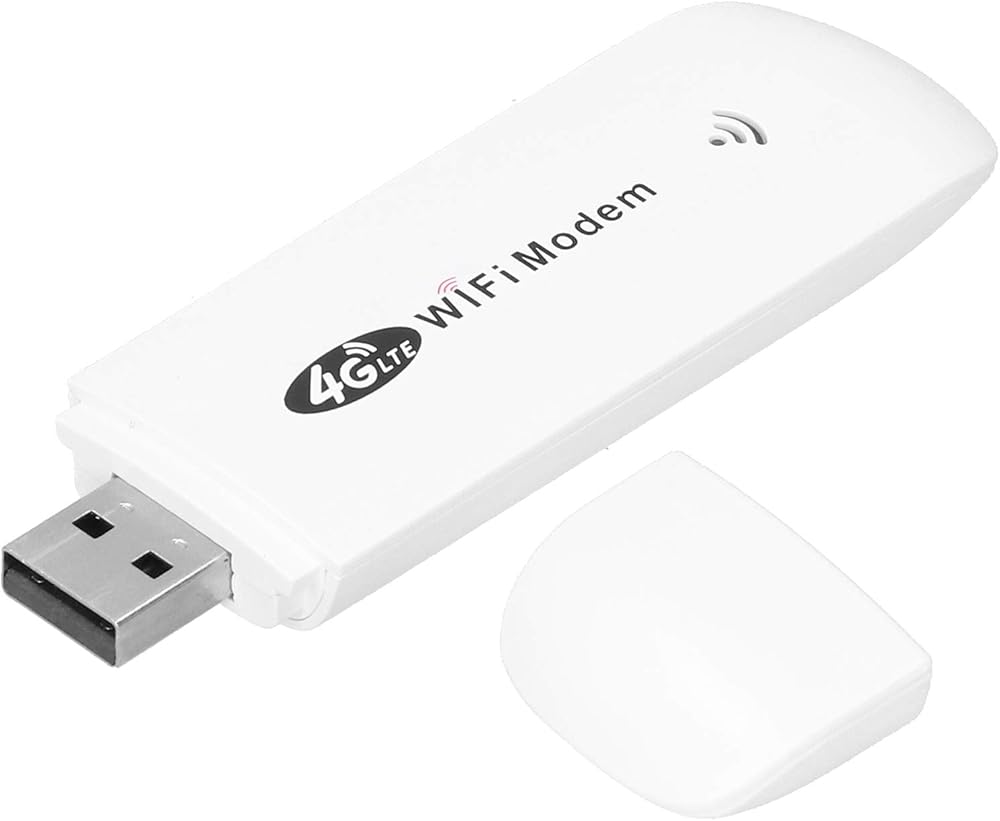
Item Type: Modem Dongle
How to Use:
1. Prepare a SIM card, open the back cover of the dongle and insert the SIM card, close the back cover and insert the computer or other USB power supply port, search the network MIFI SSID: 4G MIFI**** (UFI SSID: 4GUFI_**** )Click connect, Enter the Default Password: 1234567890 and click OK.
2. For 7
Open Control Panel→Network and Internet→Network and Sharing Center→Connect to the network, and select the point with the same SSID of this device to connect in the list. Enter the correct password, click OK and wait for a while, when it shows connected to , it means the connection is successful.
3. For phone
Tap Settings, tap the Wi-Fi switch to turn on Wi-Fi. In the list, select the that is consistent with the device SSDI, enter the correct password and click connect.
Frequency: 4G LTE-FDD: B1 B3 B5 (850 1800 2100MHz)
4G LTE-TDD: B38 B39 B40 B41 (1900 2300 2500 2600MHz)
3G WCDMA: B1 (2100MHz)
Peak Rate: LTE FDD: DLUL 150M 50 Mbps (category 4)
Internet: 2.4G, 802.11 b g n
Display Mode: LED status indicator
Power Port: USB2.0
SIM Card: Micro SIM
Port Input Voltage: 5V 1A
Operating Systems Supported by : For Vista 7 8 10 OS X Linux
Associated Users: Up to 10
Language: Chinese and English shared
APN Settings: Support
Network Settings: Support
Device Settings: Support
Routing Setting: Support
Firewall setting: Support
packing list:
1 x Modem Dongle
1 x User Manual
Note:
This product does not include SIM card
 لوحة راوتر 450 غرام × 4
KWD 41.500
لوحة راوتر 450 غرام × 4
KWD 41.500
 نقطة اتصال واي فاي متنقلة 4G، نقطة اتصال واي فاي محمولة غير مقفلة H5577، تنزيل 150 ميجابت في الثانية، تحميل 50 ميجابت في الثانية، ما يصل إلى 10 مستخدمين، راوتر واي فاي لاسلكي مع بطارية قابلة لإعادة الشحن 2100 مللي أمبير في الساعة، لسطح المكتب والكمبيوتر ا
KWD 9
نقطة اتصال واي فاي متنقلة 4G، نقطة اتصال واي فاي محمولة غير مقفلة H5577، تنزيل 150 ميجابت في الثانية، تحميل 50 ميجابت في الثانية، ما يصل إلى 10 مستخدمين، راوتر واي فاي لاسلكي مع بطارية قابلة لإعادة الشحن 2100 مللي أمبير في الساعة، لسطح المكتب والكمبيوتر ا
KWD 9
 راوتر واي فاي 4G محمول، H80 واي فاي 4G محمول، تنزيل نقطة اتصال محمولة بسرعة 150 ميجا بت في الثانية مع بطارية قابلة للشحن 2400 مللي أمبير في الساعة، بطاقة توصيل، نقطة اتصال واي فاي متنقلة غير مقفلة مع شاشة LED للسفر في الهواء الطلق بالسيارة
KWD 10
راوتر واي فاي 4G محمول، H80 واي فاي 4G محمول، تنزيل نقطة اتصال محمولة بسرعة 150 ميجا بت في الثانية مع بطارية قابلة للشحن 2400 مللي أمبير في الساعة، بطاقة توصيل، نقطة اتصال واي فاي متنقلة غير مقفلة مع شاشة LED للسفر في الهواء الطلق بالسيارة
KWD 10
 راوتر واي فاي 4G، CPF905 4G LTE CPE واي فاي راوتر 4G LTE موبايل واي فاي نقطة اتصال واي فاي غير مقفلة أجهزة راوتر إنترنت لاسلكية مع هوائيين قابلين للفصل للمكتب المنزلي (لوائح الولايات المتحدة)
KWD 19
راوتر واي فاي 4G، CPF905 4G LTE CPE واي فاي راوتر 4G LTE موبايل واي فاي نقطة اتصال واي فاي غير مقفلة أجهزة راوتر إنترنت لاسلكية مع هوائيين قابلين للفصل للمكتب المنزلي (لوائح الولايات المتحدة)
KWD 19