💙【Displayport KVM Switch Dual monitor】Displayport KVM Switch can control control 2 computers with only 1 set of keyboard and mouse, and 2 monitors display the main desktop and extended desktop of one computer. NOTE: It requires each computer has 2 video output interfaces and support extended display, otherwise this dual monitor DP kvm can not be realized dual monitor extended display.
💜【Dual Display KVM 4K@60Hz & Auto EDID】Enjoy high resolution max up to 4K@60Hz, and also supports 4K@30Hz, 3D and 1080P@60Hz or other lower resolution (Downward Compatible). Complies with the DP 1.2 standard. Automatically adapt to HDID/HDCP, which can adapt to a variety of complex application environment. Supports separate audio and microphone output. Note: Only when both your computer Graphics card and monitor support 4K@60Hz then you can get 4K@60Hz effect.
💚【Displayport KVM Dual Monitor With Wide Compatibility & Two switching methods】Displayport KVM Switch support multiple operation systems & devices: Fully compatible with Windows 10/7/2000/XP/ and Mac. 2 convenient switch modes: 1. Toggle selection on front panel; 2. Wired remote switch (one-touch switch).
🧡【KVM Dual Monitor Displayport and 3 USB2.0 ports】 The KVM Switch has a one button switch function, and it only takes 2-4 seconds to switch to another computer. There are 3 USB 2.0 ports to share U disk, printer, webcam, etc. Please note that KVM does not support hotkey switch.
💛【Driver Free KVM Displayport Switch With USB 2.0 HUB】Plug and play with no driver needed: include all cables and DC 5V power adapter, with extra USB 2.0 port for sharing USB printers, scanners and jump drives, wireless and gaming keyboard mouse. The product package comes with 2 mini-USB cables, 1 switch controller, and 1power adapter.
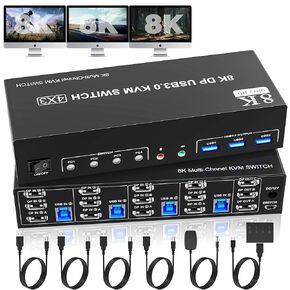 8K@60Hz DisplayPort 3 Monitors 4 Computers KVM Switch, DP 1.4 KVM Switch 4K@144Hz Triple Monitor for 4 Computer with Audio and 3 USB 3.0 Ports, KVM Triple Monitor Keyboard Mouse Switcher
KWD 57.500
8K@60Hz DisplayPort 3 Monitors 4 Computers KVM Switch, DP 1.4 KVM Switch 4K@144Hz Triple Monitor for 4 Computer with Audio and 3 USB 3.0 Ports, KVM Triple Monitor Keyboard Mouse Switcher
KWD 57.500
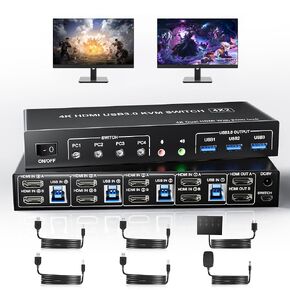 USB 3.0 HDMI Dual Monitors 4 Computers KVM Switch, Supports EDID, 4K@60Hz HDMI Dual Monitor Switch for 4 PCs with 3 USB3.0 and Audio Microphone Ports, 4 Port HDMI KVM Switch for 4PC
KWD 49.500
USB 3.0 HDMI Dual Monitors 4 Computers KVM Switch, Supports EDID, 4K@60Hz HDMI Dual Monitor Switch for 4 PCs with 3 USB3.0 and Audio Microphone Ports, 4 Port HDMI KVM Switch for 4PC
KWD 49.500
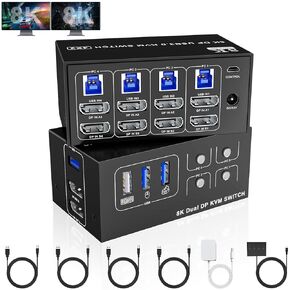 8K@60Hz Displayport USB 3.0 KVM Switch 2 Monitors for 4 Computers 4K@144Hz, DP1.4 Dual Monitor Displayport KVM Switch 4 Port with 4 USB Ports, 8K@60Hz DP Monitor Switch for 4 PCs
KWD 33
8K@60Hz Displayport USB 3.0 KVM Switch 2 Monitors for 4 Computers 4K@144Hz, DP1.4 Dual Monitor Displayport KVM Switch 4 Port with 4 USB Ports, 8K@60Hz DP Monitor Switch for 4 PCs
KWD 33
 -7%
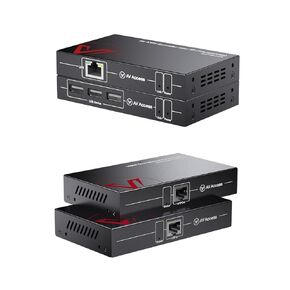
IP Extender and KVM Extender Dual Monitor Bundle
KWD 143.500
-7%
IP Extender and KVM Extender Dual Monitor Bundle
KWD 143.500




