- Shopping, made easy.
- /
- Get the app!
Instructions
1. Insert IVYGROW's PowerCoin wireless charging module into the card slot on the bottom of the wireless mouse, the magnetic suction will align automatically. After it is installed in place, put the mouse on the wireless charging board to start charging.
2. The charging status is shown on the mouse drive page.Please update the driver to 2022.3.24300 or above to show the status correctly
Notes
1、 Please first check weather the PowerCoin aligns with the centeral charging area of the charging pad, if the product does not work.
2、 With this charging coin, your mouse can't work with Logitech G Powerplay Wireless Charging Mouse Pad
3、 The displayed power status may not change after reaching 80% (the value may vary with different mouse models). That is caused by the mouse's protection mechanism for battery, and is not a quality problem of this product.
4、 To avoid overheating caused by overcharging, please stop charging when the power of the mouse goes over 80%.
5、 To avoid overheating, charging interruption and pairing problem,please use officially certificated charging pads with this product.
6、 Common possible causes that would make this product not work:
6.1、Unmatched power plug
6.2、Non-officially certificated wireless charging pad
6.3、Uncompatible mouse driver
6.4、Dirt on the magnet located at the bottom of the mouse
6.5、Mouse not being placed on the correct charging area of the charging pad.
Warranty
1. If you have any questions about the product, please feel free to contact us in the order system, we will reply in 24 hours.
 -17%
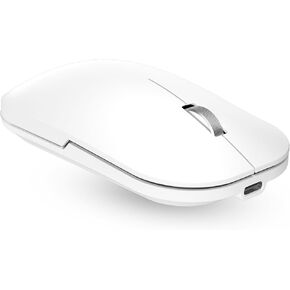
Bluetooth Wireless Mouse for MacBook/Windows/Android Tablet/iPad/Mac/Laptop/PC/Computer,Rechargeable Dual Mode(BT5.2 & 3.0 & 2.4G USB) Silent Mouse for Desktop/Notebook/Computer
KWD 5
-17%
Bluetooth Wireless Mouse for MacBook/Windows/Android Tablet/iPad/Mac/Laptop/PC/Computer,Rechargeable Dual Mode(BT5.2 & 3.0 & 2.4G USB) Silent Mouse for Desktop/Notebook/Computer
KWD 5
 IFOYO Large Silicone Mouse Holders for Laptops No Residue Adhesive with Super Strong Suction Cup, Reusable Desk Organizer for Officeand Home (Pink)
KWD 4.500
IFOYO Large Silicone Mouse Holders for Laptops No Residue Adhesive with Super Strong Suction Cup, Reusable Desk Organizer for Officeand Home (Pink)
KWD 4.500
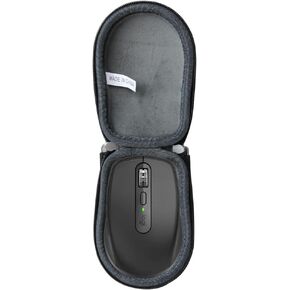 Anleo Storage Case for Logitech MX Anywhere 3S / Anywhere 3 / Anywhere 2S / Anywhere 2- IP54 Waterproof Cover with Shockproof Design & Carabiner Hook (Black)
KWD 5.500
Anleo Storage Case for Logitech MX Anywhere 3S / Anywhere 3 / Anywhere 2S / Anywhere 2- IP54 Waterproof Cover with Shockproof Design & Carabiner Hook (Black)
KWD 5.500
 -5%
R5Ultra 8K Carbon Fiber Wireless Gaming Mouse with 42000 DPI -PAW3950 MAX Sensor -39g Ultra-Lightweight-Nordic 52840 MCU Chip-Wired/BT/2.4GHz Wirelss Programmable Mouse Tape for PC/Mac (Green)
KWD 28
-5%
R5Ultra 8K Carbon Fiber Wireless Gaming Mouse with 42000 DPI -PAW3950 MAX Sensor -39g Ultra-Lightweight-Nordic 52840 MCU Chip-Wired/BT/2.4GHz Wirelss Programmable Mouse Tape for PC/Mac (Green)
KWD 28




