- التسوق ، اصبح سهلا.
- /
- احصل على التطبيق!
Instructions:
Preparation: - The device does not include SIM card, so please prepare a 2G network SIM card
Power on: - Open the card cover, insert the SIM card as instructed, and then insert . The product will automatically turn on, the red light will flash four times and then turn off. After 30 seconds, it enters normal standby mode. *(If the indicator light does not light up after inserting the SIM card, please charge the phone with the SIM card inserted. Note: Charging without a SIM card is prohibited!)
Bind the master number: - Send SMS "000" to the locator number, and the device will reply to the SMS. Send "Settings; Binding + Master Control Number" to complete the binding.
GPRS location query: - Send SMS "777" to the locator's number. The device will reply with a geolocation and Google Maps link. Open the link on your phone to get accurate location information.
Location track query: -Send SMS "102" to the locator's number. The device will reply [Account, Password]. Log in to the app to view real-time location information.
GPS device status: - Send SMS "888" to the locator's number. The device will reply with information about main functions, battery capacity, bound number, signal strength, startup frequency, GPRS TF card capacity, etc.
Restart the host: -Send SMS "999" to the locator's number and wait for 1 minute for successful recovery.
Shut down and stop information display: - Send SMS "444" to the locator's number. The device will reply "Reset;
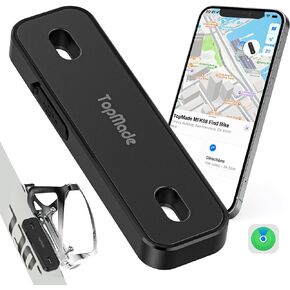 يعمل Topmade Bike Tracker ، يعمل مع Apple Find My (iOS Only) ، وموقع GPS العالمي على iPhone و iPad و Mac & Apple Watch و Bike Finder و Mount for Bottion Holder و Waterproof و Dustproof و Respretable و Black
KWD 10.500
يعمل Topmade Bike Tracker ، يعمل مع Apple Find My (iOS Only) ، وموقع GPS العالمي على iPhone و iPad و Mac & Apple Watch و Bike Finder و Mount for Bottion Holder و Waterproof و Dustproof و Respretable و Black
KWD 10.500
 -42%
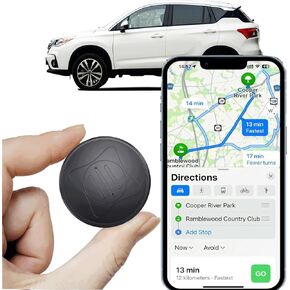
MINI GPS Tracker للمركبات - أجهزة تتبع CAR GPS المحمولة في الوقت الحقيقي GPS تتبع GPS ، لا رسوم شهرية/لا اشتراك ، تتبع موقع التغطية العالمية الكاملة الخفية للسيارات ، الأطفال ، الكلاب.
KWD 7
-42%
MINI GPS Tracker للمركبات - أجهزة تتبع CAR GPS المحمولة في الوقت الحقيقي GPS تتبع GPS ، لا رسوم شهرية/لا اشتراك ، تتبع موقع التغطية العالمية الكاملة الخفية للسيارات ، الأطفال ، الكلاب.
KWD 7
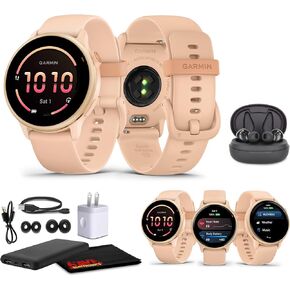 Garmin Vivoactive 6 Smartwatch Metallic Metallic Dawn مع Pink Band Best Gps GPS Smart-Watch مع عرض AMOLED ، بطارية لمدة 11 يومًا ، 80 تطبيقًا رياضيًا ، حزمة ساعة تتبع النشاط للرجال والنساء
KWD 122
Garmin Vivoactive 6 Smartwatch Metallic Metallic Dawn مع Pink Band Best Gps GPS Smart-Watch مع عرض AMOLED ، بطارية لمدة 11 يومًا ، 80 تطبيقًا رياضيًا ، حزمة ساعة تتبع النشاط للرجال والنساء
KWD 122
 تعمل حزمة Air Tracker 3 مع Apple Find My App (iOS فقط ، وليس لنظام Android) ، ومكتشفو العناصر مع الصوت ، ومكتشف المفاتيح ، وموقع العناصر للأمتعة ، وحقائب الظهر ، وحقائب ، وبطارية قابلة للاستبدال (أسود)
KWD 8.500
تعمل حزمة Air Tracker 3 مع Apple Find My App (iOS فقط ، وليس لنظام Android) ، ومكتشفو العناصر مع الصوت ، ومكتشف المفاتيح ، وموقع العناصر للأمتعة ، وحقائب الظهر ، وحقائب ، وبطارية قابلة للاستبدال (أسود)
KWD 8.500




