لوحة مفاتيح بلوتوث رفيعة للغاية بإضاءة خلفية RGB قابلة لإعادة الشحن، لوحة مفاتيح بلوتوث 3.0 للكمبيوتر اللوحي، لوحة مفاتيح عالمية صغيرة محمولة لأجهزة iPad والأجهزة اللوحية والهواتف وأجهزة الكمبيوتر المحمولة وأجهزة الكمبيوتر الشخصية - أبيض
【 LED Backlight】- The Bluetooth keyboard has backlight modes. These bright light colors and the simple design of the keyboard bring you a different visual experience. Simply press the RGB key to change color. You can also adjust the brightness of the light. Even in the dark, it allows you to type freely.
【Stable Bluetooth Connection】-Advanced Bluetooth 3.0 technology can provide a stable, reliable, and powerful connection. The Bluetooth keyboard is easy to connect and use without worrying about delays. The wireless design brings you more convenience when you need to type. The operating distance is up to 10m/33ft.
【Long Battery Life】- The Bluetooth keyboard has built-in rechargeable battery, which can work continuously for 60 hours with the backlight off after being fully charged, it will enter sleep mode after a few minutes of inactivity to save power, and you can press any key to activate. No need to replace the battery frequently.
【Ultra-Slim & Portable】- Compact with the perfect size (9.76 X 5.9 X 0.01in) and lightweight (7.05oz), this Bluetooth iPad keyboard is portable to take on your handbag, backpack or briefcase and anywhere.
【Wide Compatibility】- The computer keyboard is compatible with devices that support Bluetooth. Support iOS, Android, and Windows systems, tablet computers, laptops, and mobile phones. Simply press FN+Android/Win/iOS to easily switch systems.
وصف
Product Specification:
Product name: Bluetooth backlight keyboard
Material: ABS
Bluetooth: Bluetooth 3.0
Weight: 200g
Transmission distance: 10M
Working voltage: 3-5V
Standby time: 90 days
Key life: up to 5 million times
Product Size:
Long: 248mm/9.76in
Width: 150mm/5.90in
High: 0.5mm/0.01in
Instructions:
1. Open the power switch, the power indicator lights on 2. Press "Connect", the Bluetooth pairing light flickered quickly. At this time, the Bluetooth keyboard is in the connection. 3. Open the device "Bluetooth" for connection. The device will automatically search for available Bluetooth equipment. 4. Discover the "Bluetooth keyboard" and click "Connection" 5. The keyboard connection is successful, the code indicator is off, and the power indicator will be bright until the power supply is turned off.
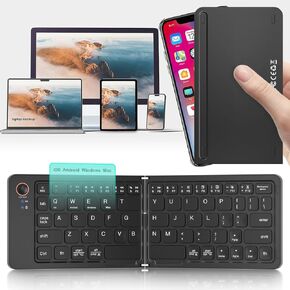 لوحة مفاتيح قابلة للطي مصغرة بالحجم الكامل المحمول - التبديل إلى 3 أجهزة ، سفر فائقة السفر لجهاز iPad for iPad لنظام التشغيل iOS لنظام التشغيل Android (VIN) (VIN)
KWD 15
لوحة مفاتيح قابلة للطي مصغرة بالحجم الكامل المحمول - التبديل إلى 3 أجهزة ، سفر فائقة السفر لجهاز iPad for iPad لنظام التشغيل iOS لنظام التشغيل Android (VIN) (VIN)
KWD 15
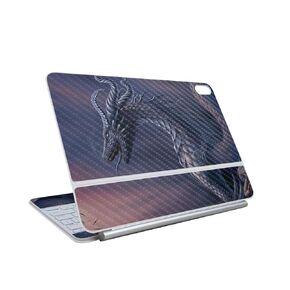 تتوافق الألياف الكربونية للجلد مع لوحة مفاتيح Apple Magic لـ iPad Air 13 بوصة (M3) 2025 - حقول القمح الأخضر - غطاء ملصق واقي فينيل 3M - يسهل تطبيقه | mmade في الولايات المتحدة الأمريكية
KWD 13.500
تتوافق الألياف الكربونية للجلد مع لوحة مفاتيح Apple Magic لـ iPad Air 13 بوصة (M3) 2025 - حقول القمح الأخضر - غطاء ملصق واقي فينيل 3M - يسهل تطبيقه | mmade في الولايات المتحدة الأمريكية
KWD 13.500
 -13%
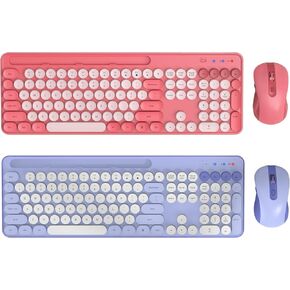
لوحة المفاتيح الوردي والأرجواني الآلة الكاتبة والسرد الماوس مع حامل الهاتف/الكمبيوتر اللوحي ، لوحة مفاتيح ملونة لطيفة للكمبيوتر/الكمبيوتر المحمول/Windows/Mac بواسطة Sablute
KWD 24.500
-13%
لوحة المفاتيح الوردي والأرجواني الآلة الكاتبة والسرد الماوس مع حامل الهاتف/الكمبيوتر اللوحي ، لوحة مفاتيح ملونة لطيفة للكمبيوتر/الكمبيوتر المحمول/Windows/Mac بواسطة Sablute
KWD 24.500
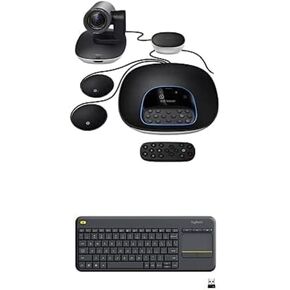 حزمة مؤتمرات فيديو Logitech Group مع ميكروفونات التوسع لغرف الاجتماعات الكبيرة حزمة K400 بالإضافة
KWD 408.500
حزمة مؤتمرات فيديو Logitech Group مع ميكروفونات التوسع لغرف الاجتماعات الكبيرة حزمة K400 بالإضافة
KWD 408.500




