- التسوق ، اصبح سهلا.
- /
- احصل على التطبيق!
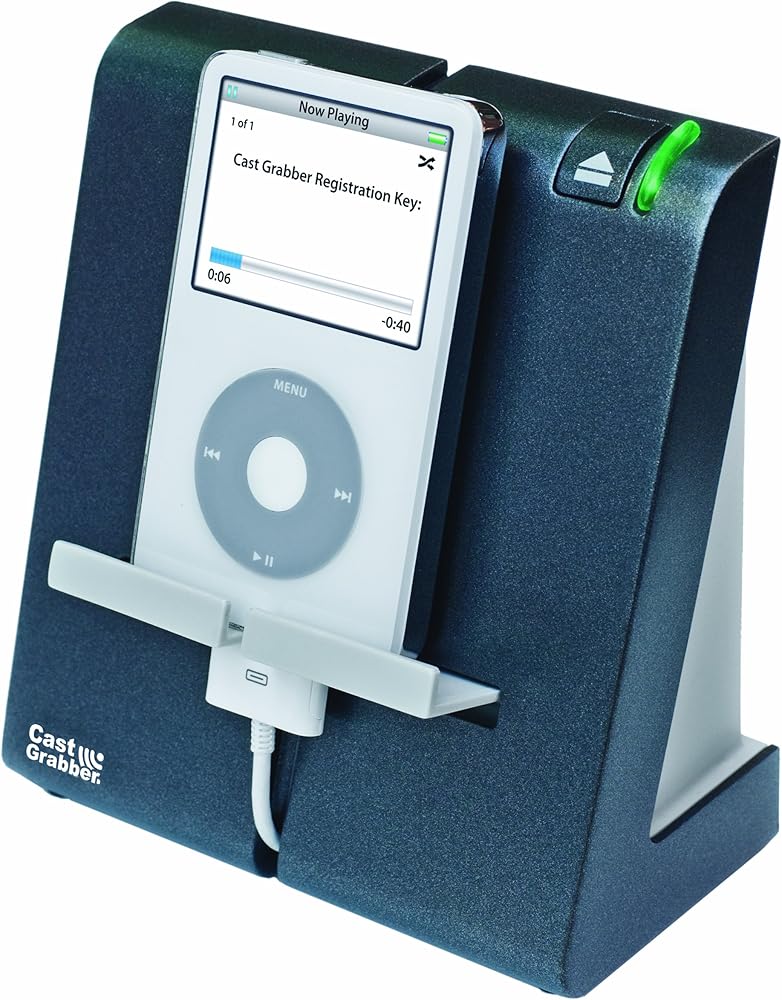
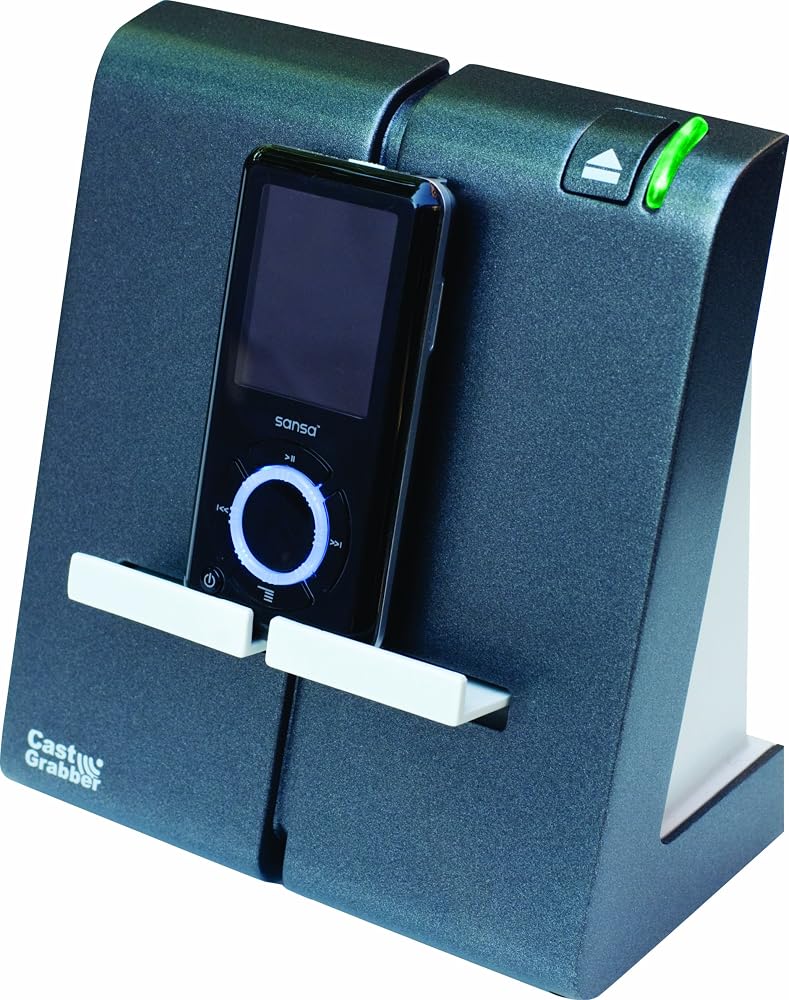
Download Podcasts without a PC... A Podcast is syndicated serial audio or video content you can get free on the Internet. Millions of Podcasts are available on just about every imaginable topic. CastGrabber allows you to obtain this free content as soon as it comes out - without the use of your PC. CastGrabber Works with most MP3 players - iPods, Samsung, Sansa, Creative Zen, iRiver etc.* (* Except iPods using HFS Apple format (formatted on a Macintosh computer), iPod touch, Zune, and iPhone)
CastGrabber LLC developed a special technology/device that allows you to download your favorite podcasts directly onto your favorite iPod/MP3 player, anywhere in the world, without being tethered to a PC. All you need is a network, and CastGrabber does the rest. Download podcasts, anytime you want--anywhere you want!
Download podcasts, anytime you want--anywhere you want! All you need is a network, and CastGrabber does the rest.
CastGrabber--Download Podcasts without a ComputerWhat is CastGrabber?
CastGrabber automatically downloads podcasts onto virtually any MP3 player* without requiring the use of a computer. You can download and listen to your favorite podcasts daily without ever touching a computer.Podcasts
Millions of free podcasts are available on just about any imaginable topic. Increasingly, people are relying on podcasts to keep up with current events, sports, hobbies, and anything else that piques their interest. All too often, the hassle of manually transferring podcasts results in missing out on the latest up-to-date information. CastGrabber makes downloading podcasts easy and ensures you that you'll always be current with your interests.
Why CastGrabber? Because CastGrabber:
automatically keeps up-to-date on your subscribed podcasts without a PC;
lets you download podcasts anywhere you can plug into a network;
works with almost any MP3 player;*
can run on your home network and some corporate networks;
automatically charges your MP3 player without a computer;
is easy to set-up and configure; and
auto updates its software every time you plug in your MP3 player, so it's software is always the latest version. In addition:
your MP3 player can update podcasts from any CastGrabber;
any CastGrabber can update any MP3 player with a free CastGrabber account; and
you won't have to "wait in line" to use your turn at the computer just to download podcasts to your MP3 player.
USB, power, and Ethernet connectors are all located on the bottom of the device for a clean look. How Does CastGrabber Work?
The CastGrabber works by connecting to the network--not a computer. Downloading podcasts using the CastGrabber takes three easy steps:
Plug one end of the provided Ethernet cable into the router and the other end of the cable into your CastGrabber.
Put the provided power supply in a power outlet and the other end of the cord into the CastGrabber.
After downloading the latest CastGrabber software, the light will turn green, assuring you that you have the latest CastGrabber software, and that it is ready to begin downloading.
Connect the USB cable (that came with your MP3 player) to your MP3 player and the back of the CastGrabber. Once your MP3 player is connected, it will begin downloading your subscribed podcasts. The CastGrabber can plug into any home network and will automatically download the podcasts you specify onto your MP3 player.No Computer Required
Once you have registered your MP3 player (after initial use) and subscribed to your favorite podcasts, you'll never need a computer again until you wish to add or delete podcast subscriptions. Using the CastGrabber removes the need to be tethered to your computer every time you want to update your podcasts. Instead, the CastGrabber is right on the network, so you can download podcasts anywhere you have access to a network.
Registering Your CastGrabber
Before downloading podcasts, you will need to register your MP3 player with the CastGrabber server:
Connect your MP3 player to the CastGrabber.
Go to the "Podcast" or "CastGrabber" playlist on your MP3 player and view the song title. This is your CastGrabber registration key.
Enter your three-word registration key into the registration blank on CastGrabber's website.
Create a password and user name. After completing the initial registration, you are ready to select your podcasts.Subscribing to Podcasts
With CastGrabber, downloading the podcasts is easy. Choosing from thousands of podcasts that you want to subscribe to is the hard part! There are two easy ways to select the podcasts you want the CastGrabber to automatically download. The type of MP3 player you have will determine which method to use:
Through iTunes Software--for iPod
Synchronize your iPod with iTunes by connecting your iPod to your computer. Through this process the CastGrabber collects all your podcast subscription information every time you connect the CastGrabber. There is no need to synchronize again until you change podcasts selections or transfer content from your library. If you keep you iPod connected to the CastGrabber, it will check for the latest podcasts every few hours.
Via the Internet Using Your Browser--for Non-iPod MP3 Players
Start out by logging onto the CastGrabber website using your CastGrabber account information. Select the "Podcasts" tab and go to the "Media Directory" to select, browse, or search thousands of available podcasts. Once you have found the podcasts you want to subscribe to, click on the "subscribe" button to select those podcasts. Plug your MP3 player into the CastGrabber, and your podcasts will begin downloading. Each time you connect your MP3 player to the CastGrabber, you will download the most recent updates from the podcasts to which you're subscribed.
CastGrabber works with most MP3 players, including SanDisk Sansa and PC-formatted iPods. If your device charges off the USB port of your computer, CastGrabber will do the same. Maximize Your Time
Once you've registered your MP3 player, it will work on any CastGrabber regardless of where you're located--anywhere in the world. By automating the two most time-consuming parts of the podcasting experience--scouring the web for podcasts and waiting for computer downloads--CastGrabber increases your productivity and makes the process simple by minimizing the process of downloading your favorite podcasts.
Extra Features
If your MP3 player is charged via a USB cable, the CastGrabber will automatically recharge your MP3 player each time it is placed in the CastGrabber. It also will automatically download CastGrabber software updates so that your CastGrabber is as current as the latest release, regardless of when you purchased your CastGrabber.
CastGrabber is perfect for:
Newshounds who don't want to miss their favorite news shows or who want to keep up-to-date on current events (i.e., CNN and BBC)
Information Seekers who enjoy learning about a variety of different topics
Radio Listeners who have a favorite radio show but are unable to listen to it at its regular broadcasted time
Sports Fans who want to know the latest news on their favorite team or who have favorite sports radio shows they listen to regularly (i.e. ESPN)
Business Junkies who want to know what stocks are on the rise, what companies are going under, and who merged with whom
Commuters who depend on their MP3 player to provide their listening entertainment
Business Travelers who want to keep up-to-date, even while in the air
Parents who have to frequently un-tether their children from the computer and free it for other tasks
Students who are frequently on-the-go and want to get podcasts while charging their player at night or frequently need to download college lectures
Professionals who enjoy free seminars from major universities or want to stay up to speed with events in their specific field (i.e., Mayo Clinic and ABA)
Companies that frequently send podcasts to employees
Religious Folks who subscribe to Christian "Godcasts" or other denominational podcasts
Hobbyists who use do-it-yourself podcasts or want to keep up-to-speed with their specific hobbies
Entertainment Enthusiasts who want to keep current with their favorite TV shows, movies, books, magazines, and Hollywood gossip
* CastGrabber does not work with Zune, iPod touch, iPhone, Mac-formatted iPods (HFS+), and Sony PSP
What's in the Box
CastGrabber device, Ethernet cable, AC adapter, User Guide
 جبرا
KWD 49.500
جبرا
KWD 49.500
 -14%
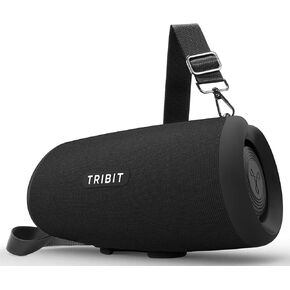
مكبر صوت بلوتوث محمول من Tribit Stormbox Lava ، مكبر صوت لاسلكي 80 واط ، و 15 ساعة ، و IP67 مقاوم للماء ، وبلوتوث 5.4 ، و EQ مخصص ، و XBASS ، وميكروفون مدمج ، وإقران TWS للتخييم/الشاطئ/الحفلات/الطرف الخارجي
KWD 49.500
-14%
مكبر صوت بلوتوث محمول من Tribit Stormbox Lava ، مكبر صوت لاسلكي 80 واط ، و 15 ساعة ، و IP67 مقاوم للماء ، وبلوتوث 5.4 ، و EQ مخصص ، و XBASS ، وميكروفون مدمج ، وإقران TWS للتخييم/الشاطئ/الحفلات/الطرف الخارجي
KWD 49.500
 -27%
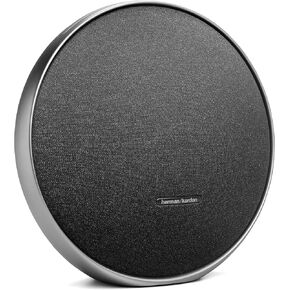
Harman Kardon Onyx Studio 9-مكبر الصوت المنزلي المحمول من Bluetooth مع بطارية مدمجة وشحن USB ، والضبط الذاتي ، والاتصال متعدد الكلام بواسطة Auracast-Black
KWD 83.500
-27%
Harman Kardon Onyx Studio 9-مكبر الصوت المنزلي المحمول من Bluetooth مع بطارية مدمجة وشحن USB ، والضبط الذاتي ، والاتصال متعدد الكلام بواسطة Auracast-Black
KWD 83.500
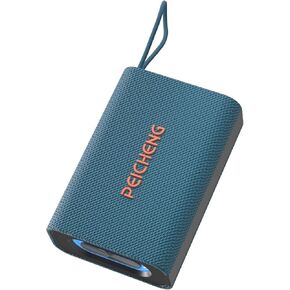 مكبر صوت ، مكبرات صوت بلوتوث اللاسلكية المحمولة ، صوت استريو بصوت عالٍ مع RGB أضواء TWS زوج طويل للمنزل/الحفلات/الأدوات الإلكترونية (1pcs ، رمادي)
KWD 5
مكبر صوت ، مكبرات صوت بلوتوث اللاسلكية المحمولة ، صوت استريو بصوت عالٍ مع RGB أضواء TWS زوج طويل للمنزل/الحفلات/الأدوات الإلكترونية (1pcs ، رمادي)
KWD 5