- التسوق ، اصبح سهلا.
- /
- احصل على التطبيق!
The simulated finger physical screen clicker is suitable for games, live broadcasts, likes, and rewards.
The maximum support is 99 times per second, and it is generally not recommended to use such a high frequency.
We have this technology, but please use your regular phone frequency.
Just like the 200 mph speedometer set in a car, but we recommend driving at a safe speed when driving at high speeds.
Usage:
Firstly, after turning on the device, open the on your phone, find the device named "U1", and click on U1 to connect.
Secondly, after success, press the number 1 on the clicker, slide the screen of the clicker, and move the small gray circle to the place where you need to click.
Finally, press the number 1 again to confirm, and then press the start/pause button. You can operate the device to automatically start working.
Tip:
1. Before using an iPhone, please turn on accessibility features, touch, and turn on auxiliary touch.
2. Where does the red indicator light of the clicker flash, indicating which number is starting to work (1,2). The device can support two devices to start working simultaneously.
3. The screen display "99" indicates 99 clicks per second, and the screen display "-99" indicates 1 click per 99 seconds.

 -22%
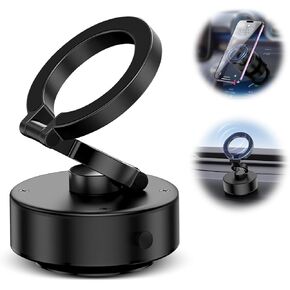
حامل الهاتف بالشفط المغناطيسي الكهربائي، حامل هاتف الدش، حامل الهاتف الخلوي المغناطيسي للسيارة/صالة الألعاب الرياضية/المرآة/السطح الأملس، متوافق مع iPhone وAndroid (فضي)
KWD 3.500
-22%
حامل الهاتف بالشفط المغناطيسي الكهربائي، حامل هاتف الدش، حامل الهاتف الخلوي المغناطيسي للسيارة/صالة الألعاب الرياضية/المرآة/السطح الأملس، متوافق مع iPhone وAndroid (فضي)
KWD 3.500
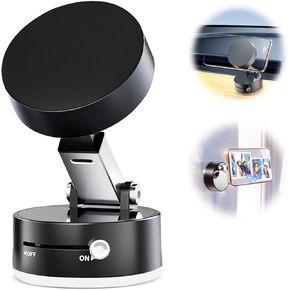 حامل هاتف شفط مغناطيسي ، حامل هاتف دش خالي من اليدين ، حامل الهاتف الخليوي المغناطيسي للسيارة/الصالة الرياضية/السطح الأملس ، متوافق مع iPhone & Android (أسود)
KWD 3.500
حامل هاتف شفط مغناطيسي ، حامل هاتف دش خالي من اليدين ، حامل الهاتف الخليوي المغناطيسي للسيارة/الصالة الرياضية/السطح الأملس ، متوافق مع iPhone & Android (أسود)
KWD 3.500
 MOUNT PHOPER CAR لـ LEXUS RX 2010-2015 التنقل في حامل الهاتف ، ل RX350/RX450H المحمول المحمول إكسسوارات التلقائيات AUTO BRACKET ، دوران 360 درجة ، متوافق لجميع الهواتف المحمولة
KWD 10
MOUNT PHOPER CAR لـ LEXUS RX 2010-2015 التنقل في حامل الهاتف ، ل RX350/RX450H المحمول المحمول إكسسوارات التلقائيات AUTO BRACKET ، دوران 360 درجة ، متوافق لجميع الهواتف المحمولة
KWD 10
 Daygos Breakaway Lanyards لشارات الهوية - الحبل الرئيسي القابل للفصل السلامة مع علم الولايات المتحدة الأمريكية ، حبل حزام عنق قابل للتعديل لحامل البطاقة والمفاتيح ، الأسود ، 1pcs
KWD 3.500
Daygos Breakaway Lanyards لشارات الهوية - الحبل الرئيسي القابل للفصل السلامة مع علم الولايات المتحدة الأمريكية ، حبل حزام عنق قابل للتعديل لحامل البطاقة والمفاتيح ، الأسود ، 1pcs
KWD 3.500




