- Shopping, made easy.
- /
- Get the app!
Galaxy Note 10 Tempered Glass Screen Protector and Camera Lens Protectors
➤Activate the Touch Sensitivity Setting.
1: Open "Settings"
2: Navigate to "Display Function"
3: On the bottom, find and activate "Touch Sensitivity"
➤Installation steps:
1. Clean and dry your screen with included wet cloth and dry cloth.
2. Carefully peel off the backing of the screen protector.
3. Line up and apply the film to the screen.
4. Tightly press the edges about 45s of the film to avoid edge lifting.
5. Press outwards around the fingerprint recognition ring to ensure no bubbles
6. After the installation is complete, please delete the original fingerprint of the phone re-enter the fingerprint
➤Product Feature:
Support In-Screen Fingerprint ID and Designed for Ultrasonic Screen Fingerprint High touch sensitivity.
99.99%HD clear crystal glass maintains high definition image quality.
9H hardness tempered glass that can powerfully resist wear, scratches, impact, drop
Oil repellent coating reduces fingerprint collection. Fits most phone cases.
Package:
3 x Galaxy Note 10 Screen Protector
2 x Galaxy Note 10 Camera Lens Protector
3 x Wet and Dry Wipes
1 x Instruction Manual
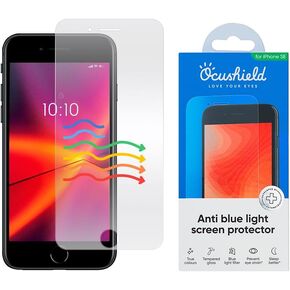 Ocushield Privacy Screen Protector for iPhone 16 Pro Max – Anti-Spy Tempered Glass, Blue Light Filter, 95% Transparency, Bubble-Free Install, Scratch-Resistant, Case Friendly
KWD 18
Ocushield Privacy Screen Protector for iPhone 16 Pro Max – Anti-Spy Tempered Glass, Blue Light Filter, 95% Transparency, Bubble-Free Install, Scratch-Resistant, Case Friendly
KWD 18
![Compatible for iPhone 15 Pro/iPhone 15 Pro Max Camera Lens Protector [Full Coverage Metal] 9H Tempered Glass Screen Camera Cover Titanium Black in Kuwait](https://cdn1.tilga.com/md/prod/3/5931/3/153893234.28845.jpg) -18%
Compatible for iPhone 15 Pro/iPhone 15 Pro Max Camera Lens Protector [Full Coverage Metal] 9H Tempered Glass Screen Camera Cover Titanium Black
KWD 4.500
-18%
Compatible for iPhone 15 Pro/iPhone 15 Pro Max Camera Lens Protector [Full Coverage Metal] 9H Tempered Glass Screen Camera Cover Titanium Black
KWD 4.500
![[2+2 Pack] Privacy Screen Protector Compatible with Galaxy S22 Plus 5G, 2 Tempered Glass with 2 Camera Lens Protectors - HD Clear - Bubble-Free - Anti-Spy - Scratch Resistant in Kuwait](https://cdn1.tilga.com/md/prod/3/9822/3/219998365.26417.jpg) [2+2 Pack] Privacy Screen Protector Compatible with Galaxy S22 Plus 5G, 2 Tempered Glass with 2 Camera Lens Protectors - HD Clear - Bubble-Free - Anti-Spy - Scratch Resistant
KWD 4
[2+2 Pack] Privacy Screen Protector Compatible with Galaxy S22 Plus 5G, 2 Tempered Glass with 2 Camera Lens Protectors - HD Clear - Bubble-Free - Anti-Spy - Scratch Resistant
KWD 4
![SPARIN Screen Protector for Google Pixel 9A,[3+2 Pack] Pixel 9A 6.3 Inch Tempered Glass & 2-Pack Camera Lens Protector, Case Friendly/Alignment Frame in Kuwait](https://cdn1.tilga.com/md/prod/3/5945/3/154163930.48151.jpg) SPARIN Screen Protector for Google Pixel 9A,[3+2 Pack] Pixel 9A 6.3 Inch Tempered Glass & 2-Pack Camera Lens Protector, Case Friendly/Alignment Frame
KWD 4.500
SPARIN Screen Protector for Google Pixel 9A,[3+2 Pack] Pixel 9A 6.3 Inch Tempered Glass & 2-Pack Camera Lens Protector, Case Friendly/Alignment Frame
KWD 4.500


![[3+2 Pack] Galaxy Note 10 Screen Protector with Camera Lens Protector, Fingerprint Unlock, 3D Full Coverage, 9H Hardness Scratch Resistant Tempered Glass, for Samsung Galaxy Note 10 5G (6.3 Inch) in Kuwait](https://cdn1.tilga.com/md/prod/3/2213/100726932.2223.jpg)
![[3+2 Pack] Galaxy Note 10 Screen Protector with Camera Lens Protector, Fingerprint Unlock, 3D Full Coverage, 9H Hardness Scratch Resistant Tempered Glass, for Samsung Galaxy Note 10 5G (6.3 Inch) in Kuwait](https://cdn1.tilga.com/md/prod/3/2213/100726933.22049.jpg)
![[3+2 Pack] Galaxy Note 10 Screen Protector with Camera Lens Protector, Fingerprint Unlock, 3D Full Coverage, 9H Hardness Scratch Resistant Tempered Glass, for Samsung Galaxy Note 10 5G (6.3 Inch) in Kuwait](https://cdn1.tilga.com/md/prod/3/2213/100726934.14149.jpg)
![[3+2 Pack] Galaxy Note 10 Screen Protector with Camera Lens Protector, Fingerprint Unlock, 3D Full Coverage, 9H Hardness Scratch Resistant Tempered Glass, for Samsung Galaxy Note 10 5G (6.3 Inch) in Kuwait](https://cdn1.tilga.com/md/prod/3/2213/100726935.5424.jpg)
![[3+2 Pack] Galaxy Note 10 Screen Protector with Camera Lens Protector, Fingerprint Unlock, 3D Full Coverage, 9H Hardness Scratch Resistant Tempered Glass, for Samsung Galaxy Note 10 5G (6.3 Inch) in Kuwait](https://cdn1.tilga.com/md/prod/3/2213/100726936.8934.jpg)
![[3+2 Pack] Galaxy Note 10 Screen Protector with Camera Lens Protector, Fingerprint Unlock, 3D Full Coverage, 9H Hardness Scratch Resistant Tempered Glass, for Samsung Galaxy Note 10 5G (6.3 Inch) in Kuwait](https://cdn1.tilga.com/md/prod/3/2213/100726937.60222.jpg)
![[3+2 Pack] Galaxy Note 10 Screen Protector with Camera Lens Protector, Fingerprint Unlock, 3D Full Coverage, 9H Hardness Scratch Resistant Tempered Glass, for Samsung Galaxy Note 10 5G (6.3 Inch) in Kuwait](https://cdn1.tilga.com/md/prod/3/2213/100726938.7522.jpg)