【Supports 3 working modes】The usb cross selector is a handy usb Switcher 2 computer sharer that offers three modes of operation: cross mode, Select mode, and synchroniz mode; the default is cross mode, which requires no keystrokes.
【Keyboard Mouse switcher 2 computer】When 2 computers are connected to usb cross selector to share Keyboard Mouse Switch, use the cross mode, just move the mouse to the edge of the screen (left or right) to switch the mouse and keyboard to the other computer, you don't need to press the button every time.
【Synchroniz mode and Select mode】Synchronized mode can control two computers at the same time, the mouse and keyboard commands at the same time in two computers; select mode that is, like the traditional usb switch to control a computer with one click.
【Flexible application of the computer kvm switch】Supports buttons and keyboard hotkeys to switch and reset the three working modes. No driver required, support mainstream Windows and Android systems, etc..
【Supports relative and absolute mouse modes, mouse DPI adjustment】When the usb cross selector is working in absolute mode, you can adjust the DPI to increase or decrease the mouse movement rate. No adjustment is needed for relative mode.
【Prerequisites & Notes 1】Only mouse and keyboard cross is supported in cross mode, copy and paste folders are not supported; screen extension is not supported in cross and synchronization mode states.
【Prerequisites & Notes 2】The usb cross selector is the km switch. only supports connecting a mouse and keyboard, supports wired and wireless keyboards and mice (with receivers), but does not support mechanical keyboards, macro mice, gaming mice, 3D gaming and drawing modes. Does not support connecting printers, scanners and other USB devices.
【Packaging】The usb switch kit includes 1 x USB Cross Selector, 2 x 1m USB-A cables and user manual, no need to buy accessories separately.


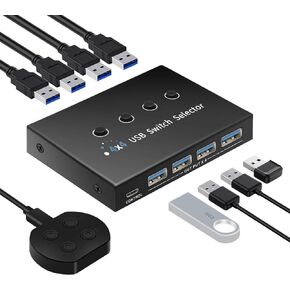 USB 3.0 Switch 4 Computers 3 Computers Keyboard Mouse Switch,4 Port USB Switch Selector Sharing 4 USB Devices,USB Switcher Compatible with Mac/Windows/Linux,with Desktop Controller and 4 USB Cable.
KWD 15.500
USB 3.0 Switch 4 Computers 3 Computers Keyboard Mouse Switch,4 Port USB Switch Selector Sharing 4 USB Devices,USB Switcher Compatible with Mac/Windows/Linux,with Desktop Controller and 4 USB Cable.
KWD 15.500
 -10%
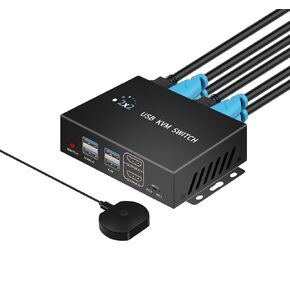
Dual Monitor Kvm Switch 2 Monitors 2 Computers HDMI 4k@60HZ,USB3.0. kvm switches 1 Monitors 2 Monitor 2 Computers,USB switcher 2 Computers Keyboard Mouse Switch,Button Desktop Controller Switch.
KWD 18.500
-10%
Dual Monitor Kvm Switch 2 Monitors 2 Computers HDMI 4k@60HZ,USB3.0. kvm switches 1 Monitors 2 Monitor 2 Computers,USB switcher 2 Computers Keyboard Mouse Switch,Button Desktop Controller Switch.
KWD 18.500
 USB Switch 3 Computers 4 Computers,USB switcher 2 Computers Share Keyboard Mouse Switch, USB 3.0 Switch USB-A&C Cable USB c Switch selector,USB km Switch,with USB-A&C Cable and Desktop Controller
KWD 18
USB Switch 3 Computers 4 Computers,USB switcher 2 Computers Share Keyboard Mouse Switch, USB 3.0 Switch USB-A&C Cable USB c Switch selector,USB km Switch,with USB-A&C Cable and Desktop Controller
KWD 18
 kvm Switch 2 Monitors 2 Computers 8K HDMI Dual Monitor kvm Switch.USB switcher 2 Computers Share 3*USB3.0&1*USB C, KVM switches 2 Computers 2 Monitors 1 Monitors,2 Port Mouse and Keyboard Switch.
KWD 32.500
kvm Switch 2 Monitors 2 Computers 8K HDMI Dual Monitor kvm Switch.USB switcher 2 Computers Share 3*USB3.0&1*USB C, KVM switches 2 Computers 2 Monitors 1 Monitors,2 Port Mouse and Keyboard Switch.
KWD 32.500




