- Shopping, made easy.
- /
- Get the app!
The latest Bluetooth 5.3 earbuds airpods pro
Pairing instructions
1.Make sure the headset is charged before pairing.
2. For iOS systems, open the cover and the window will open automatically.
3. On Android system, open Bluetooth on the phone, automatically search for "air pro" and click to pair properly.
Other situations
1. When the headset cannot be paired: first delete the name of the headset from the Bluetooth phone and double-click the correct headset to pair. The headset will flash, indicating successful pairing. Activate Bluetooth and search
2. The headset cannot be connected to the phone: turn off Bluetooth and headset and reconnect, delete Bluetooth and reconnect
3.Service: if you have any questions about our products or services, please contact us first. We will reply you within 24 hours and try our best to solve the problem
Pairing is now complete.
1. Make sure the charging port on the underside of the Wireless Headset is dry and clean.
2. Make sure that no foreign objects obstruct the charging contacts and the housing under the handset.
3. Press and hold the button on the back of the charger to clear the last pairing history.
4. If the sound is delayed, if you can't hear it at all, or if you can't connect, try placing the handset in the charging cradle or reconnecting it to the phone.
5. Mono mode: If you don't want to use two earpieces at the same time, remove one of them from the charging cradle and use it separately.
6. Support for binaural calls: Thanks to the integrated microphone on both sides of the headset, you can make binaural calls.
 New Ai Language Translator Earbuds Real Time Translation Earbuds with 144 Languages Supported, ANC Noise Cancelling, Bluetooth 5.4, Smart Touch Screen Housing (Black)
KWD 11
New Ai Language Translator Earbuds Real Time Translation Earbuds with 144 Languages Supported, ANC Noise Cancelling, Bluetooth 5.4, Smart Touch Screen Housing (Black)
KWD 11
 Sleep Earbuds, Invisible Mini Headphones Wireless Bluetooth, Sleep Earbuds for Side Sleepers, Small Earphones, Hidden Ear Buds for Work, Earphones Clear Calls, Single Playtime for 6h (Nude)
KWD 11
Sleep Earbuds, Invisible Mini Headphones Wireless Bluetooth, Sleep Earbuds for Side Sleepers, Small Earphones, Hidden Ear Buds for Work, Earphones Clear Calls, Single Playtime for 6h (Nude)
KWD 11
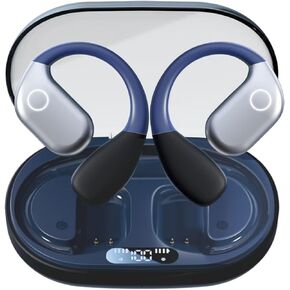 Real Time Translation Earbuds, Two Way Translator Earphones Long Battery Life 3-in-1 Open Ear Headphones Fit iOS and Android 144 Languages & 8 Offline for Travel Business Learning(Black)
KWD 8.500
Real Time Translation Earbuds, Two Way Translator Earphones Long Battery Life 3-in-1 Open Ear Headphones Fit iOS and Android 144 Languages & 8 Offline for Travel Business Learning(Black)
KWD 8.500
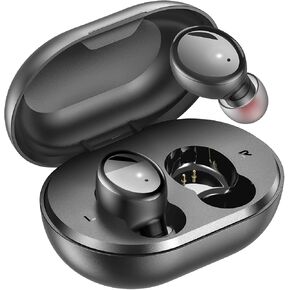 Bluetooth 5.3 Wireless Earbuds, S8 Deep Bass Hi-fi Stereo Headset with Microphone in-Ear Call Noise Canceling Bluetooth Headphones, Immersive Premium Sound Ear Buds for iPhone, Android
KWD 4
Bluetooth 5.3 Wireless Earbuds, S8 Deep Bass Hi-fi Stereo Headset with Microphone in-Ear Call Noise Canceling Bluetooth Headphones, Immersive Premium Sound Ear Buds for iPhone, Android
KWD 4




