WiFi Car Wireless Backup Camera 1080P HD Night Vision Car Rear View Reverse Camera IP68 Waterproof 170 Degrees Wide Viewing Angle with App for Car Van SUV Pickup Trailer RV
【WIFI Backup Camera】Using an efficient image processing chip, the image is clear and smooth. Use high-power WIFI module, strong signal and long transmission distance. The rear view of the car can be seen clearly in a dark environment, making driving and reversing at night safer. With a high-definition resolution of 1920*1080p, a wide-angle fisheye lens providing a 170-degree view angle, IP68 waterproof.
【Front and Rear View Camera】During the driving process, click the mobile phone app to enter the rearview video interface, and you can watch the rear video in real time. It can be installed in the front, rear, left and right visual blind areas of the vehicle to monitor these blind areas in real time. Image can be flipped and guideline can be adjusted. Can be applied to vehicles like Campers, SUVs, RVs, Sedans, Minivans, pickups and so on. (Device must support double band wifi function)
【Easy to Use】You can use the USB 5V power or power bank to turn on the backup camera, then you can use your phone to connect the camera WiFi to view the rear of car. After the camera is powered on, it automatically builds a wifi hotspot, and the mobile phone does not need Internet traffic to achieve high-definition video transmission.Operating System: It support smart phone android 5.0 above or IOS system.
【Take Photo & Video Playback】The smart device app can record and save images, realize video and video sharing, and save important video data for backup. The app can play back the video files stored in the smart device memory to reproduce the scenes taken. Support voice control function. If your smart device supports intelligent voice systems,you can initiate the W-Car APP by voice command.
【How to Use Phone Backup Camera】Search for "W-Car" in the app shop or scan the QR code provided in the manual to download the app. Connect the camera to USB 5V power supply. Enter WIFI settings and connect to WIFI hostpost starting with"Car-...". Open the "W-Car" App to view the image from camera.


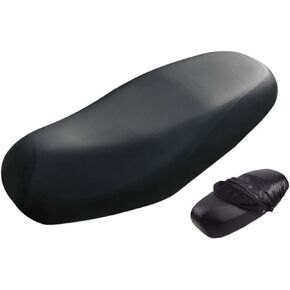 Universal Motorcycle Seat Cover Waterproof Breathable 3D Mesh Cushion Cover Protector Rainproof Motorbike Seat Pad Cover for Outdoor (Breathable, L(80 * 53CM/31.5 * 20.87IN))
KWD 3.500
Universal Motorcycle Seat Cover Waterproof Breathable 3D Mesh Cushion Cover Protector Rainproof Motorbike Seat Pad Cover for Outdoor (Breathable, L(80 * 53CM/31.5 * 20.87IN))
KWD 3.500
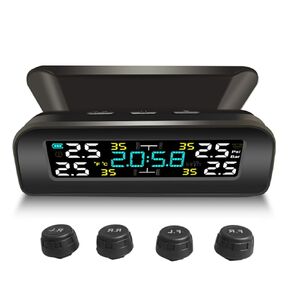 TPMS Tire Pressure Monitoring System Wireless Solar Tire Pressure Monitor Installed on Windowshield with 4 External Sensors Real-Time Display Time Temperature Pressure 0-3.5Bar for Car RV SUV MPV
KWD 9.500
TPMS Tire Pressure Monitoring System Wireless Solar Tire Pressure Monitor Installed on Windowshield with 4 External Sensors Real-Time Display Time Temperature Pressure 0-3.5Bar for Car RV SUV MPV
KWD 9.500
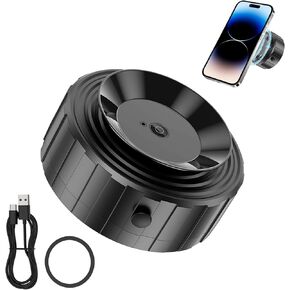 Electric Vacuum Magnetic Suction Phone Mount 360°Rotation Car Cell Phone Holder Double-sided Adsorption for Glass Screen Mirror Smooth Surface, Compatible with iPhone 15/14/13/12 & All Phones
KWD 5
Electric Vacuum Magnetic Suction Phone Mount 360°Rotation Car Cell Phone Holder Double-sided Adsorption for Glass Screen Mirror Smooth Surface, Compatible with iPhone 15/14/13/12 & All Phones
KWD 5
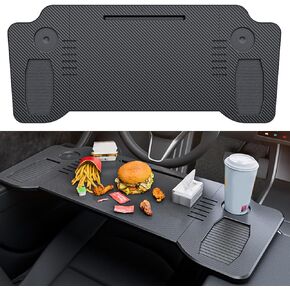 Car Laptop Desk Food Tray Carbon Fiber Texture Foldable Desk Steering Wheel Eating Table Travel Remote Work Camping Table for Tesla Model 3 Model Y Car Accessories
KWD 15.500
Car Laptop Desk Food Tray Carbon Fiber Texture Foldable Desk Steering Wheel Eating Table Travel Remote Work Camping Table for Tesla Model 3 Model Y Car Accessories
KWD 15.500




