- التسوق ، اصبح سهلا.
- /
- احصل على التطبيق!
9 steps to replace the projector lamp
1.Gather the necessary tools, screwdriver.
2.Turn off TV or Projector.
3.Remove Lamp Compartment Door.
4.Remove Lamp Assembly. Carefully pull out the lamp assembly and disconnect any power cords that may still be connected to the lamp assembly. Put it aside and don't get it confused with your new lamp!
5.Clean Lamp Compartment. Dust gets everywhere and while you have the projector open, use a soft cloth or micro-fiber cleaning cloth to remove any loose dust from the lamp compartment.
6.Insert New Lamp Assembly. Carefully reconnect any power cables to the new lamp if present and slide the new lamp into the compartment in the same orientation that the original lamp came out.
7.Replace Lamp Compartment Door. Set the lamp compartment door back into place and securely screw in the door without screwing it in too tightly.
8.Reset the lamp timer. Instructions on how to do this should be covered by the instruction manual.
9.You're Done! Enjoy your projector or TV again and make sure you have a backup lamp handy in case the lights go out unexpectedly.
 مصباح بروجيكتور SunnyPro ELPLP80 مع غطاء، متوافق مع Epson BrightLink 585Wi BrightLink 595Wi BrightLink Pro 1420 Wi BrightLink Pro 1430 Wi Powerlite 580/Powerlite 585W
KWD 20.500
مصباح بروجيكتور SunnyPro ELPLP80 مع غطاء، متوافق مع Epson BrightLink 585Wi BrightLink 595Wi BrightLink Pro 1420 Wi BrightLink Pro 1430 Wi Powerlite 580/Powerlite 585W
KWD 20.500
 SunnyPro متوافق V13H010L79 لمبة العرض ELPLP79 لإبسون BrightLink 575Wi /Epson EB-570 /Epson EB-575 /Epson EB-575W EB-575Wi PowerLite 570 PowerLite 575 PowerLite 575Wi
KWD 11
SunnyPro متوافق V13H010L79 لمبة العرض ELPLP79 لإبسون BrightLink 575Wi /Epson EB-570 /Epson EB-575 /Epson EB-575W EB-575Wi PowerLite 570 PowerLite 575 PowerLite 575Wi
KWD 11
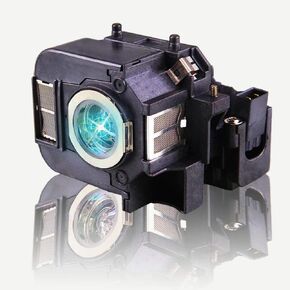 مصباح بروجيكتور بديل ELPLP50 V13H010L50 متوافق مع Epson EB-824 EB-825 EB-826W EB-84e EB-84he EB-85 EMP-825 EMP-84 EMP-84he H294B H295A H296A H297A H353A H353B H353C H354C H355B H35 6C H357C
KWD 13.500
مصباح بروجيكتور بديل ELPLP50 V13H010L50 متوافق مع Epson EB-824 EB-825 EB-826W EB-84e EB-84he EB-85 EMP-825 EMP-84 EMP-84he H294B H295A H296A H297A H353A H353B H353C H354C H355B H35 6C H357C
KWD 13.500
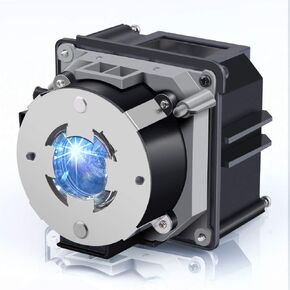 ELPLP93 V13H010L93 مصباح بروجيكتور بديل متوافق مع EPSON EB-G7000W EB-G7100/NL EB-G7200W EB-G7400U EB-G7500U/NL EB-G7800 EB-G7805U/NL EB-G7900U EB-G7905U G7200WNL H749 ج H750C H751C H752C
KWD 26.500
ELPLP93 V13H010L93 مصباح بروجيكتور بديل متوافق مع EPSON EB-G7000W EB-G7100/NL EB-G7200W EB-G7400U EB-G7500U/NL EB-G7800 EB-G7805U/NL EB-G7900U EB-G7905U G7200WNL H749 ج H750C H751C H752C
KWD 26.500




