- Shopping, made easy.
- /
- Get the app!
Notes 1: Charging Display: When connected to the charger, the "IN" indicator will flash, and the battery level will be shown numerically. The "IN" indicator indicates that charging is in progress. For discharging, the current battery level will be displayed when the device is turned on. 2: Before starting, ensure that the battery level is not less than 60%. During car startup, a large instant current output is required. Insufficient battery level can affect the starting performance and may damage the power supply unit due to over-discharge. (Over-discharge can damage the battery, and mismatched battery voltages can result in charging failure.) 3: Host Charging and Discharging Instructions: This product has a built-in voltage-boosting/step-down circuit, supporting 5V2A/9V2A charging input for the power supply unit. When charging the power supply unit, please use a charger that matches the parameters indicated on the host unit. Charging with a mismatched charger may cause charging failure. When using USB output, do not connect excessive power-consuming devices. 4: The starting port (ignition port) is a direct output port from the battery and has no protection. Do not connect it directly to products without voltage protection, as this may damage the product/power source. 5: If the battery is severely discharged, empty, or if a smart clamp is connected and a red light appears, disconnect the battery and start the vehicle. (Disconnect the battery wires, then connect the red and black clamps separately to the positive and negative poles.) 6: In cold weather, when starting in low temperatures, the battery's low activity may require the temperature to rise for better performance. Generally, it may take 2-3 attempts to start. If it doesn't start on the first attempt, wait for about 10 seconds before retrying the ignition. Repeat this cycle until successful ignition. Limit the attempts to 5-8 times, depending on the battery level. 7: After each successful ignition, it is recommended to fully recharge the battery for the next use. 8: Battery maintenance: If unused for 3 months, take it out and recharge it to maintain battery performance and extend its lifespan. 9: Equipped with a One-Key Start Smart Clamp, under normal circumstances, the clamp will automatically turn green, indicating its protective function. If the One-Key Conversion function is used (which identifies severely discharged batteries and activates the clamp's emergency protection when the red light is displayed), press and hold the Smart Clamp button for 3 seconds to force the light to turn green (in this state, the Smart Clamp has no protective function and functions like a regular clamp). Do not reverse the clamp's positive and negative poles. When the light is green, ignition start is possible.
 -6%
Valve Spring Compressor Tool Removal Tool Compatible with Honda Acura B16 B18 H22 VTEC Black
KWD 8
-6%
Valve Spring Compressor Tool Removal Tool Compatible with Honda Acura B16 B18 H22 VTEC Black
KWD 8
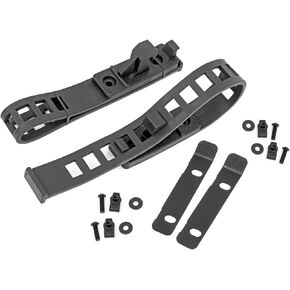 Rough Country Rubber Molle Panel Clamp Kit 1/2" to 4-1/2" | 2-Clamps - 99072
KWD 12.500
Rough Country Rubber Molle Panel Clamp Kit 1/2" to 4-1/2" | 2-Clamps - 99072
KWD 12.500
 LEAK SAVER Direct Inject Ultimate 3-in-1 | AC Refrigerant Leak Sealer | with UV Dye & Moisture Remover | for Most HVAC Systems Up to 5 Tons - Professional AC Leak Sealer - AC Stop Leak
KWD 19.500
LEAK SAVER Direct Inject Ultimate 3-in-1 | AC Refrigerant Leak Sealer | with UV Dye & Moisture Remover | for Most HVAC Systems Up to 5 Tons - Professional AC Leak Sealer - AC Stop Leak
KWD 19.500
 -8%
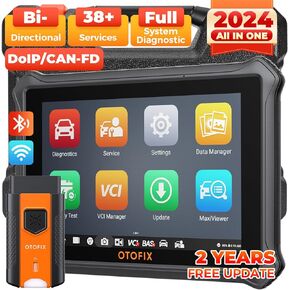
OTOFIX D1 Lite Bidirectional Scan Tool with 2-Year Updates, 2024 Newest All System Automotive Diagnostic Scanner, 38+ Reset Services, FCA AutoAuth, Key Programming, Active Test, CANFD&DOIP, Auto VIN
KWD 139
-8%
OTOFIX D1 Lite Bidirectional Scan Tool with 2-Year Updates, 2024 Newest All System Automotive Diagnostic Scanner, 38+ Reset Services, FCA AutoAuth, Key Programming, Active Test, CANFD&DOIP, Auto VIN
KWD 139




