- التسوق ، اصبح سهلا.
- /
- احصل على التطبيق!
I suggest you to try it again if your laptop can't detect nVME SSD. Pls notice to insert card fully into SSD slot.
After the notebook computer uses an adapter card and a SSD hard disk to replace the original hard disk, the system may crash after the system wakes up after hibernation, and the laptop needs to be restarted for normal use. If this problem occurs, it is related to the type of hard disk used, so it is recommended to turn off the hibernation function of the system after the system is installed on your computer.
Compatible Laptop Models:
for MacBook Air 11" Mid 2013 (for MacBookAir6,1)
for MacBook Air 13" Mid 2013 (for MacBookAir6,2)
for MacBook Air 11" early 2014 (for MacBookAir6,1)
for MacBook Air 13" early 2014 (for MacBookAir6,2)
for MacBook Air 13" early 2015 (for MacBookAir7,1)
for MacBook Air 13" 2017 (for MacBookAir7,2)
for MacBook Pro Retina 13" late 2013 (for MacBookPro11,1)
for MacBook Pro Retina 15" late 2013 (for MacBookPro11,2 11,3)
for MacBook Pro Retina 13" mid 2014 (for MacBookPro11,1)
for MacBook Pro Retina 15" mid 2014 (for MacBookPro11,2 11,3)
for MacBook Pro Retina 13" early 2015 (for MacBookPro12,1)
for MacBook Pro Retina 15" mid 2015 (for MacBookPro11,4-11,5)
Package Included:
2 x NGFF M.2 nVME SSD adapter card
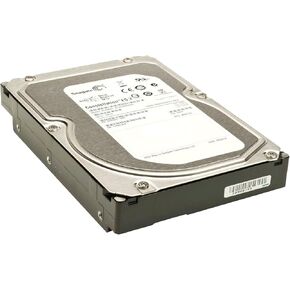 كوكبة Seagate ES 1 TB 7200 دورة في الدقيقة SAS 2.0 6 جيجابايت/ثانية 16 ميغابايت محرك أقراص ثابتة 3.5 بوصة - ST31000424SS
KWD 18
كوكبة Seagate ES 1 TB 7200 دورة في الدقيقة SAS 2.0 6 جيجابايت/ثانية 16 ميغابايت محرك أقراص ثابتة 3.5 بوصة - ST31000424SS
KWD 18
 Samsung SSD PM9A1 M.2 NVME 512GB
KWD 29
Samsung SSD PM9A1 M.2 NVME 512GB
KWD 29
 BX500 BX500 SATA SSD 2TB ، محرك أقراص صلبة داخلي 2.5 بوصة ، يصل إلى 540 ميجابايت/ثانية ، 2 تيرابايت متوافق مع الكمبيوتر المحمول وسطح المكتب (PC) ، NAND 3D ، تسارع الكتابة الديناميكية - CT2000BX500SSSD101
KWD 53
BX500 BX500 SATA SSD 2TB ، محرك أقراص صلبة داخلي 2.5 بوصة ، يصل إلى 540 ميجابايت/ثانية ، 2 تيرابايت متوافق مع الكمبيوتر المحمول وسطح المكتب (PC) ، NAND 3D ، تسارع الكتابة الديناميكية - CT2000BX500SSSD101
KWD 53
 Soldigm D3-S4520 240GB 3D NAND SATA III 2.5 "مركز بيانات داخلي SSD
KWD 57.500
Soldigm D3-S4520 240GB 3D NAND SATA III 2.5 "مركز بيانات داخلي SSD
KWD 57.500




