- Shopping, made easy.
- /
- Get the app!
Feature:
- Double Hole. Aviation plug connected to main machine or mug printing's limit switch line. Aviation Plug connected main heating plate or mug mat plate's line.
- Control Box slide move up and down to install or uninstall control box.
- Digital control system, a microprocessor program, and a high-precision control panel.
Power on
1. Press the “SET” button.
2. Press the “up” and “down” buttons to set the temperature.
3. Press the “SET” button again.
4. Press the “up” and “down” buttons to set the time.
5. Press the “SET” button again to return to the standby heating state.
6. Press the “down” button, it will automatically count down.
Converting temperature units
1. Press and hold the “SET” button for about 6 seconds after booting.
2. The numbers are flashing.
3. Press the “up” and “down” buttons to be used to set and convert the temperature unit.
4. Press the “SET” button.
5. Press and hold the “SET” button for about 6 seconds to return to the heating standby state.
6. Press the “down” button, it will automatically count down.
Package Content:
1* Heat press machine digital box
1* Usage Manual
Note:
1. For continued protection against fire, disconnecting power supply before using the machine, check the power supply ground connection well before using.
2. Disconnect power-supply before replacing different-function heating unit.
3. Put in the object that is going to be printed, close up the pressure handle and rotate the adjusting screw to get a proper pressure.
4. The surface of the heat unit is hot during heat pressing, do not touch them with no proper protection.
5.★★This control box is only available for machines with K-type thermocouple, not all models.
 -6%
Screen Printing Squeegee, 5.9 inch/9.4 inch/13.7 inch, 75 Durometer Wooden Ink Silk Stencil Scraper for Screen Printing Water Squeegee-3PCS
KWD 7.500
-6%
Screen Printing Squeegee, 5.9 inch/9.4 inch/13.7 inch, 75 Durometer Wooden Ink Silk Stencil Scraper for Screen Printing Water Squeegee-3PCS
KWD 7.500
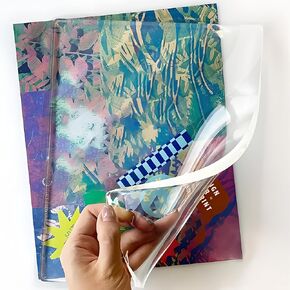 Creative Reusable Gel Printing Plate – 5" X 7" Durable and Easy-to-Clean Gel Plate for Vibrant Monoprinting Art Projects – Ideal for Kids, Crafters, and Professional Artists
KWD 7
Creative Reusable Gel Printing Plate – 5" X 7" Durable and Easy-to-Clean Gel Plate for Vibrant Monoprinting Art Projects – Ideal for Kids, Crafters, and Professional Artists
KWD 7
 echomerx 10-Pack Sublimation Keychain Blanks | Acrylic - Clear DIY Heat Transfer Blanks for Custom Photo Keychains
KWD 6.500
echomerx 10-Pack Sublimation Keychain Blanks | Acrylic - Clear DIY Heat Transfer Blanks for Custom Photo Keychains
KWD 6.500
 ColorSub 12x15 Heat Press Machine, 5 in 1 Digital Industrial Sublimation Heat Press Machine for Heat Transfer Projects, T Shirt, Tumbler, Plate, Teal
KWD 47.500
ColorSub 12x15 Heat Press Machine, 5 in 1 Digital Industrial Sublimation Heat Press Machine for Heat Transfer Projects, T Shirt, Tumbler, Plate, Teal
KWD 47.500




