- Shopping, made easy.
- /
- Get the app!
Package Include:
1* Stylus Pen
3* Extra Replaceable Tips
1* Type C (USB-C) Charging Cable
1* User Manual
Trouble Shooting:
If handwriting cannot use when you use the stylus pen,please set up on the iPad according to the situation:
1. Go to Setting>Apple Pencil>Turn off“Only Draw with Apple Pencil”
2. Setting>Notes>Turn off“Only Draw with Apple Pencil”
Charging:
Before first use,please fully charged to ensure the battery life.You can use the attached type-c cable charge it by connect computer,power bank or USB chargers.During the charging process, the blue indicator lights up and flashes.Charging time is about 30 mins.After charging completed,the blue charging Indication light no longer flashes
NOTE:Please charge stylus pencils by DC5V charger.Do not use fast charger for charging,the instantaneous high voltage of the charger may damage the stylus
Applicable Model:
Only works with iPad 2018 and later(iPad OS must be 12.2 or above)
iPad:
10th gen:A2757/A2777/A2696
9th gen:A2602/A2603/A2604/2605
8th gen:A2428/A2429/A2270/A2430
7th gen:A2197/A2198/A2200
6th gen:A1893/A1954
iPad Air:
5th gen:A2588/A2589/A2591
4th gen:A2316/A2324/A2325/A2072
3th gen:A2152/A2153/A2154/A2123
iPad mini:
6th gen:A2567/A2568/A2569
5th gen:A2124/A125/A23656/A2133
iPad Pro 11 inch:
4th 2022:A2435/A2759/A2761/A2762
3th 2021:A2301/A2377/A2459/A2460
2th 2020:A2068/A2228/A2230/A2231
1th 2018:A1934/A1979/A1980/A2013
iPad Pro 12.9 inch:
6th 2022:A2436/A2437/A2764/A2766
5th 2021:A2378/A2379/A2461/A2462
4th 2020:A2069/A2229/A2232/A2233
3th 2018:A1876/A1895/A1983/A2014
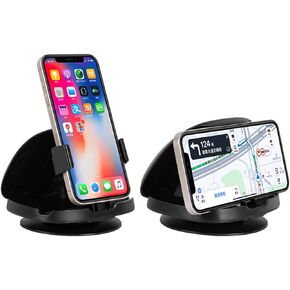 Phone Mount for Car, 360° Rotatable Dashboard Horizontal & Vertical Viewing Cell Phone Holder, Washable Reusable Car Phone Mount,for Mobile Phones
KWD 9
Phone Mount for Car, 360° Rotatable Dashboard Horizontal & Vertical Viewing Cell Phone Holder, Washable Reusable Car Phone Mount,for Mobile Phones
KWD 9
 4 Pack for MagSafe Sticker 360,Universal Ring Wireless Charger Conversion Kit for iPhone iPad Samsung and More Smartphone,Universal Ring for Phone Case - Black(The Mag-Safe Sticker No Magnets)
KWD 2
4 Pack for MagSafe Sticker 360,Universal Ring Wireless Charger Conversion Kit for iPhone iPad Samsung and More Smartphone,Universal Ring for Phone Case - Black(The Mag-Safe Sticker No Magnets)
KWD 2
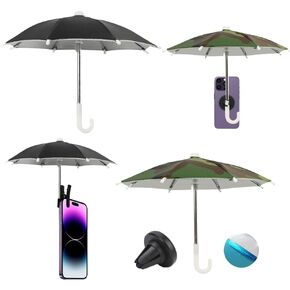 4 Pcs Magnetic Phone Stands, Foldable Portable Phone Umbrella, Phone Umbrella For Sun With Adjustable Clip, Outdoor Phone Sun Shade Shield
KWD 3.500
4 Pcs Magnetic Phone Stands, Foldable Portable Phone Umbrella, Phone Umbrella For Sun With Adjustable Clip, Outdoor Phone Sun Shade Shield
KWD 3.500
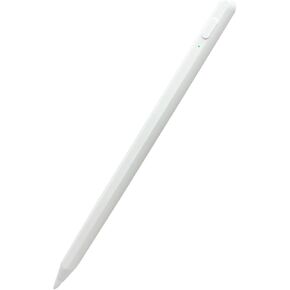 Stylus Pens for Touch Screens, Universal Fine Point Stylus for iPad, iPhone, iOS/Android Smart Phone and Other Tablets, Active Stylus Stylist Pen Pencil for Precise Writing/Drawing (White)
KWD 4.500
Stylus Pens for Touch Screens, Universal Fine Point Stylus for iPad, iPhone, iOS/Android Smart Phone and Other Tablets, Active Stylus Stylist Pen Pencil for Precise Writing/Drawing (White)
KWD 4.500




