- التسوق ، اصبح سهلا.
- /
- احصل على التطبيق!
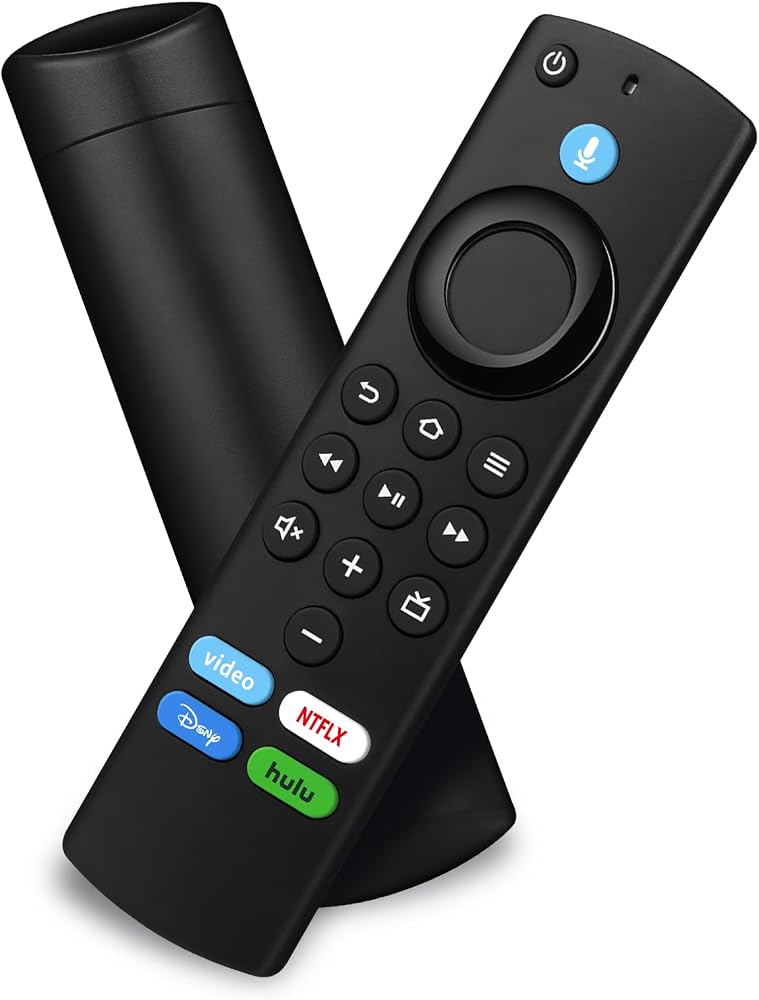
Replacement Voice Remote
How to pair your TV stick?
If this is a replacement remote and you don't have the original remote that came with your TV device:
1. Restart the TV equipment. When the main screen of TV appears, the remote control can be used. If not, please move to step 2.
2. Press and hold the Home button on the new remote control for at least 10 seconds, until the LED starts to flash quickly,
and then send the loosening.
At this time, enter the pairing mode, indicating that your remote control has been successfully paired.
If you do have the remote that came with your TV device, you'll need both remotes for setup:
1. On your new remote, press and hold the Home button for 10 seconds. The indicator LED will slowly fash amber for 10 seconds,
then flash faster when your remote is ready to connect.
Compatible with Below Models :
for Smart TVs Stick 4K (1st Gen)
for Smart TVs Stick 4K (2nd Gen)
for Smart TVs Stick Lite
for Smart TVs Stick 4K Max (1st Gen)
for Smart TVs Stick (2nd Gen)
for Smart TVs Stick (3rd Gen)
for Smart TVs Cube (1st Gen)
for Smart TVs Cube (2nd Gen)
for Smart TVs Cube (3rd Gen)
for Smart TVs (3rd Gen)
Do Not Support Below Models :
Not for Smart TVs (1st Gen)
Not for Smart TVs (2nd Gen)
Not for Smart TVs (1st Gen)
Not for TV Edition smart TVs
 -6%
وعاء مياه للكلاب سعة 2 لتر، وعاء مياه بطيء بسعة كبيرة، وعاء مضاد للانسكاب، موزع مياه للحيوانات الأليفة، وعاء عائم للمياه محمول على متن مركبة للكلاب/القطط/الحيوانات الأليفة (وردي)
KWD 7.500
-6%
وعاء مياه للكلاب سعة 2 لتر، وعاء مياه بطيء بسعة كبيرة، وعاء مضاد للانسكاب، موزع مياه للحيوانات الأليفة، وعاء عائم للمياه محمول على متن مركبة للكلاب/القطط/الحيوانات الأليفة (وردي)
KWD 7.500
 منظف الشاشة بالرذاذ مع عبوة إعادة تعبئة 7 أونصة - مجموعة تنظيف خالية من الكحول، أزرق
KWD 14.500
منظف الشاشة بالرذاذ مع عبوة إعادة تعبئة 7 أونصة - مجموعة تنظيف خالية من الكحول، أزرق
KWD 14.500
 جهاز التحكم عن بعد الصوتي البديل من الجيل الثالث (L5B83G) مناسب لأجهزة التلفاز الذكية الجيل الثاني/الثالث، مناسب لأجهزة التلفاز الذكية Cube الجيل الأول/الأحدث، مناسب لأجهزة التلفاز الذكية Stick Lite 4K/4K Max
KWD 4
جهاز التحكم عن بعد الصوتي البديل من الجيل الثالث (L5B83G) مناسب لأجهزة التلفاز الذكية الجيل الثاني/الثالث، مناسب لأجهزة التلفاز الذكية Cube الجيل الأول/الأحدث، مناسب لأجهزة التلفاز الذكية Stick Lite 4K/4K Max
KWD 4
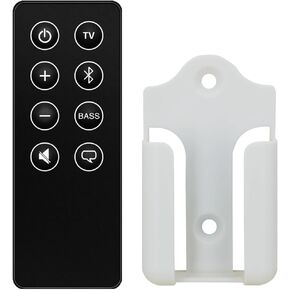 جهاز تحكم عن بعد بديل لمكبر الصوت Bose Smart Soundbar 600، 873973-1100 (مع حامل تثبيت)
KWD 6.500
جهاز تحكم عن بعد بديل لمكبر الصوت Bose Smart Soundbar 600، 873973-1100 (مع حامل تثبيت)
KWD 6.500

 الكويت