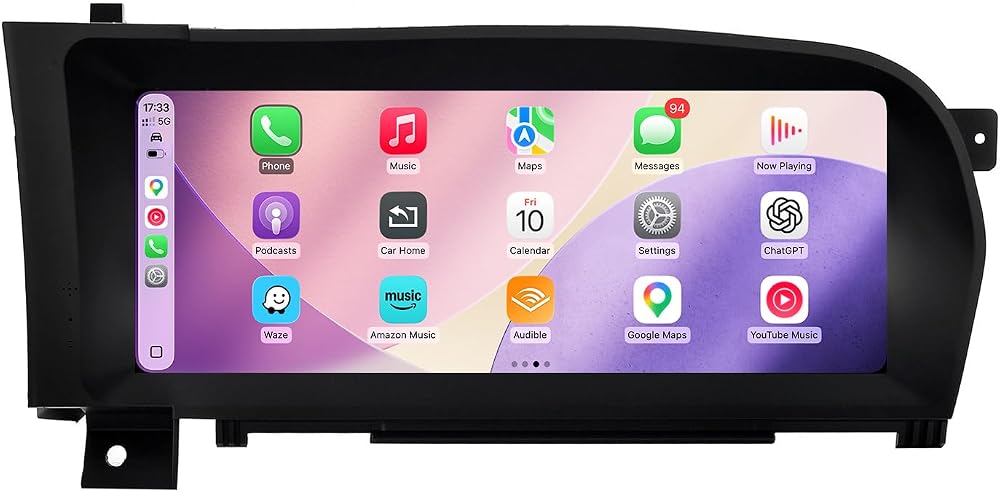
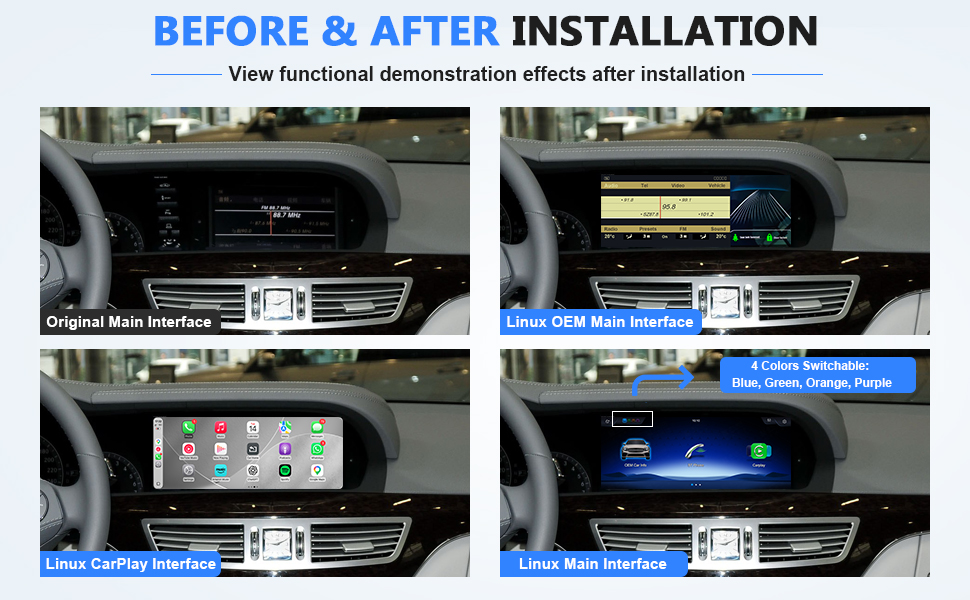
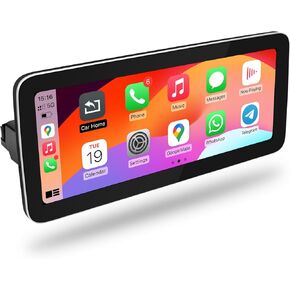
شاشة عرض تعمل باللمس لسيارة Linux مقاس 10.25 بوصة لسيارة Mercedes Benz 2006-2009 S CL Class W221 W216 NTG3.0، نظام CarPlay Android Auto Mirror Link متوسط 10.25 بوصة NTG3.5 2010-2013 Linux
س: هل ستعمل هذه الوحدة مع سيارتي؟ ج: تناسب وحدة ما بعد البيع هذه مركبات الشاسيه فئة 2006-2009 W221 S-Class وW216 CL-Class التي تأتي مزودة في المصنع بوحدة رأس المعلومات والترفيه NTG3.0.
س: إذا لم يكن نظام السيارة NTG3.0 الخاص بي يحتوي على قائمة AUX مثبتة في المصنع، فكيف يمكنني الوصول إلى قائمة AUX؟ ج: يرجى تمكين قائمة AUX وفقًا لتعليمات المنتج (وإلا لن يتم إخراج الصوت).
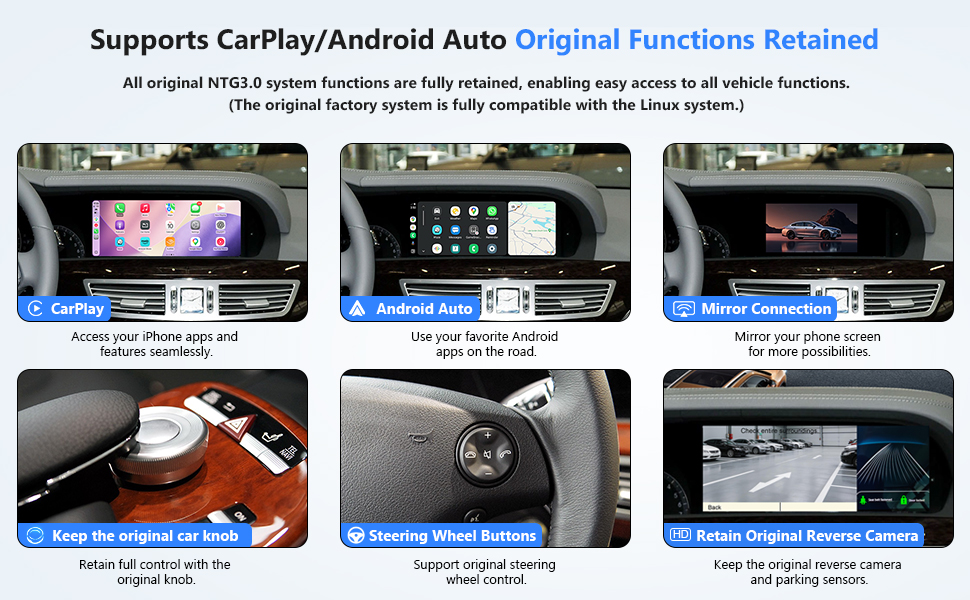
س: ما هي الميزات الرائعة التي تقدمها هذه الوحدة؟ ج: يدعم كلاً من CarPlay السلكي واللاسلكي، وAndroid Auto، وMirror Link iOS 26. قم بالرد على مكالمات CarPlay أو Android Auto مباشرة من أزرار عجلة القيادة. يعرض تغذية الكاميرا الخلفية لسيارتك ومعلومات الرادار. متوافق مع كاميرات OEM وكذلك كاميرات ما بعد البيع بتنسيق CVBS/720P AHD. يسمح بالتحكم في واجهات CarPlay أو Android Auto باستخدام مقبض السيارة. يتيح تشغيل الموسيقى والفيديو عبر USB.
س: ما الذي يجب أن ألاحظه بشأن هذه الوحدة، ومن الذي يجب أن أتصل به إذا واجهت مشكلات؟ ج: القيود: لا يوجد دعم لكاميرات ما بعد البيع التي تزيد عن 720P AHD؛ الحد الأقصى للفيديو 720P دون اتصال بالإنترنت؛ لا توجد شبكة 4G. WIFI مدمج فقط للاتصال التلقائي. اتصل بنا على الفور للحصول على المساعدة فيما يتعلق بمشكلات التوافق أو جودة الصوت أو التثبيت أو تشويه الشاشة.
س: كيف أقوم بتوصيل صوت Linux؟ ج: إذا كانت سيارتك مجهزة بواجهة AMI، فقم بتوصيل كابل الصوت AMI أولاً. إذا كان يحتوي على منفذ AUX مدمج مقاس 3.5 مم، فقم بتوصيل مجموعة كبل Linux بمقبس الصوت مقاس 3.5 مم الموجود أعلى هذا المنفذ. إذا كان هناك منفذ إدخال صوت، فاستخدم كبل الصوت لتوصيله. في حالة عدم توفر أي من الواجهات الثلاث المذكورة أعلاه، قم بتوصيل أسلاك إدخال وإخراج الصوت مباشرة ببعضها البعض فوق موصل ISO.
 جنسن MPR2121 استقبال الوسائط الرقمية
KWD 29
جنسن MPR2121 استقبال الوسائط الرقمية
KWD 29
 14.4 بوصة كوالكوم أندرويد 11 راديو السيارة لفورد إكسبلورر 2011-2019 ستيريو استبدال تسلا نمط داش IPS شاشة تعمل باللمس أندرويد السيارات لتحديد المواقع والملاحة رئيس وحدة الصوت مشغل الوسائط المتعددة
KWD 330
14.4 بوصة كوالكوم أندرويد 11 راديو السيارة لفورد إكسبلورر 2011-2019 ستيريو استبدال تسلا نمط داش IPS شاشة تعمل باللمس أندرويد السيارات لتحديد المواقع والملاحة رئيس وحدة الصوت مشغل الوسائط المتعددة
KWD 330
 CarPlay Screen for BMW F30 F31 F32 F33 F34 F35 F20 F21 F22
KWD 87
CarPlay Screen for BMW F30 F31 F32 F33 F34 F35 F20 F21 F22
KWD 87
 12.3" Linux CarPlay Screen for Mercedes-Benz C W204 NTG4.5
KWD 102.500
12.3" Linux CarPlay Screen for Mercedes-Benz C W204 NTG4.5
KWD 102.500

 الكويت