- التسوق ، اصبح سهلا.
- /
- احصل على التطبيق!
Attention:
To copy/write cards, please ensure the blank card is work at the same frequency as the original card.
Before purchasing, please check the card type or chip model of your own RFID cards, to confirm if them can work with this copier or not.
Features:
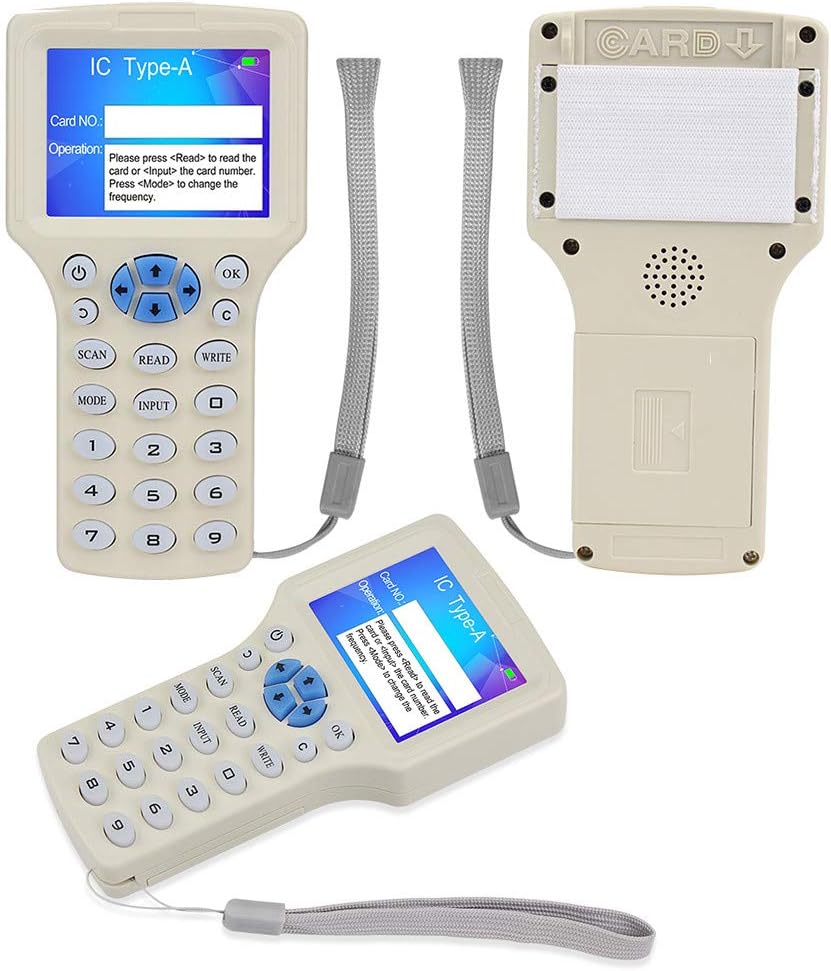
Power: four dry batteries (7 alkaline) or 5V USB cable.
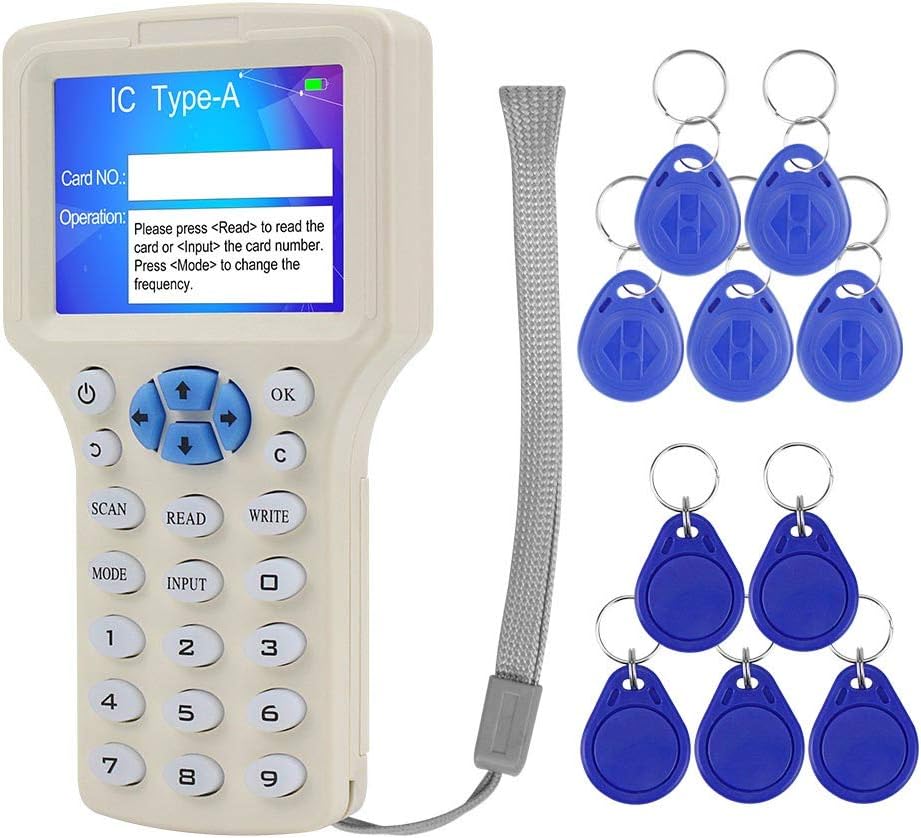
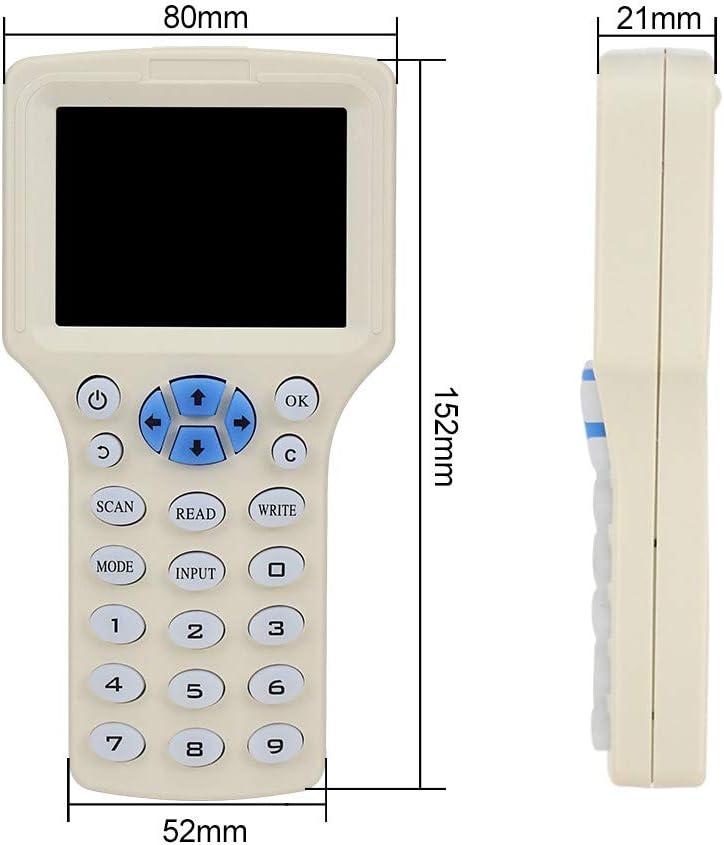
Screen: HD 2.8 inch color screen.
Voice broadcast in English, display language in English.
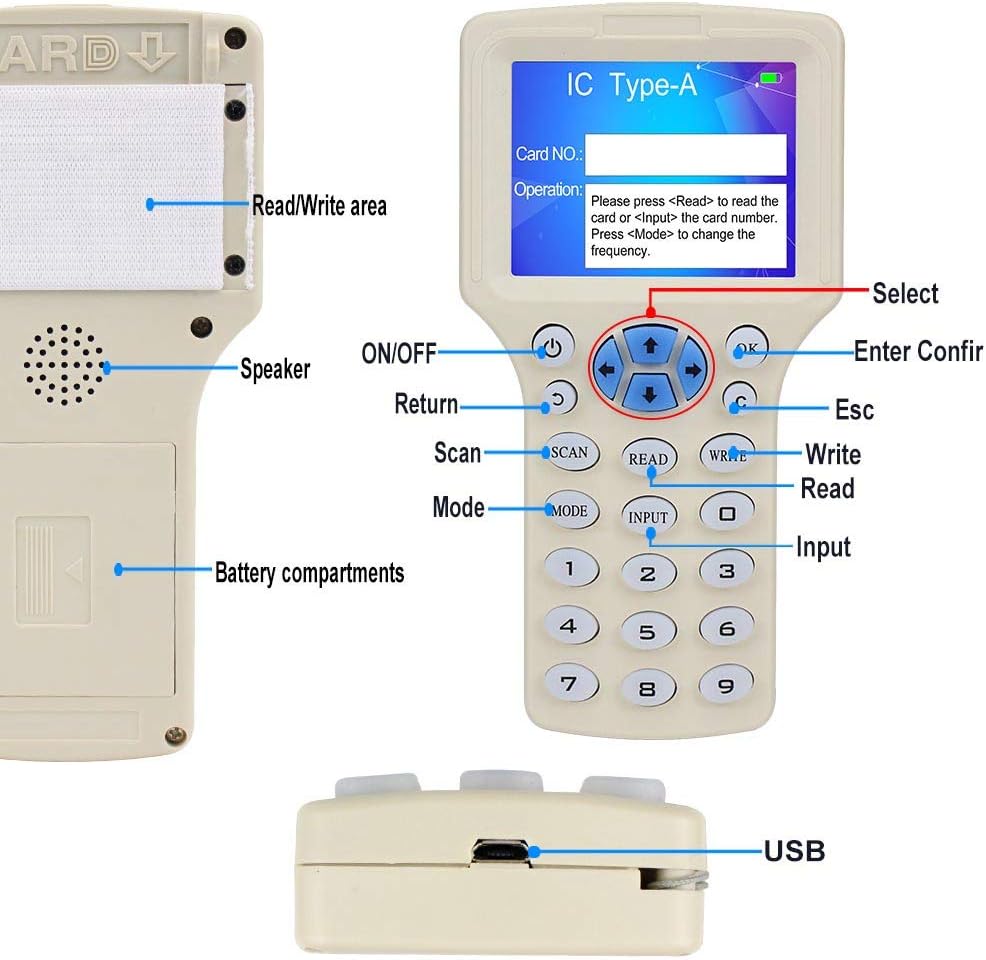
Digital keyboard supports to input card number directly.
Standard handheld, easy to carry.
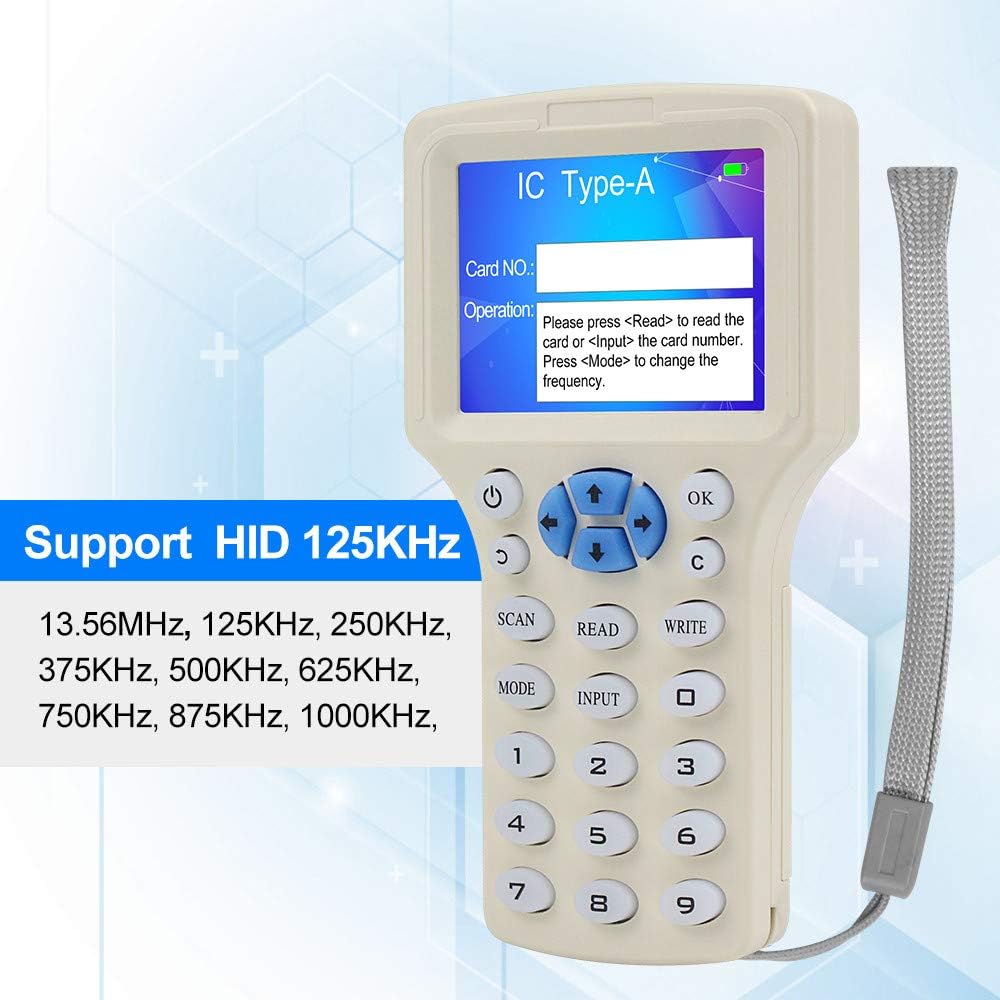
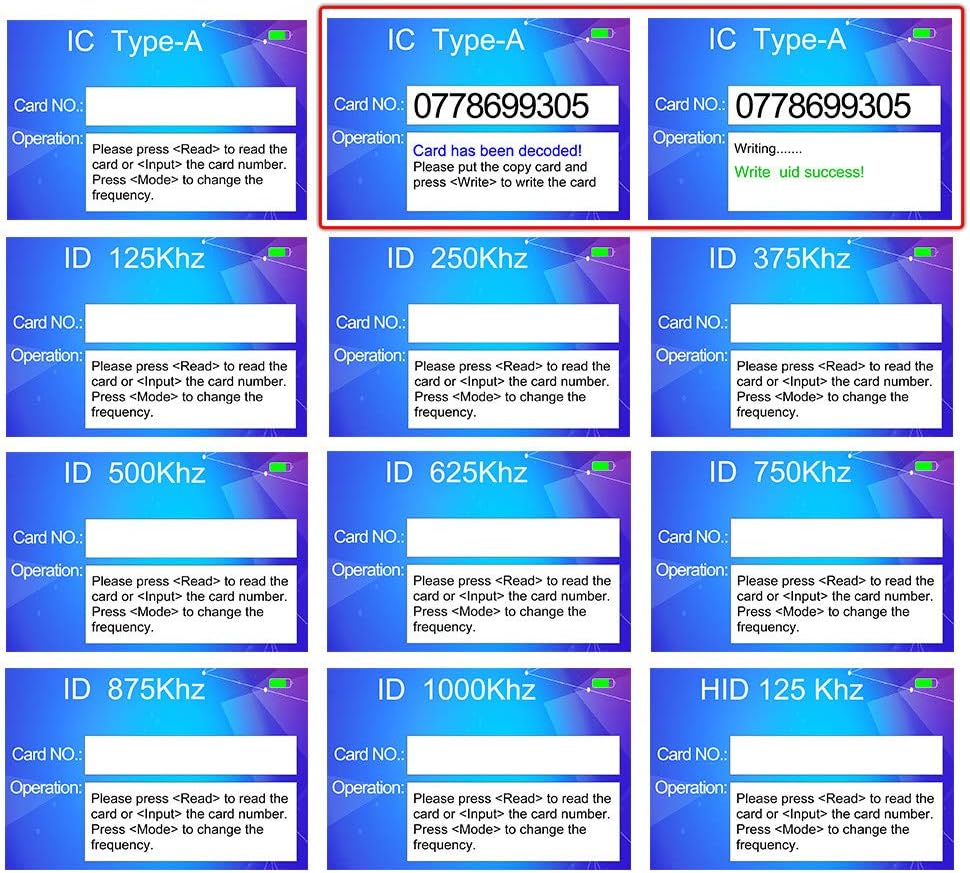
Working frequency: 13.56MHz ISO1443A(IC type-A), 125KHz, 250KHz, 375KHz, 500KHz, 625KHz, 750KHz, 875KHz, 1000KHZ, HID 125KHz.
Supports to copy normal ID/IC card, such as TK4100, EM4100/EM4200, EM4305, 8210/8265, 5200/5567, T5577, Mi-fare 1k S50, UID cards.
Supports to copy partial firewall cards, anti-copy cards, such as 8268/8310, CUID, UCUID, FUID cards
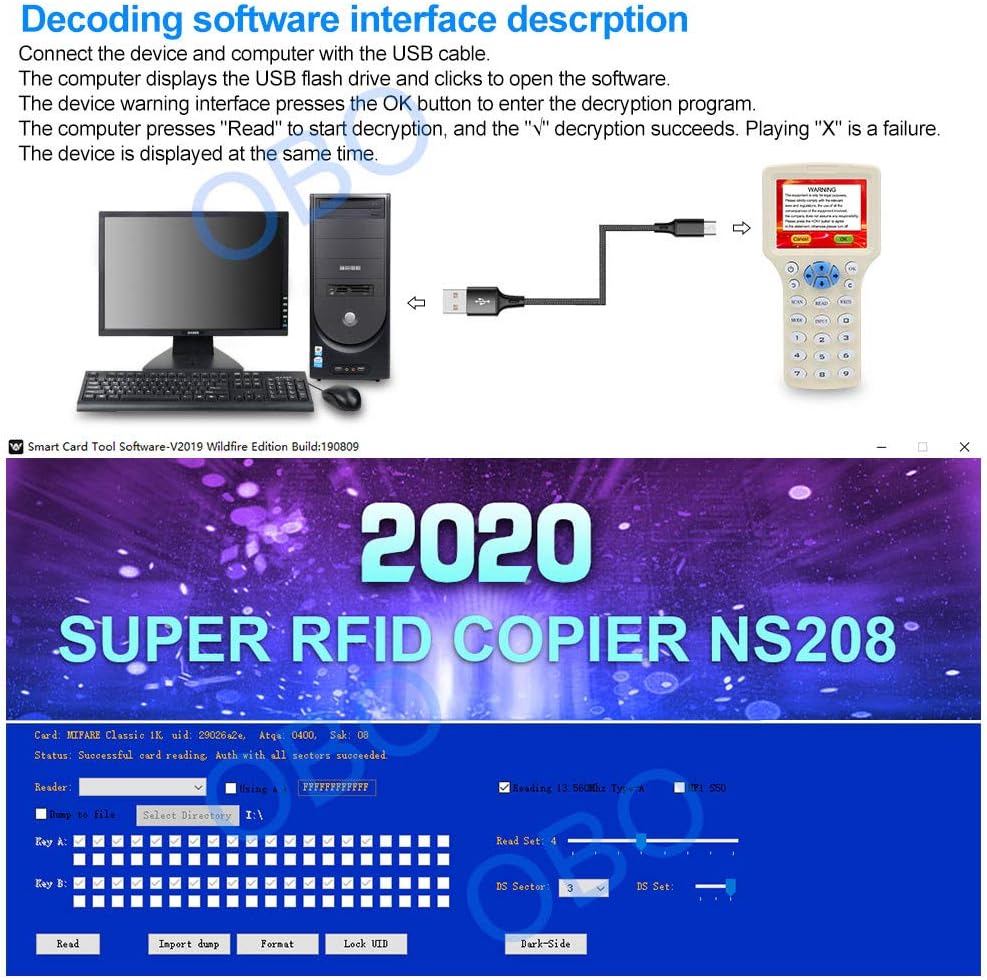
Only supports to decode 13.56MHz IC cards. The software is suitable for Windows only, such as Windows7, Windows10, Windows XP, etc. But not suitable for MAC or Linux.
How to copy a normal card?
1, Press the "Power" button, then press OK to confirm "Disclaimer" page.
2, Put the original card on the back of the copier and press SCAN/READ button. If read success, the copier will show the card number.
3, Put a blank card on the back of the copier and press "WRITE" button. Prompts "Write uid success", means copy is finished.
How to copy a encryption 13.56MHz IC card?
1, Connect the copier to computer with USB cable, it will show "Disclaimer" page and display a removable disk on computer. Then, open the removable disk to run the software.
2, Press OK button to confirm the "Disclaimer" page.
3, Put the original encrypted IC card on the back of the copier and press "Read" on software to start the decryption. Wait until the copier shows card number.
5, Put a blank card on the back of the copier and press WRITE button to copy.
 ليبو سمارت هوم وحدة تحكم بتقنية تحديد الهوية بموجات الراديو مقاومة للماء (بما في ذلك 10 قطع مفاتيح مع غطاء مقاوم للمطر)
KWD 13.500
ليبو سمارت هوم وحدة تحكم بتقنية تحديد الهوية بموجات الراديو مقاومة للماء (بما في ذلك 10 قطع مفاتيح مع غطاء مقاوم للمطر)
KWD 13.500
 جهاز ذكي بيومتري يعمل ببصمة الاصبع من ليبو، جهاز تسجيل وقت الحضور، جهاز تسجيل الدخول للموظفين، لوحة مفاتيح للتحكم في الوصول مع مفاتيح تحديد الهوية بموجات الراديو
KWD 14
جهاز ذكي بيومتري يعمل ببصمة الاصبع من ليبو، جهاز تسجيل وقت الحضور، جهاز تسجيل الدخول للموظفين، لوحة مفاتيح للتحكم في الوصول مع مفاتيح تحديد الهوية بموجات الراديو
KWD 14
 LIBO Smart Home Control Control Power Control K80 Switch DC 12V 5A AC 110~260V لجميع أنواع نظام التحكم في الوصول قفل الباب مع تأخير الوقت
KWD 6.500
LIBO Smart Home Control Control Power Control K80 Switch DC 12V 5A AC 110~260V لجميع أنواع نظام التحكم في الوصول قفل الباب مع تأخير الوقت
KWD 6.500
 سلسلة مفاتيح بتقنية تحديد الهوية بموجات الراديو من ليبو، بطاقة مفاتيح ذكية بتقنية ان اف سي، تحكم في الوصول بتقنية تحديد الهوية بموجات الراديو، 13.56 ميجاهرتز ام اف كلاسيك 1k IC S50 رمز للقراءة فقط
KWD 3
سلسلة مفاتيح بتقنية تحديد الهوية بموجات الراديو من ليبو، بطاقة مفاتيح ذكية بتقنية ان اف سي، تحكم في الوصول بتقنية تحديد الهوية بموجات الراديو، 13.56 ميجاهرتز ام اف كلاسيك 1k IC S50 رمز للقراءة فقط
KWD 3

 الكويت