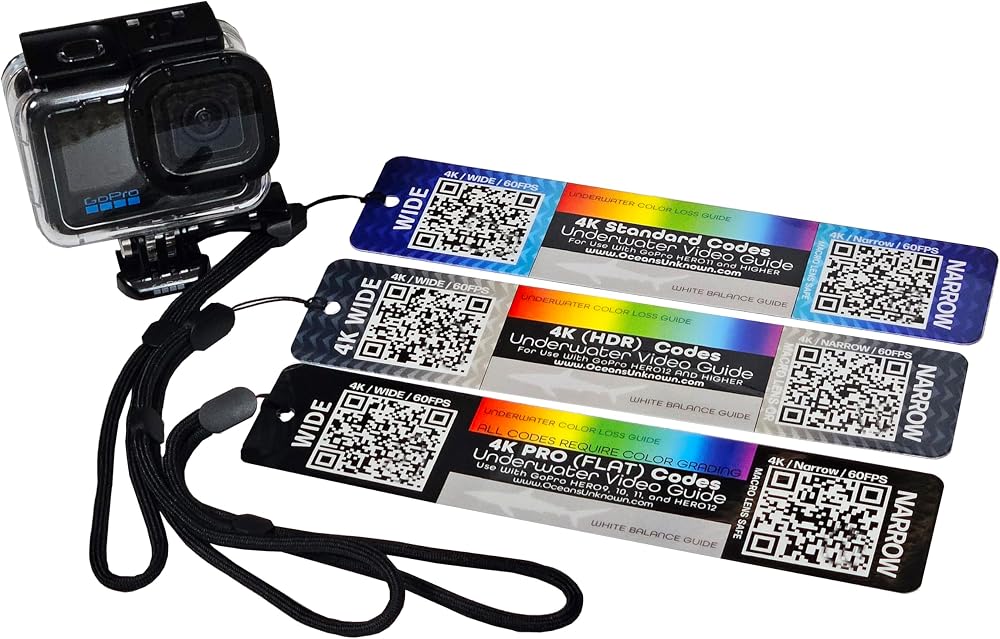
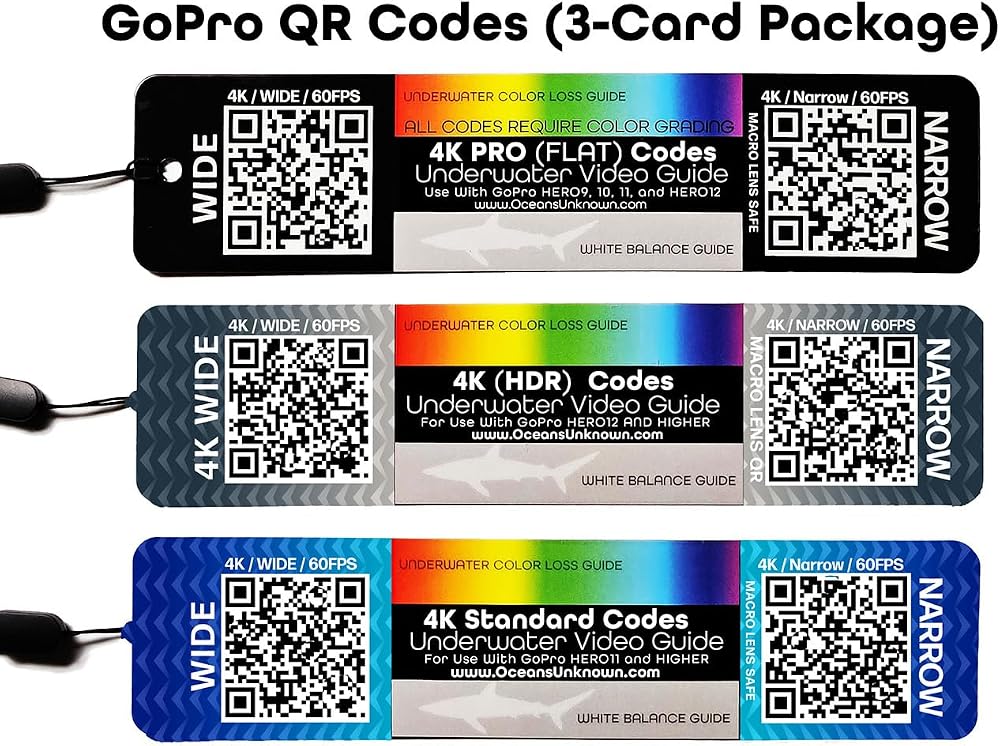
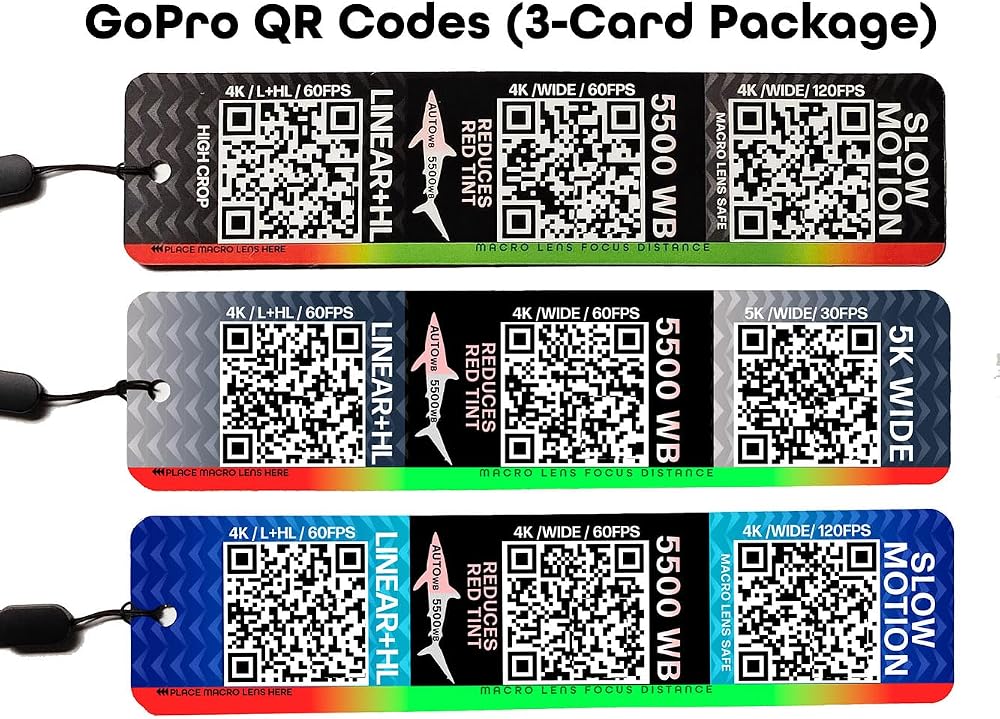
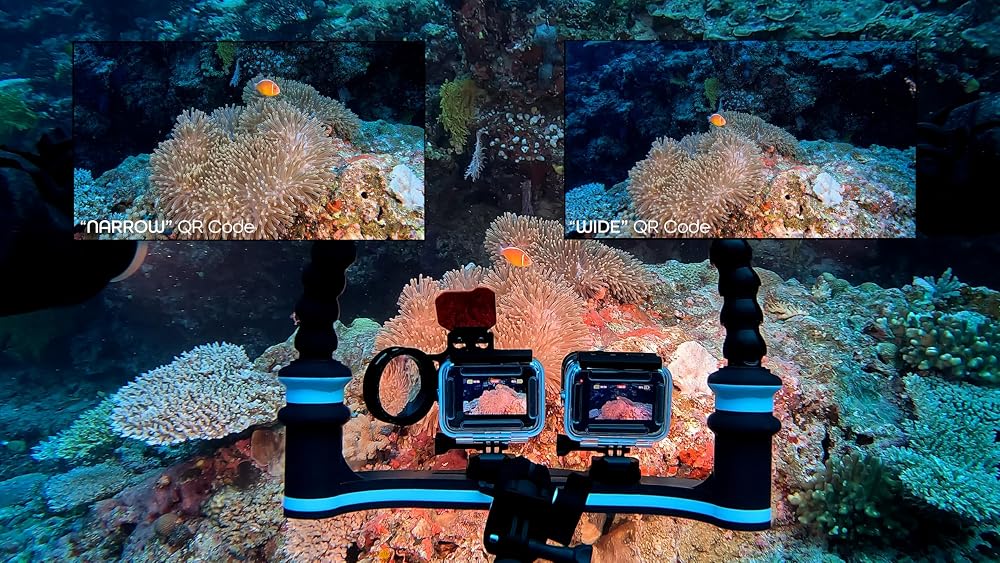
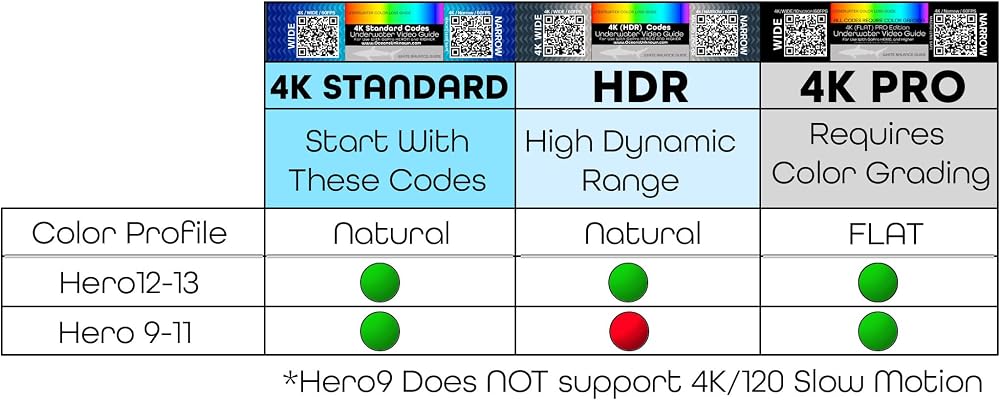
WIDE QR code: This code gives you a wider field of view and is not locked in the horizontal position, so you can get more of a banking/flying feeling in your shot. Do not use the WIDE code with a macro lens, use the NARROW lens. NARROW QR code: This code provides a flatter/cropped image that has no warped edges in the video. Very dependable and great for use with a macro lens. Its nice to switch back and forth between the WIDE / L+HL and the NARROW codes. Shoot the subject with a WIDE lens, and then closer up with the NARROW lens. You can edit cuts between these videos.
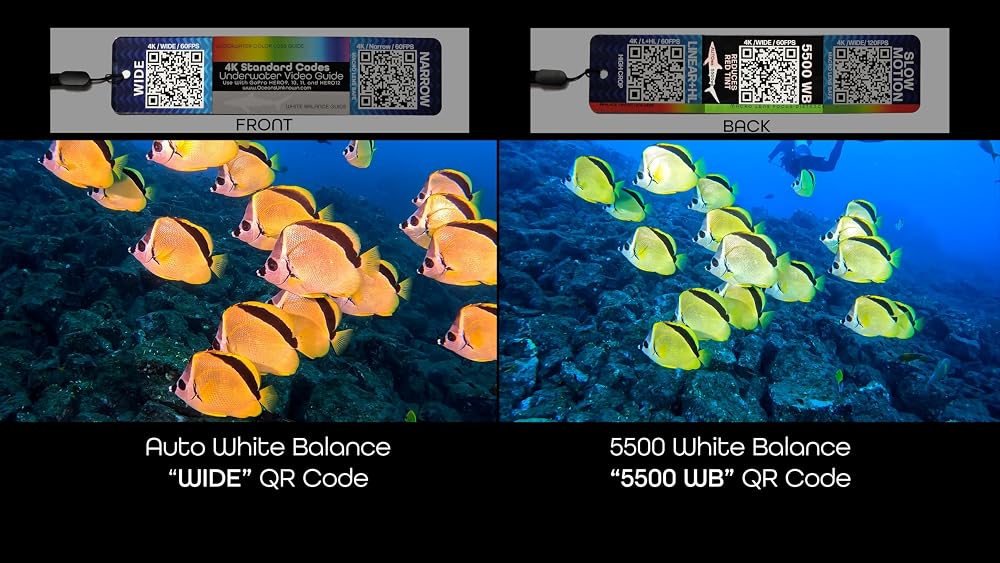
Linear & Horizontal Leveling QR code: Your video will remain horizontal with this code. This is great for underwater videography, and will help you create a more stable video. 5500 White Balance QR code: The white balance on this code is locked at 5500K. Use when shooting pelagic life with video lights. It will reduce the red color on the sides of fish, sharks, and white areas on manta rays. 5500K is daylight color and works well at snorkel depth. Auto WB adds too much red into these types of shots. This code will help produce more accurate colors.
Slow Motion QR code: This code is shooting at 120 frames per second. When played back at 30fps, the effect is really great! Use this for fast moving scenes like your dive buddy jumping into the water, diver bubbles, fast moving fish, macro shots, shark feeding, and anything else you would want to slow down. **The Slow Motion 4K/120 code will not work with the HERO9 cameras.
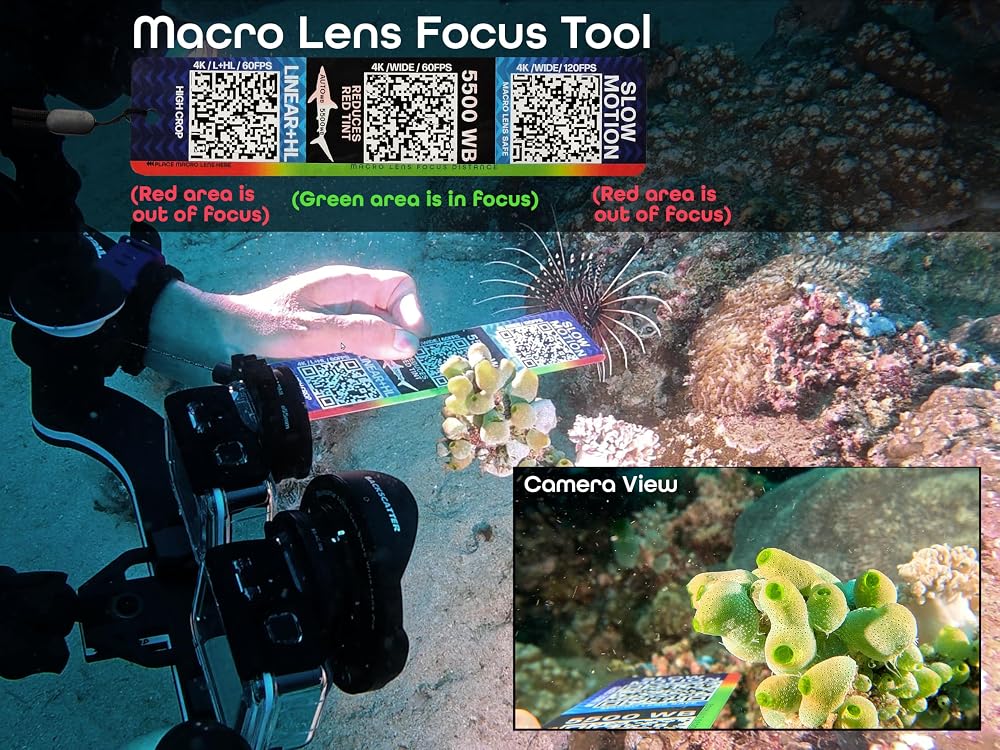
Macro Lens Focus Underwater measuring tool: This is the focus range for the Backscatter Macro Lens. Anything in the green area will be in focus. Place the Underwater Video Guide edge to the macro lens to judge the distance of the focus are underwater. Place the subject of interest within this range to get the perfect shot.
Underwater Color Loss Guide: During your dive, observe and take a video of the Underwater Color Loss Guide. Color loss will constantly change on each dive. Visibility, time of day, depth, and weather conditions all impact colors underwater. The color loss guide will show you what colors exist at your current depth. This is a great way to learn how colors are affected underwater on each dive. Take a video of the color loss and white balance guides at the end of your video. Use this information to help you adjust your colors in post-production.
White Balance Guide: Take a video of this area while diving to understand what the color of white is on your dive. Use this information in post-production to adjust the blues and greens in your video.
Description
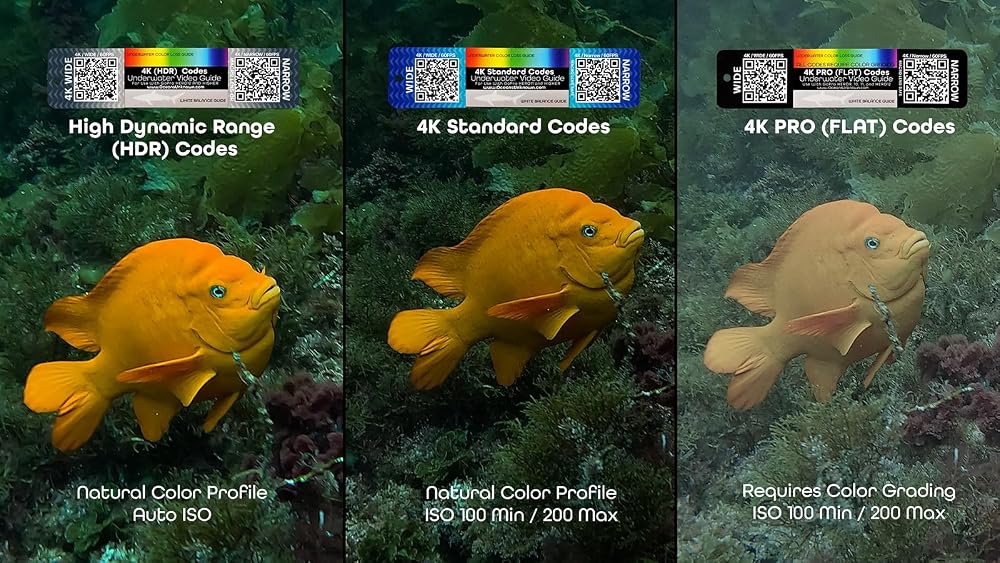
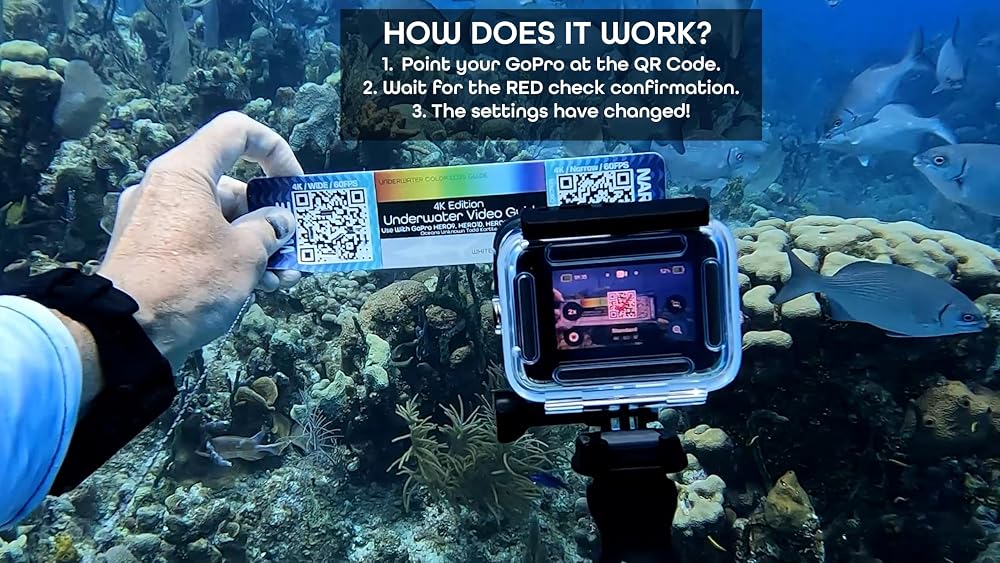
Just point your camera at the QR code, and the camera instantly changes to those settings. For use with GoPro HERO9 and higher action cameras. Instantly change camera setting while scuba diving or snorkeling. 3-Card Package includes 4K STANDARD, HDR, and FLAT options. HDR only works with HERO12, HERO13, and Mission cameras.
 Plug N' Play IP68 Underwater LED Boat Drain Plug Light, No Wiring Required, No Holes to Drill, Simply into Accessory Socket, Add Underwater Lighting in 5 Minutes! (Red) | 1800-lumen plug-and-play LED installs in minutes-no wiring. Great for cruising, swim
KWD 37
Plug N' Play IP68 Underwater LED Boat Drain Plug Light, No Wiring Required, No Holes to Drill, Simply into Accessory Socket, Add Underwater Lighting in 5 Minutes! (Red) | 1800-lumen plug-and-play LED installs in minutes-no wiring. Great for cruising, swim
KWD 37
 6" Flexible Extension Arm Mount with YS Head Adapter Connector, Diving 360° Adjustable Gooseneck 6-Section Lightweight Arm for Underwater Camera Housing Cold Hot Shoe Photography Gear Lighting System
KWD 11
6" Flexible Extension Arm Mount with YS Head Adapter Connector, Diving 360° Adjustable Gooseneck 6-Section Lightweight Arm for Underwater Camera Housing Cold Hot Shoe Photography Gear Lighting System
KWD 11
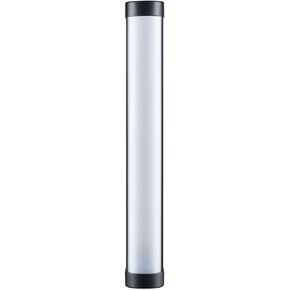 Godox WT40R 55W RGBWW Dive Tube Light (15") | Includes ball joint and carry bag for lighting, storage and rigging
KWD 61.500
Godox WT40R 55W RGBWW Dive Tube Light (15") | Includes ball joint and carry bag for lighting, storage and rigging
KWD 61.500
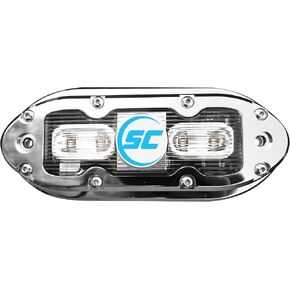 SCM-4 Series Stainless Steel Surface Mount Underwater Light, 17W, w/20' wire
KWD 113.500
SCM-4 Series Stainless Steel Surface Mount Underwater Light, 17W, w/20' wire
KWD 113.500