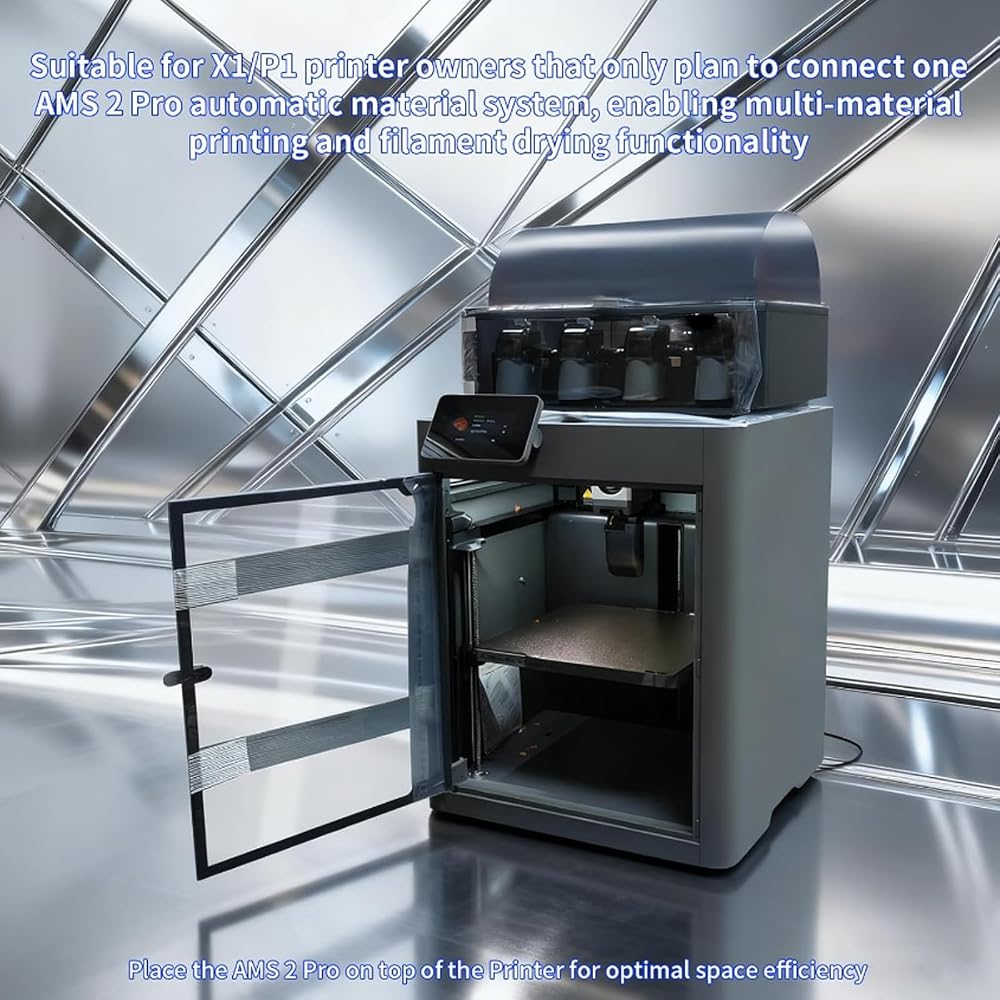
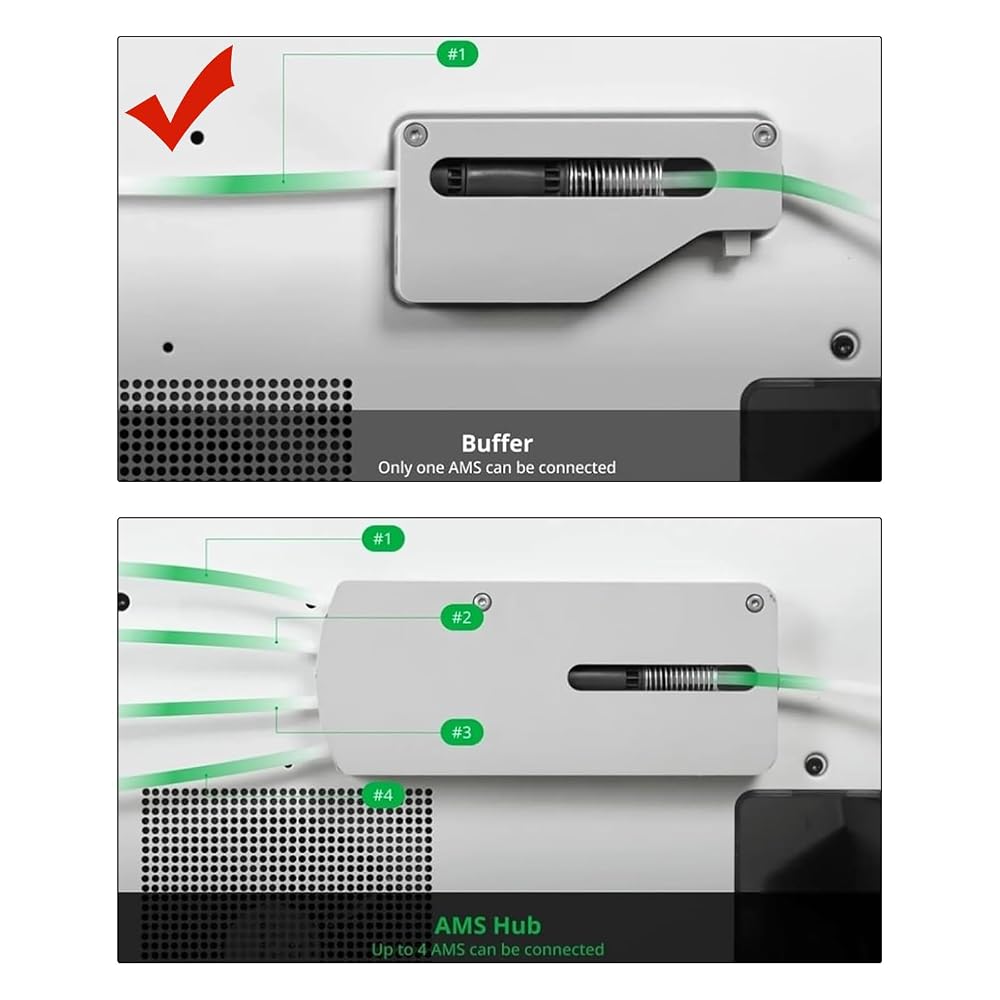
Suitable for X1/P1 printer owners that only plan to expand connection one AMS 2 Pro automatic material system, enabling multi-color material printing and filament drying functionality
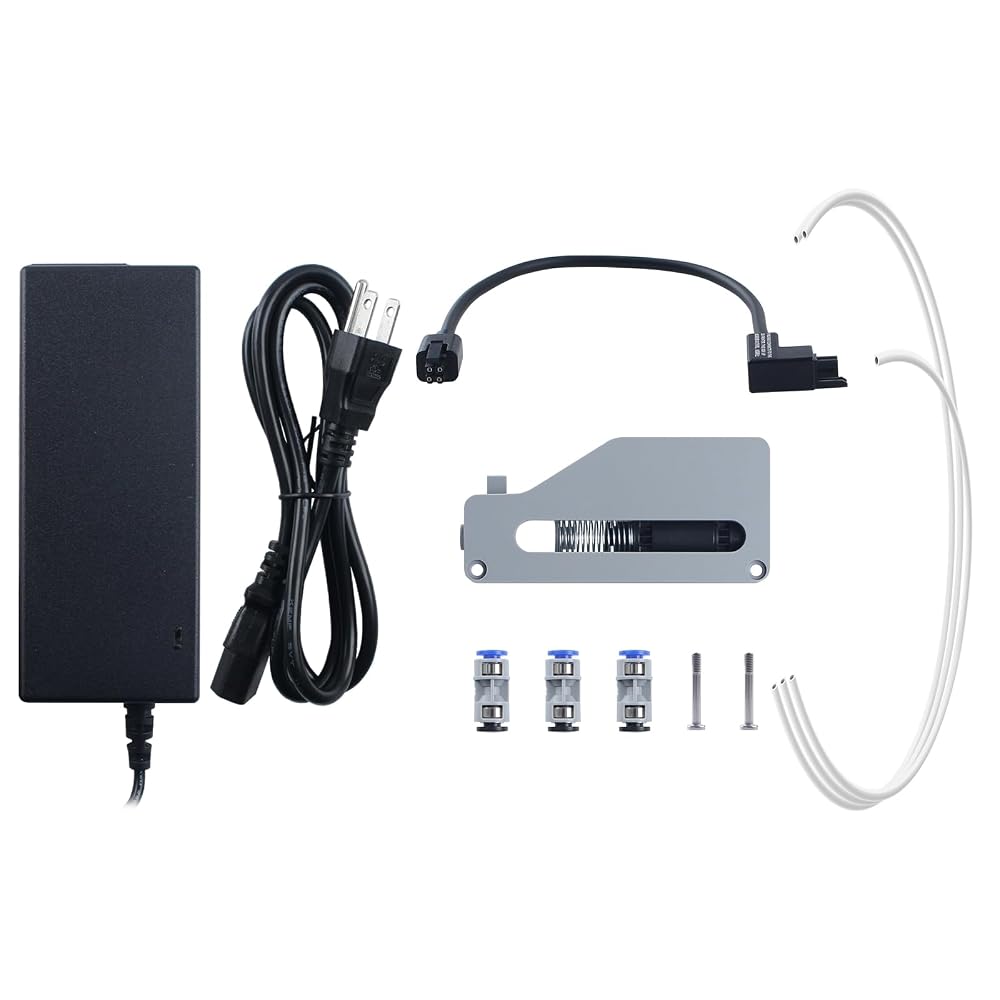
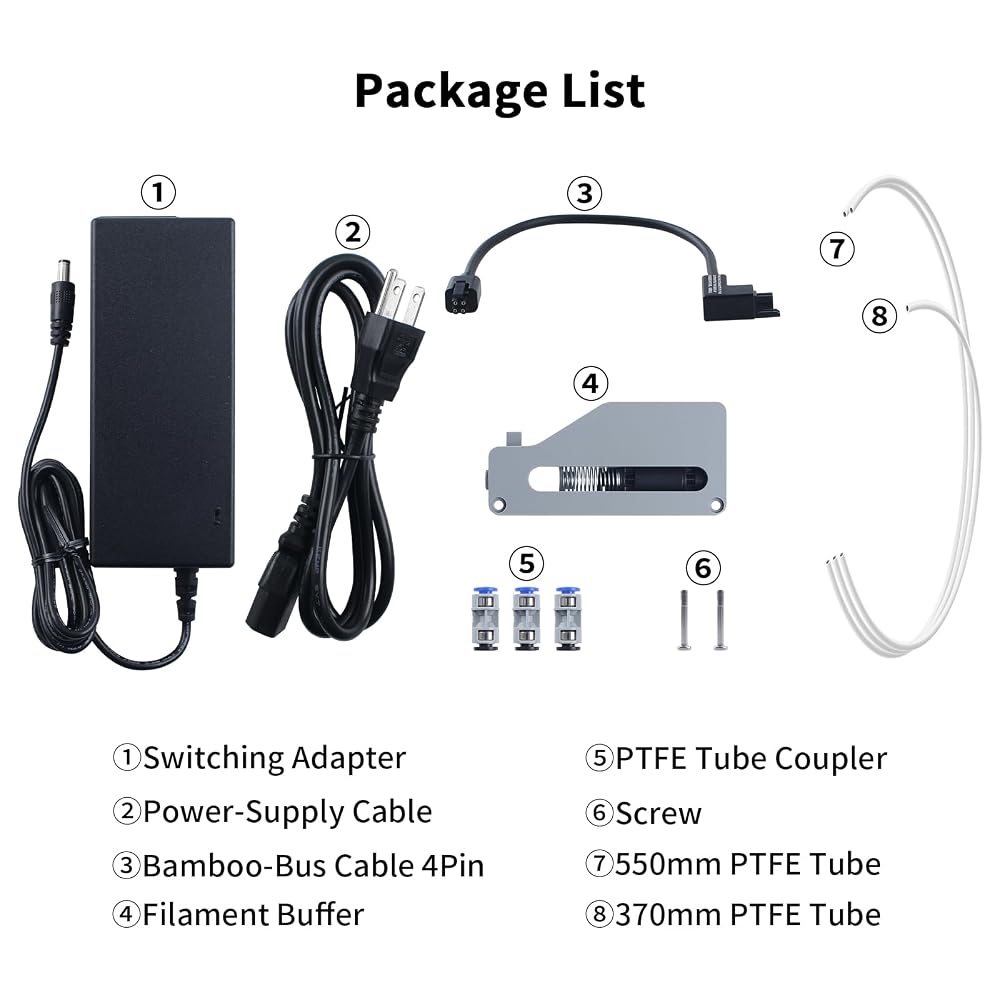
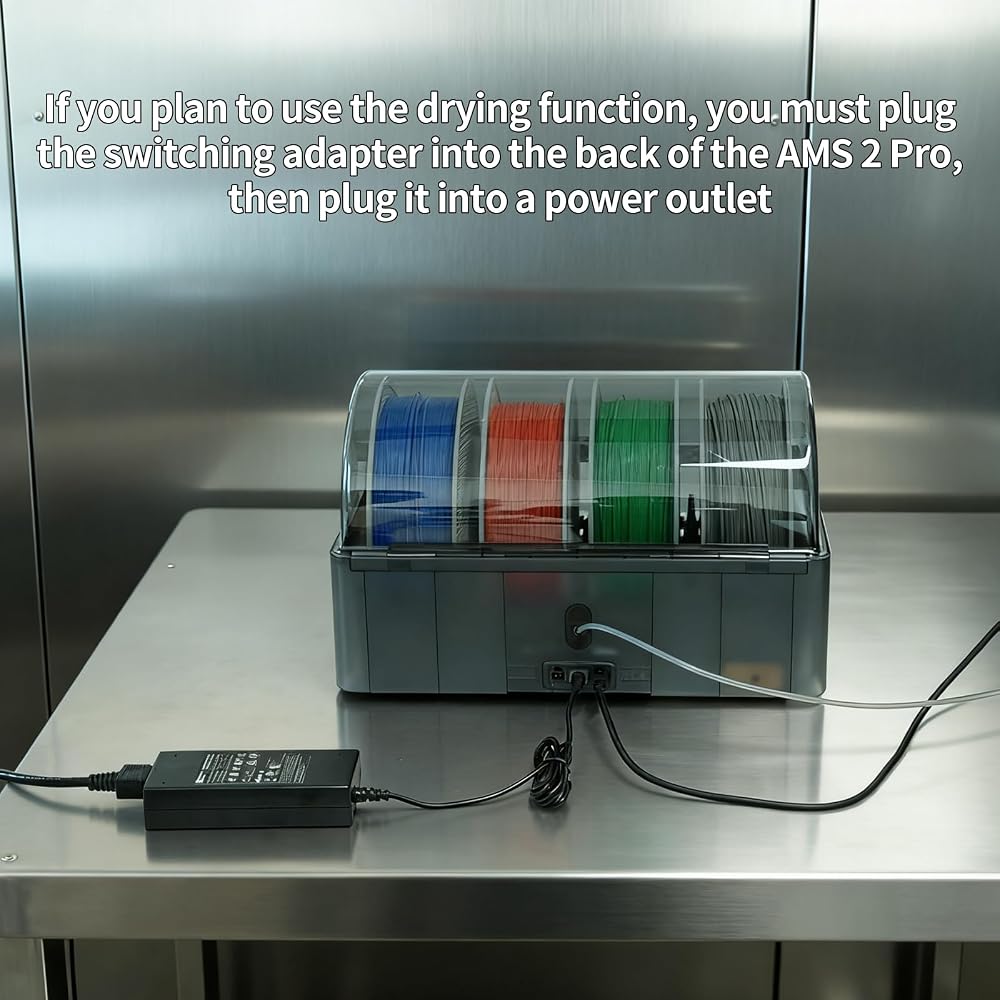
Switching Adapter Output Voltage: DC 24V 4A 96W; Input Voltage: AC 100-240V, 50/60Hz; A power adapter must be used when enabling the drying function to ensure sufficient power. If you plan to use the drying function, you must plug the switching adapter into the back of the AMS 2 Pro, then plug it into a power outlet
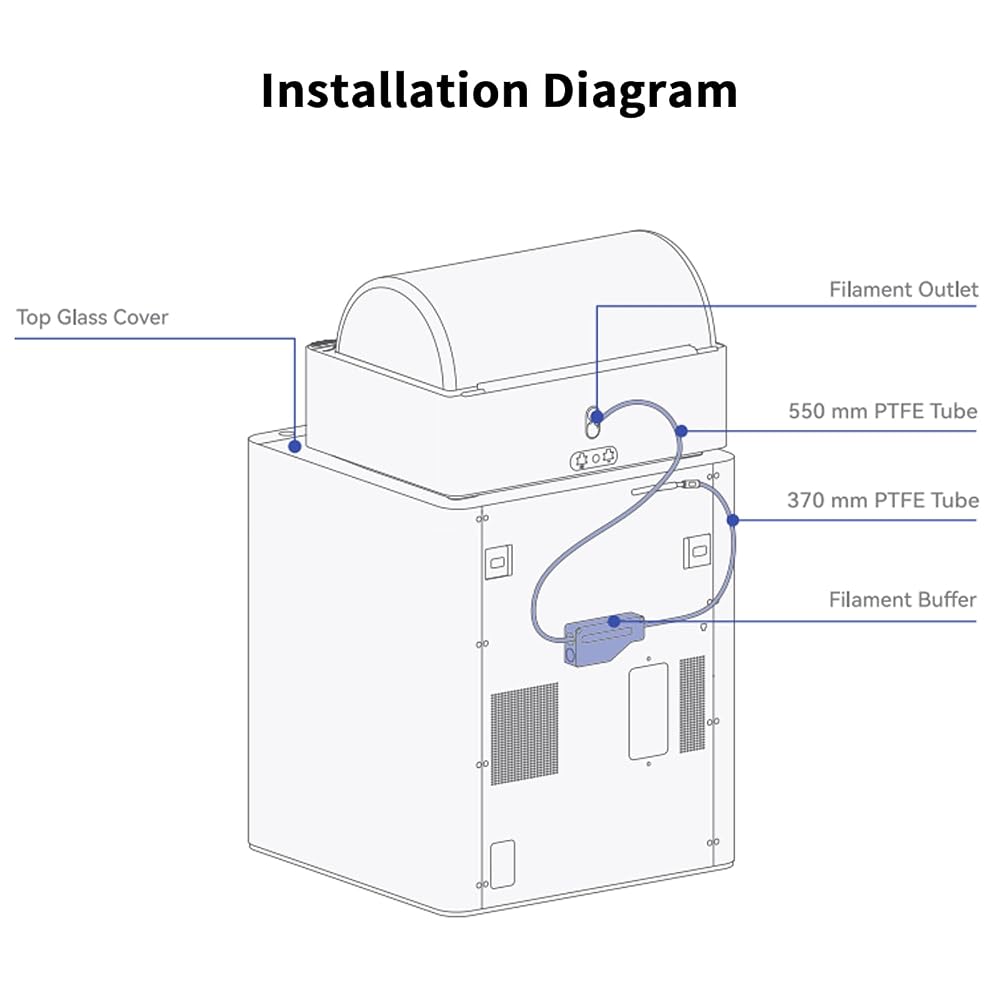
Easy to install, firstly PTFE tube into the right port of the filament buffer, then the other end into PTFE coupler, then secure the buffer to the 3D printer, finally connect the Bus Cables. Learn more about How to Install AMS 2 Pro to P1S on Wiki
Update the firmware to the latest version before connecting AMS 2 Pro to avoid initialization issues
وصف
Original Bambu-Lab AMS 2Pro upgrade kit 1
This kit does not include an AMS hub and is not suitable for connecting multiple devices. Please note before purchase
Place the AMS 2Pro on top of the printer for optimal space efficiency
The Switching Adapter can be omitted if the drying function is not used
If the AMS 2Pro is not recognized at all, check that all cables are fully and securely connected
 3D الطابعة ملحقات LED Single Magntic Control Switch Light: 3V White Lights 1PCS LAMP BEAD NO POWER
KWD 4
3D الطابعة ملحقات LED Single Magntic Control Switch Light: 3V White Lights 1PCS LAMP BEAD NO POWER
KWD 4
 إكسسوارات الطابعة ثلاثية الأبعاد لوحة تبديل القاعة متوافقة مع Bambulab x1C x1E: استبدال مستشعر خيوط مع كابل اتصال للكشف
KWD 5.500
إكسسوارات الطابعة ثلاثية الأبعاد لوحة تبديل القاعة متوافقة مع Bambulab x1C x1E: استبدال مستشعر خيوط مع كابل اتصال للكشف
KWD 5.500
 إكسسوارات طابعة ثلاثية الأبعاد AMS AMS Feeding Feeding Assembly PCB Board: مستشعر الكشف عن الشعيرة - ضمان الطباعة الدقيقة
KWD 4.500
إكسسوارات طابعة ثلاثية الأبعاد AMS AMS Feeding Feeding Assembly PCB Board: مستشعر الكشف عن الشعيرة - ضمان الطباعة الدقيقة
KWD 4.500
 منصة الطابعة ثلاثية الأبعاد Cryonix 355x346mm لوحة البناء الباردة لـ Bambulab H2D: قابلة للإزالة مزدوجة القابلة للإزالة والمرنة الرمادية الصلب الرمادي - دعم طباعة مؤقتة منخفضة
KWD 18.500
منصة الطابعة ثلاثية الأبعاد Cryonix 355x346mm لوحة البناء الباردة لـ Bambulab H2D: قابلة للإزالة مزدوجة القابلة للإزالة والمرنة الرمادية الصلب الرمادي - دعم طباعة مؤقتة منخفضة
KWD 18.500