- التسوق ، اصبح سهلا.
- /
- احصل على التطبيق!
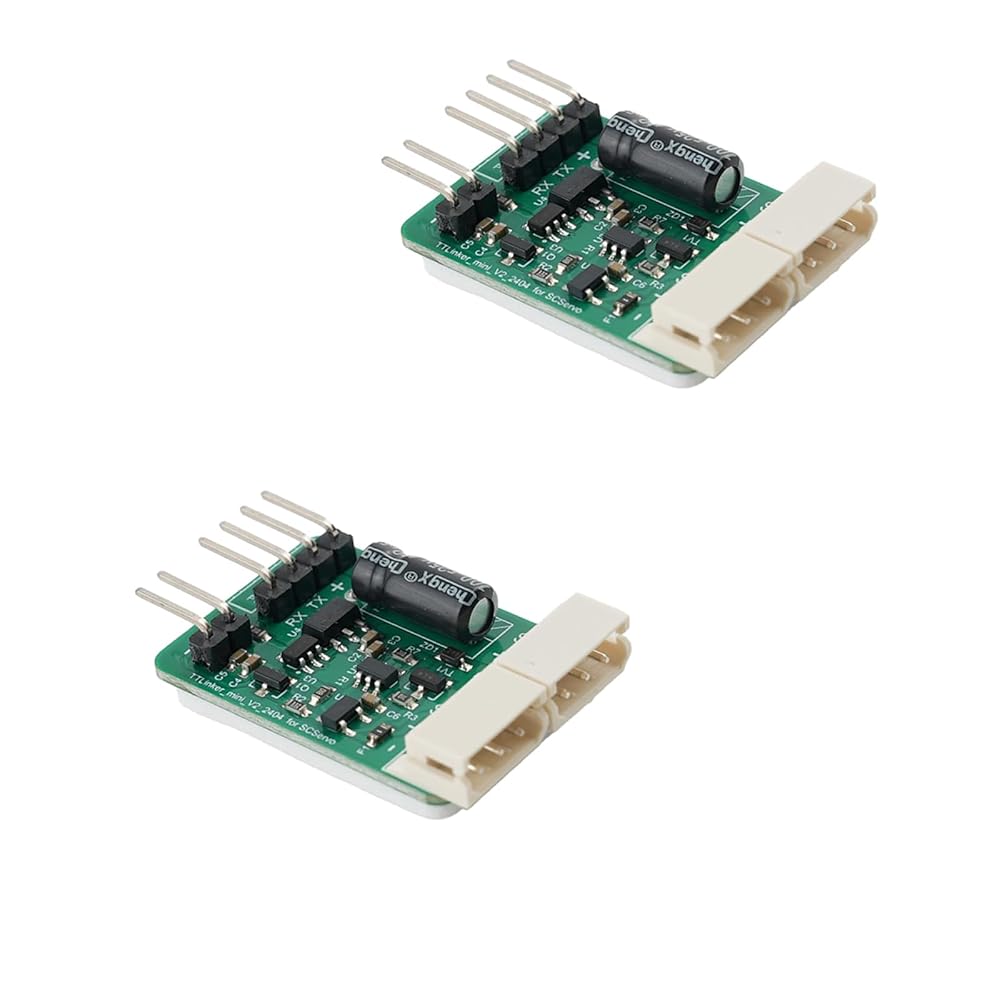
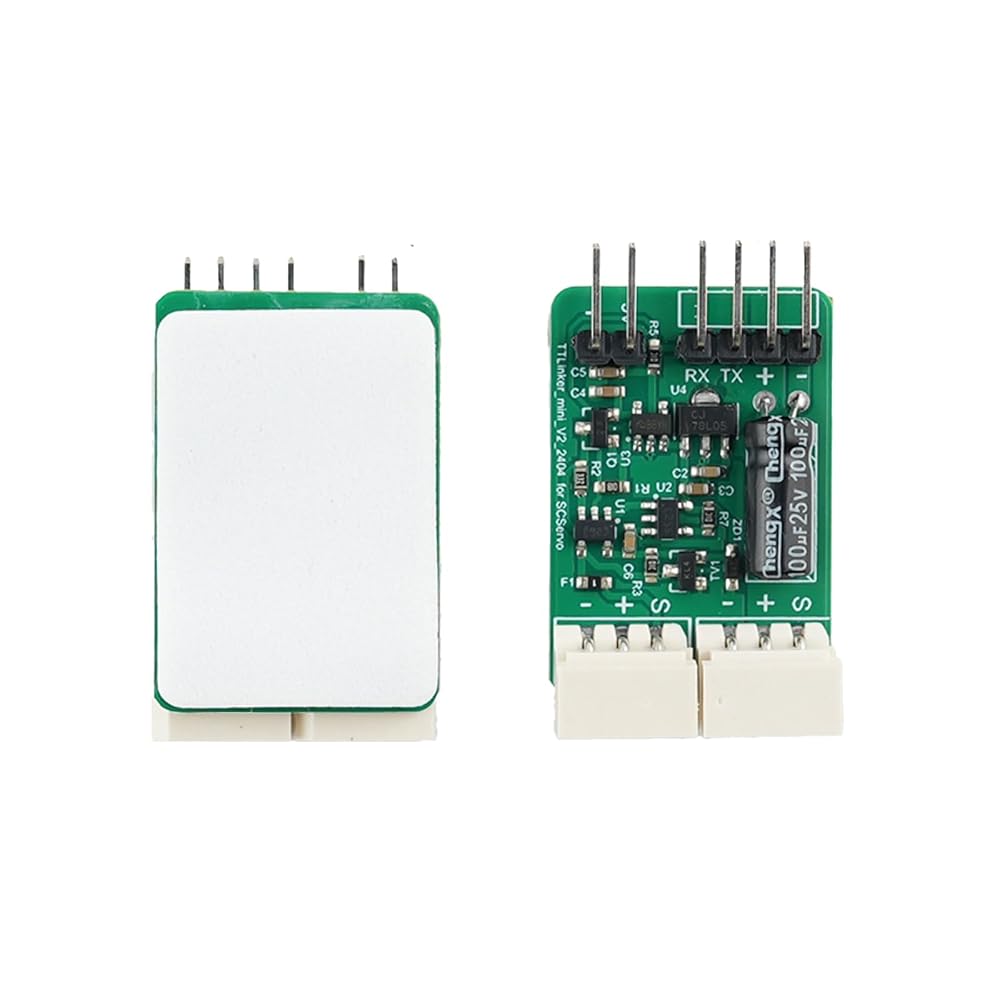
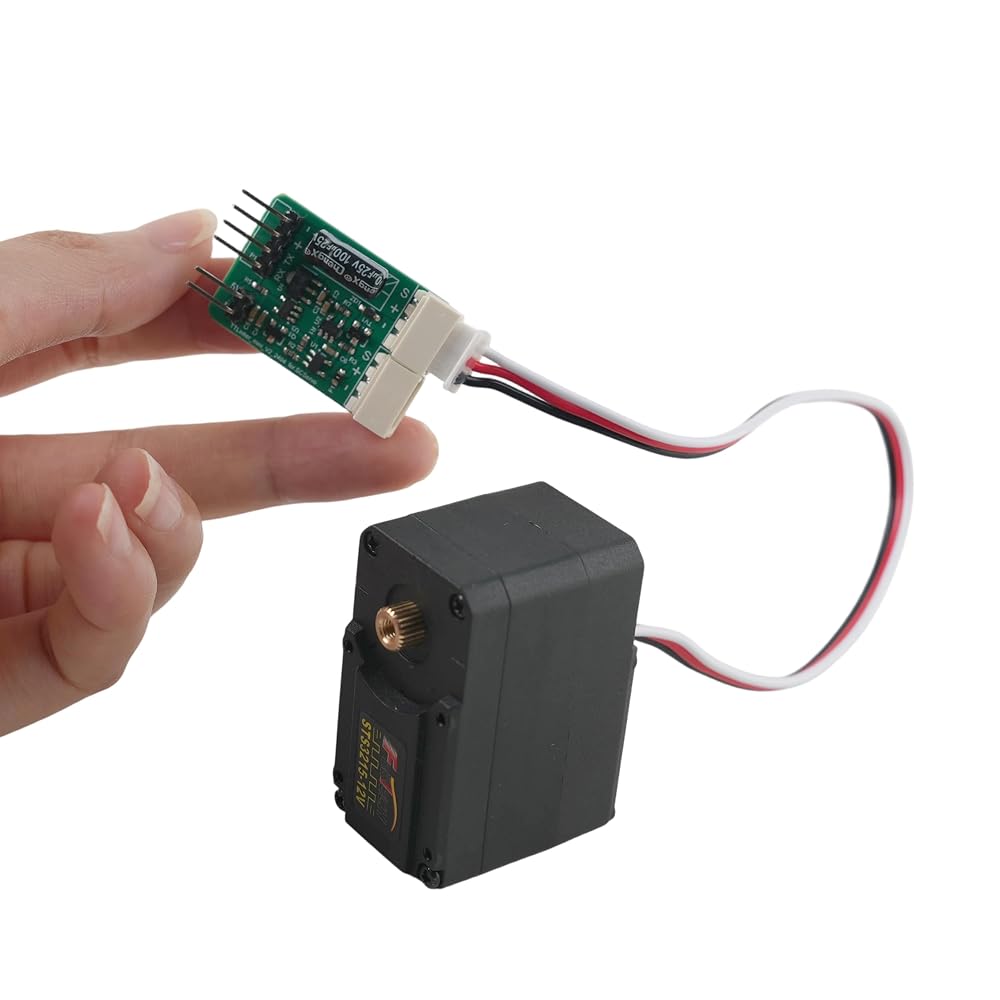
The RCmall TTL Servo Signal Converter Board is a compact and reliable serial bus adapter designed for SCServo control, making it an essential component for Arduino-based DIY robotics projects. Thisgives you the flexibility to build and expand your robotic systems with ease. The board serves as a seamless interface between your microcontroller and serial bus servos, converting TTL signals to enable smooth and precise servo communication. Its compact PCB design integrates key electronic components, including onboard capacitors and signal conditioning circuitry, ensuring stable and consistent performance during operation. The standard pin header connections make it straightforward to plug into your development board or breadboard setup. Whether you are building robotic arms, automated mechanisms, or custom servo-driven projects, this adapter simplifies the wiring and control process. Compatible with popular Arduino platforms, this converter board is a practical addition to any electronics enthusiast's or robotics developer's toolkit. The 2-pack ensures you have a spare on hand for prototyping or multi-servo configurations. TTLinker Parameters
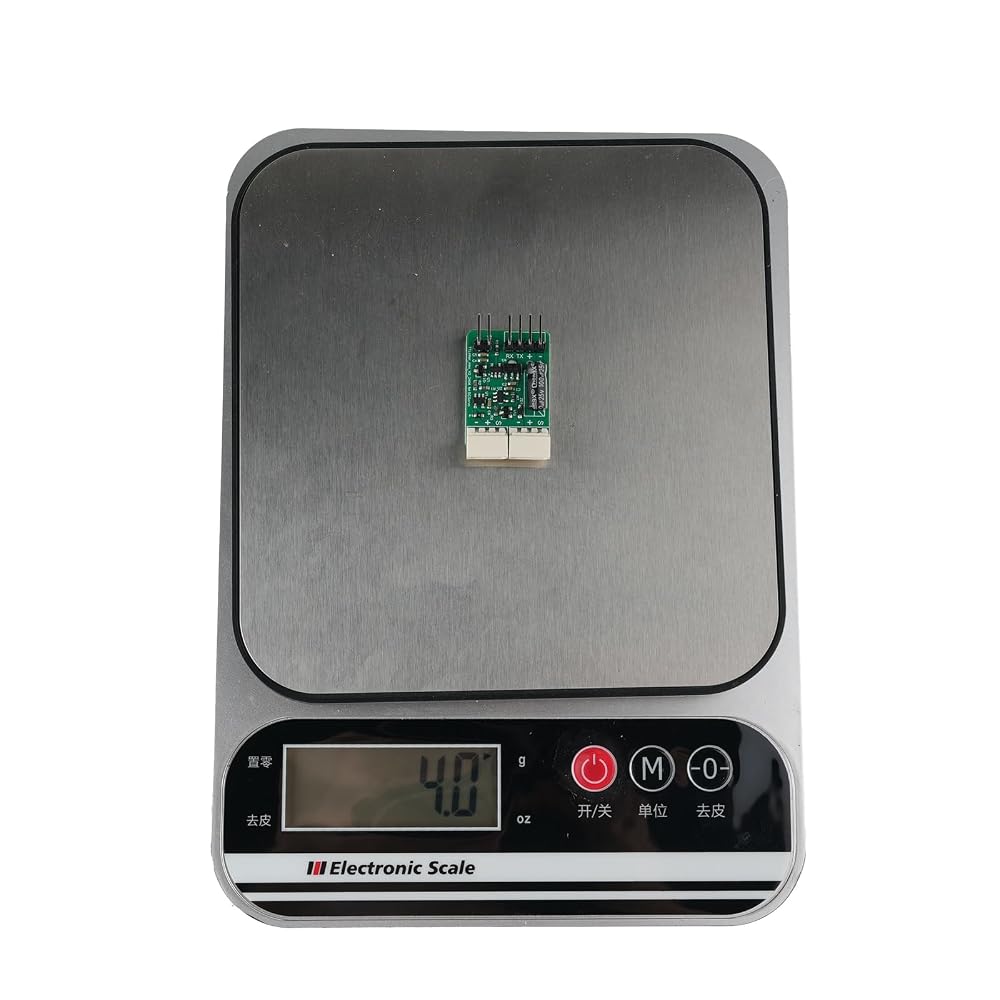
Weight: 3.5g
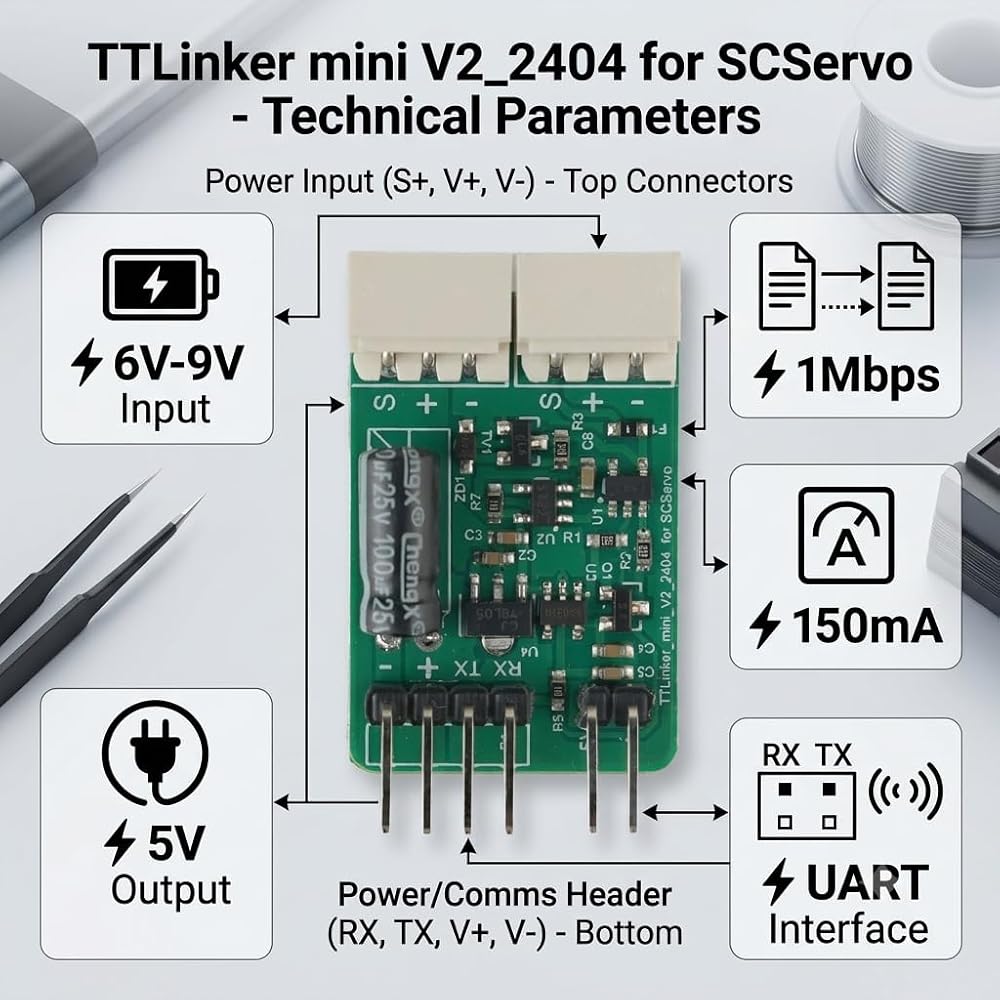
Dimension (L*W*H): 35mm * 21mm * 8.3mm
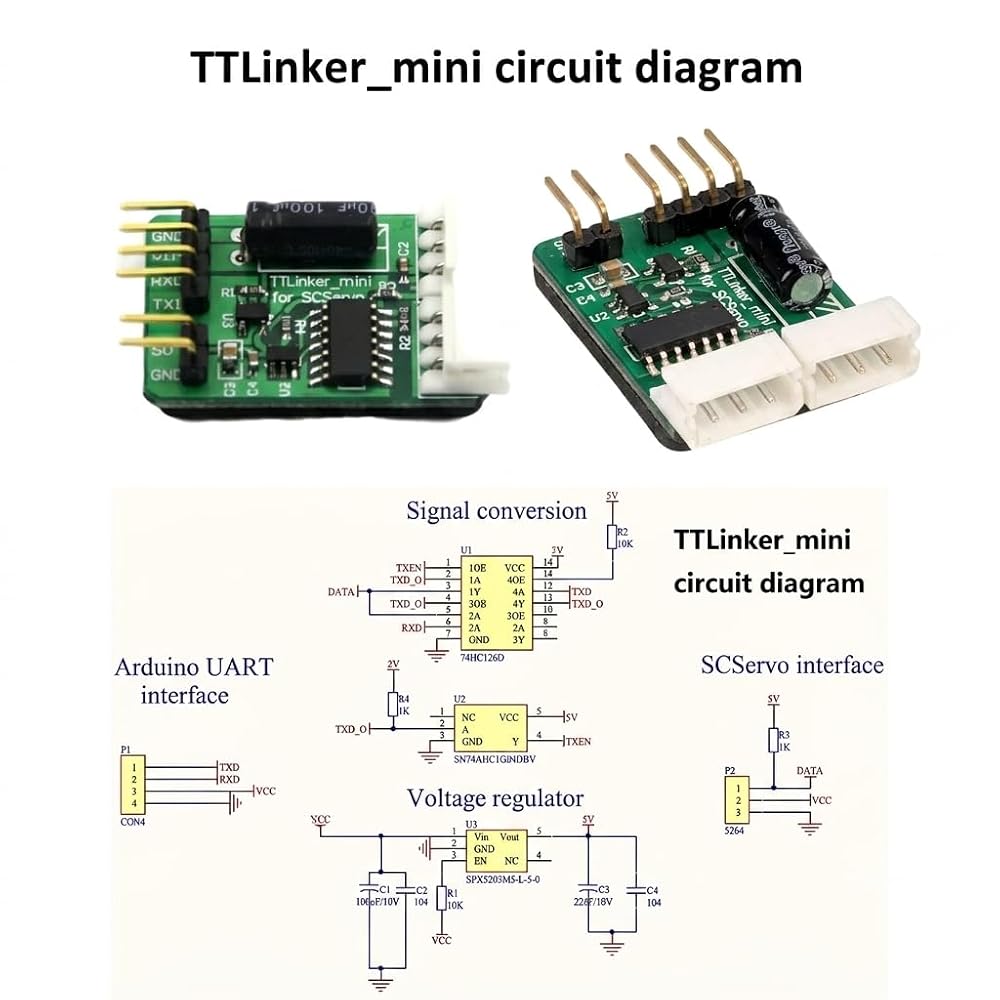
Controller: 74HC126D
Working Voltage
Allowed Range: 6V~9V
DC +6V~9V
GND DC
Recommended Voltage: 7.4V (Li-PO 2-cell)
Output Voltage
5V (max 150mA)
Consumed Current
When IDLE: 10mA
External I/O Maximum Current: 150mA
Working Temperature
-5°C ~ 60°C
External I/O Devices
2-pin for 5V Output: 1
3-pin for SCServo Connector: 2
4-pin for Arduino or Other Controller UART: 1
Work Mode Protocol Type
Communication Speed
8400bps ~ 1M bps
smart control servos use a special half-duplex UART bus as the input source
Users need to use an SCPC-2 to connect the smart control servos to a PC via USB port, or design a circuit to communicate with other host MCUs (please refer to the Schematic of the half-duplex UART).
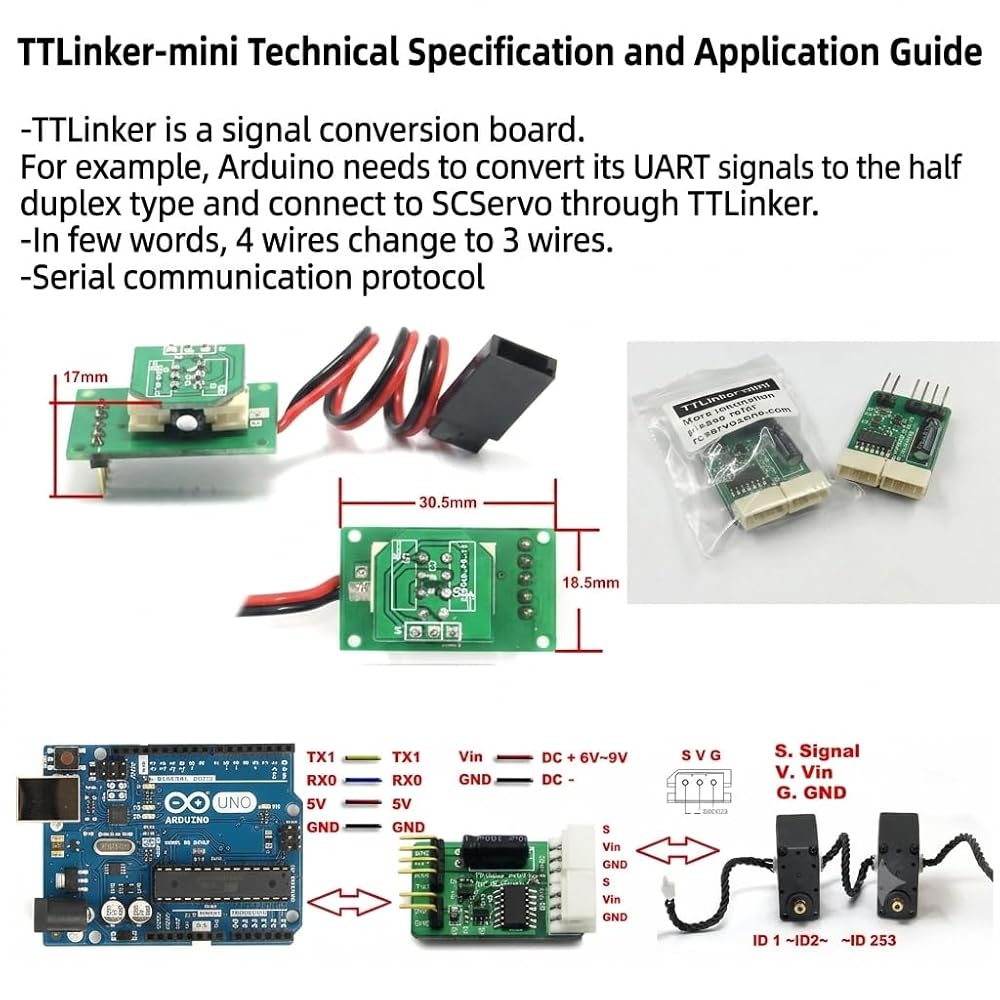
If using Arduino to control SCServo, a TTLinker is required between the Arduino and the SCServo.
TTLinker is a signal conversion board. Arduino needs to convert its UART signals to half-duplex type and connect to
the SCServo through TTLinker. TTLinker also provides more interfaces for various sensors and is compatible with Arduino.
This Quick Start document will guide you to:
* Connect a smart control servo to your PC via USB port using SCPC-2
* Understand SCServo parameters
* Run SCSxx servos using SCServo_Debug software
* Use Arduino to control SCSxx servos
For more details, such as instruction sets, electrical schematics, and the control table, please refer to the SCSXX User Manual.
1 SCPC-2
1.1 Schematic of the half-duplex UART
1.2 System requirements and driver
1.3 Use the SCPC-2
1.3.1 Install driver
1.3.2 Pin configuration of SCPC-2
1.3.3 Connection between SCServo and PC
2 SCSERVO DEBUG SOFTWARE
2.1 Check the connection and open software
2.2 Set servo ID of SCSxx
2.3 Set other properties of SCSxx
2.3.1 Baud Rate
2.3.2 Servo Set and Dead Band
2.3.3 Limitation
3 TRY TO RUN SCSxx SERVOS
4 USE ARDUINO TO CONTROL SCSxx SERVOS
4.1 Arduino library SCServo
4.2 Connection
5 SUPPORTS
6 IMPORTANT NOTICE
7 LIFE SUPPORT POLICIES
 محرك مؤازر رقمي ، عزم دوران مرتفع 60 كجم ، 5.0-7.4 فولت بدون فرش ، معدن معدن مع أذرع مؤازرة (180 درجة)
KWD 0
محرك مؤازر رقمي ، عزم دوران مرتفع 60 كجم ، 5.0-7.4 فولت بدون فرش ، معدن معدن مع أذرع مؤازرة (180 درجة)
KWD 0
 30 كجم من الحافلة التسلسلية عالية الحافلة 12V 360 ° مستمر الدوران القابلة للبرمجة الأنيقة الرقمية الرقمية مع وحدة تحكم لذراع RC Car Steering Robotic (1 مؤازرة مع وحدة تحكم واحدة)
KWD 0
30 كجم من الحافلة التسلسلية عالية الحافلة 12V 360 ° مستمر الدوران القابلة للبرمجة الأنيقة الرقمية الرقمية مع وحدة تحكم لذراع RC Car Steering Robotic (1 مؤازرة مع وحدة تحكم واحدة)
KWD 0
 55 كيلوجرام من IP68 RC Digital Digital ، عزم الدوران العالي ، 7.4 فولت محرك حلزوني للزاوية التي يسيطر عليها زاوية 180/270 /360 درجة روبوت من 1: 8 1:10 TRX6 SCX10 RC Crawler (360 درجة)
KWD 16.500
55 كيلوجرام من IP68 RC Digital Digital ، عزم الدوران العالي ، 7.4 فولت محرك حلزوني للزاوية التي يسيطر عليها زاوية 180/270 /360 درجة روبوت من 1: 8 1:10 TRX6 SCX10 RC Crawler (360 درجة)
KWD 16.500
 45 كجم عالي السرعة عارية الفرشاة ، محركات مزدوجة الحامل ، معدات الفولاذ المقاوم للصدأ عالية عزم الدوران ، IP67 Digital Digital لـ 1/8 1/10 RC Robotic DIY (45 كجم 270 درجة)
KWD 14
45 كجم عالي السرعة عارية الفرشاة ، محركات مزدوجة الحامل ، معدات الفولاذ المقاوم للصدأ عالية عزم الدوران ، IP67 Digital Digital لـ 1/8 1/10 RC Robotic DIY (45 كجم 270 درجة)
KWD 14