- التسوق ، اصبح سهلا.
- /
- احصل على التطبيق!
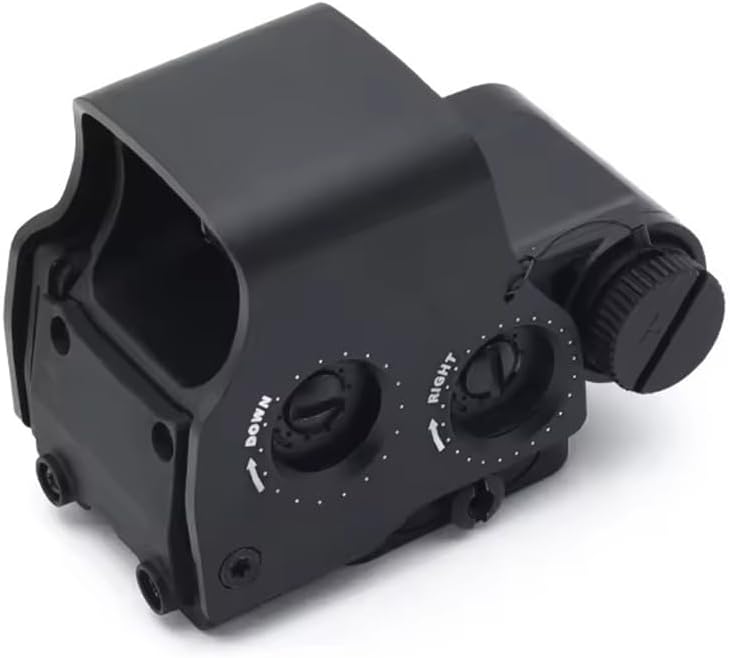
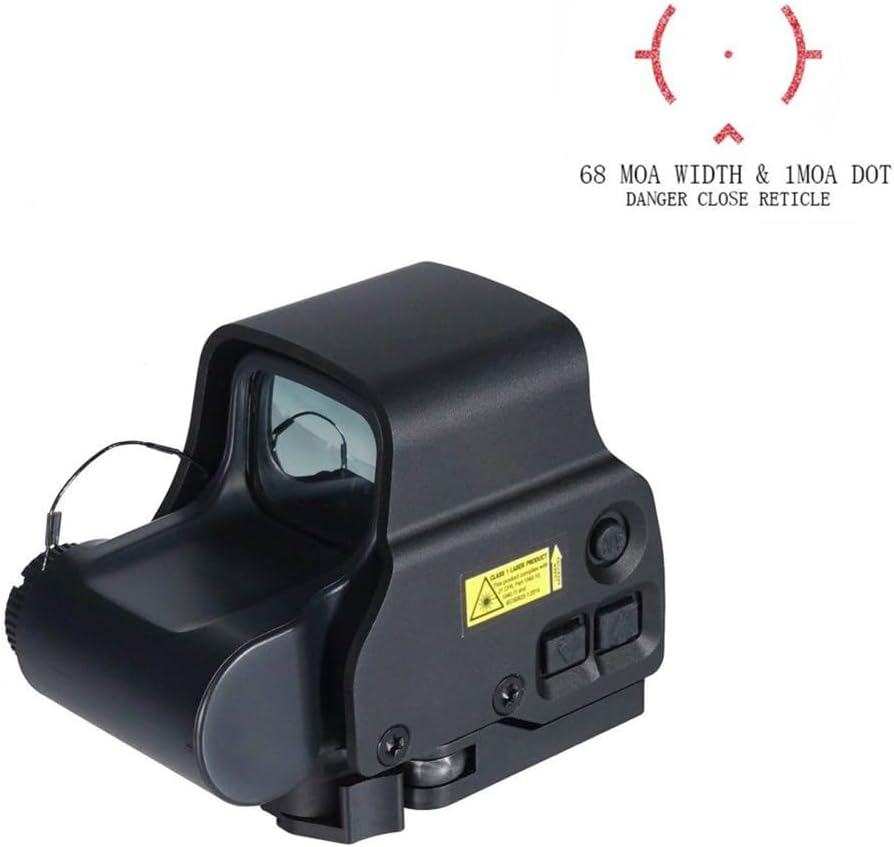
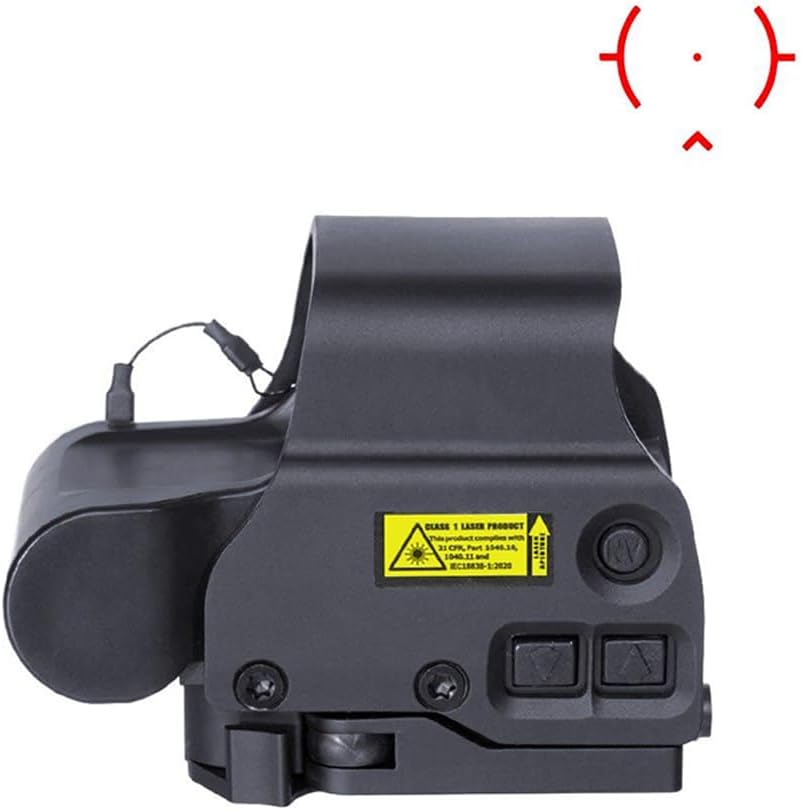
558(NV Compatible):
More realistic appearance;
Smaller parallax (parallax-free);
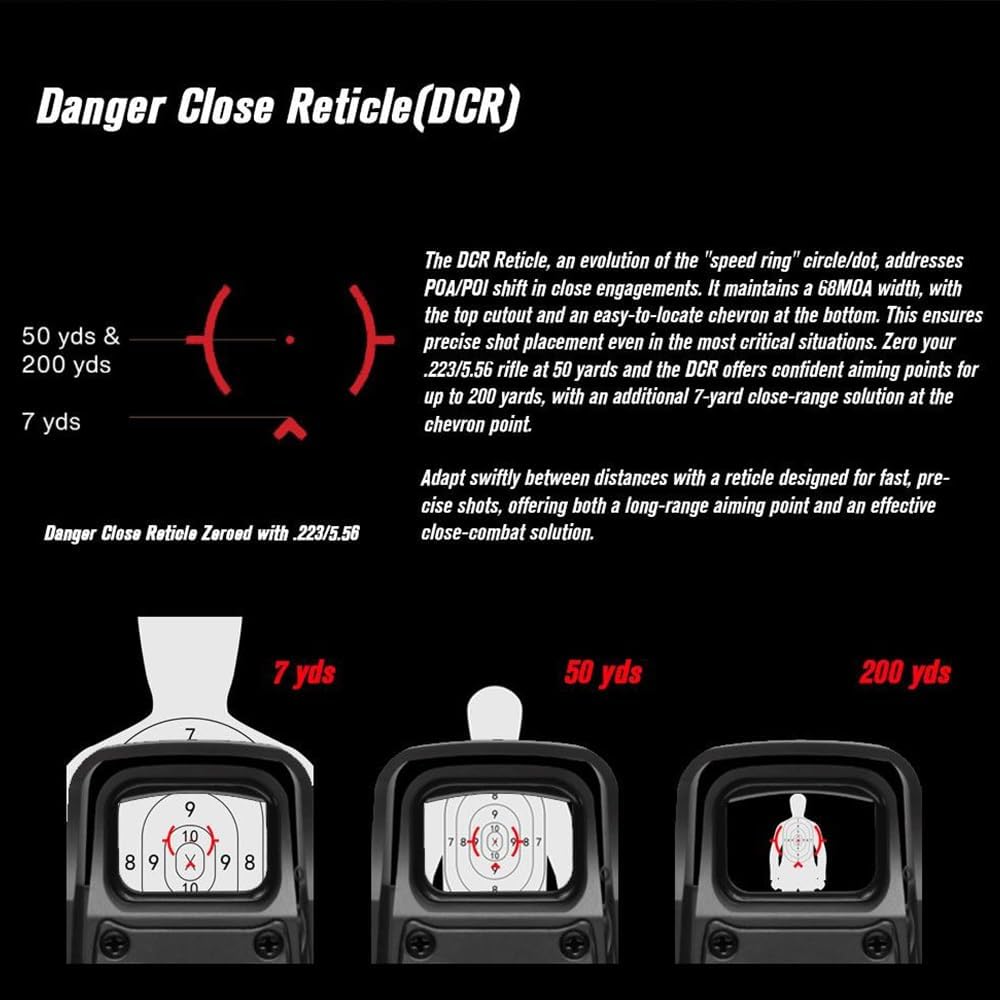
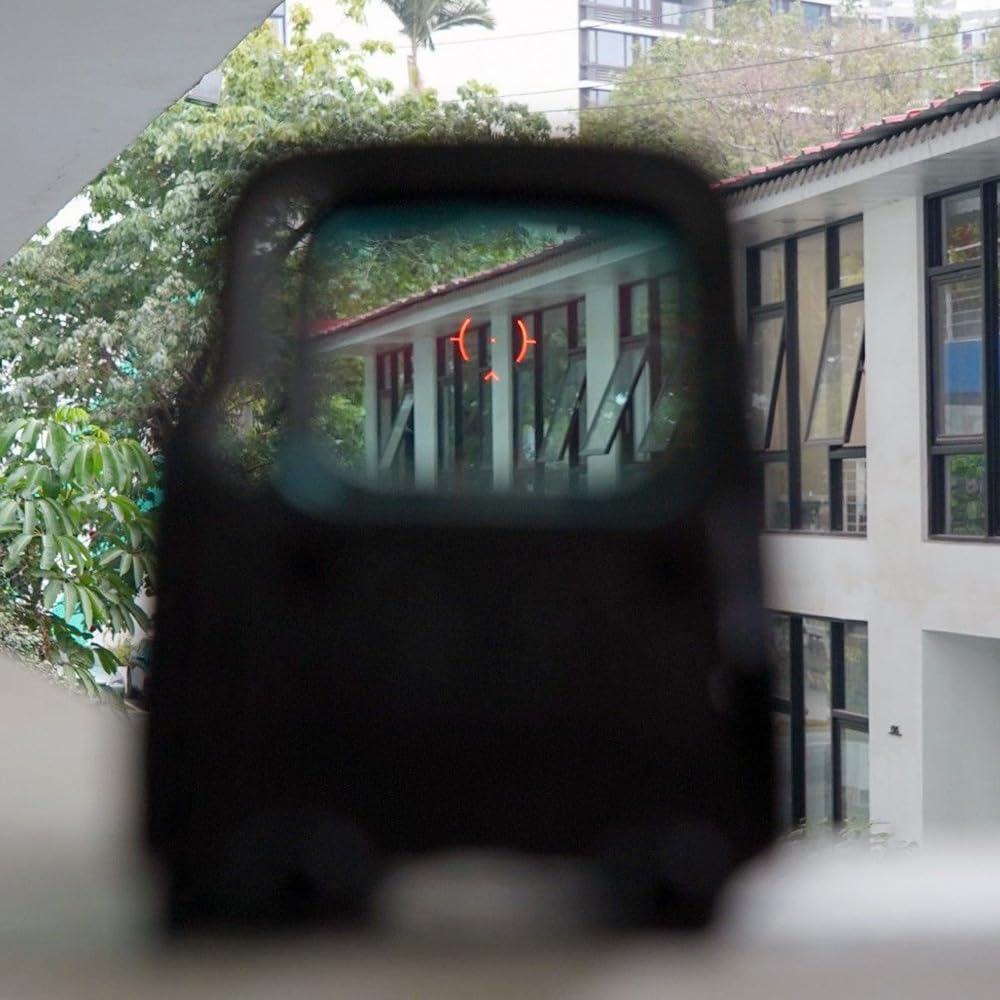
Clear reticle with uniform brightness. In bright environments, the red dot remains clear, ensuring accurate aiming.
Made from 7075 aluminum, fully restoring the original details, and capable of withstanding 800g of recoil.
Suitable for AIRSOFT and GBBR.
The lens is exceptionally clear with high light transmission, no mirror effect, and will not reflect your face or other objects. The housing is hard anodized, and the red dot is the 558 with NV functionality, compatible with NVG.
Improved shock resistance — maintains zero on 5.56 and GBBR platforms
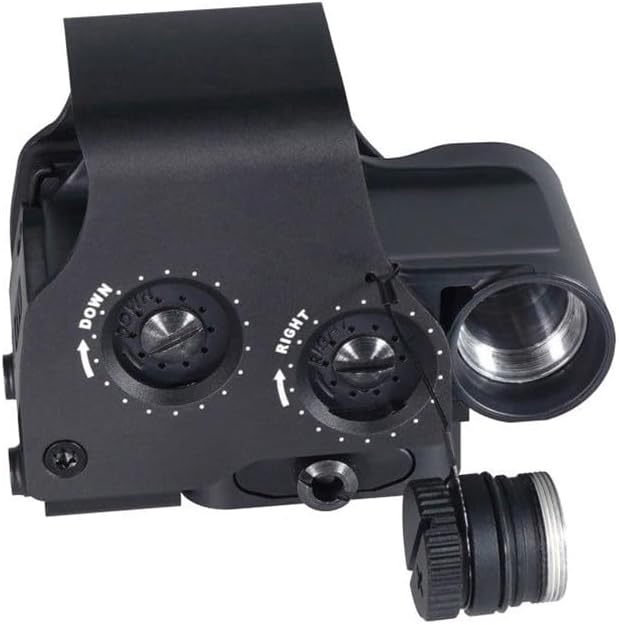
Tactile zeroing screws with clear, audible clicks
Redesigned mount base — fits true 21.21mm Picatinny rails with no tilt
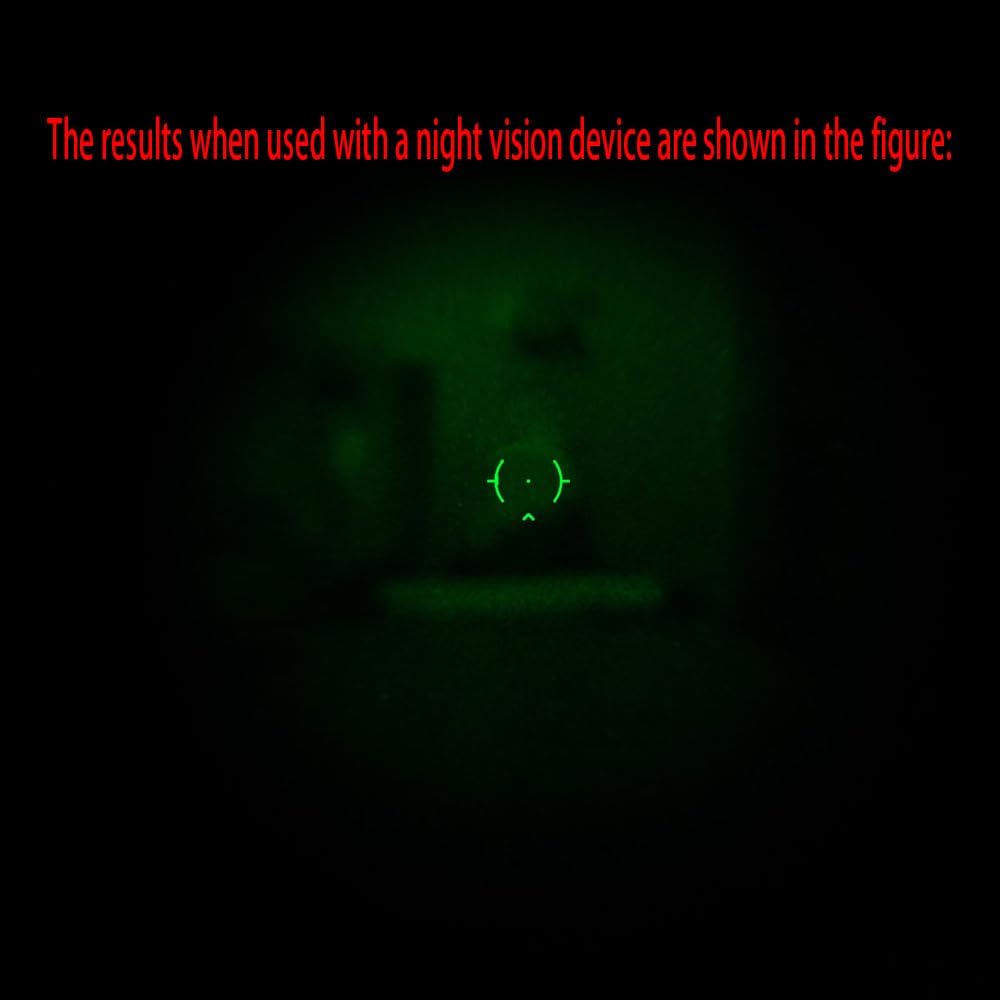
Reticle remains clear and visible when viewed through night vision devices
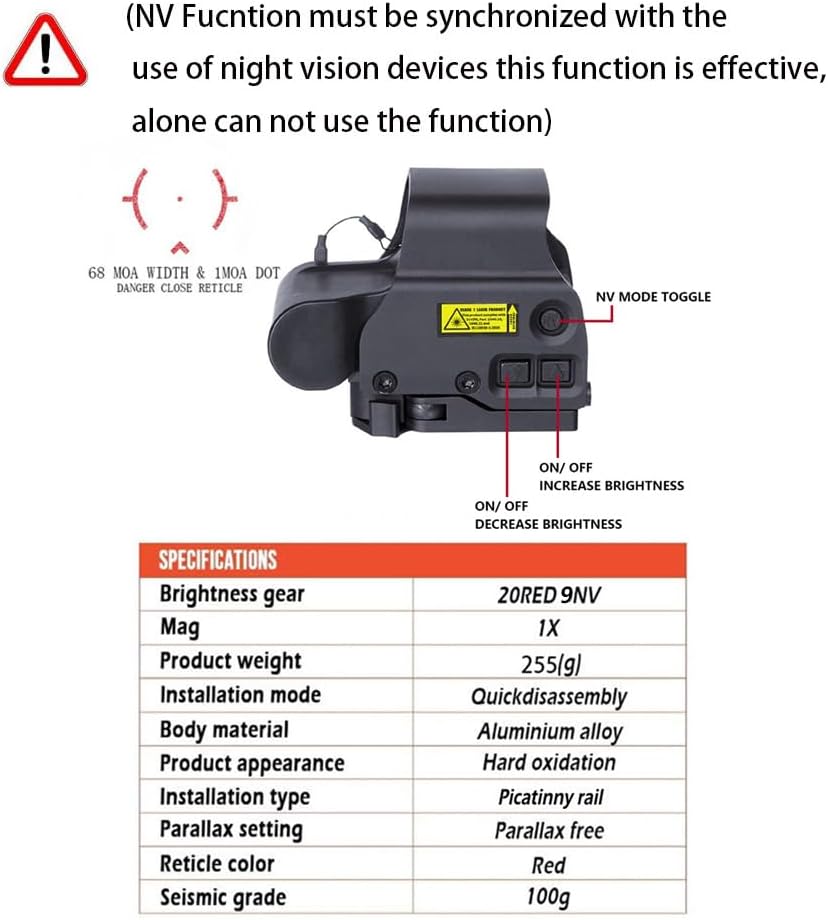
ON >
Pressing the Up or Down Arrow buttons will turn the sight ON at middle Level.
From OFF state: Press + /- → Red light mode (last saved brightness level).
From OFF state: Press NV → IR light mode (last saved brightness level).
OFF >
To turn the sight off, simultaneously press both the UP and DOWN arrows 3s.
Verify that the sight is ON/OFF by looking through the window for the reticle.
Brightness Adjustment >
The push buttons vary the brightness intensity of the red dot sight reticle pattern.
Pressing the UP or DOWN buttons will increase or decrease the brightness level.
There are twenty (20) daytime brightness settings provided to allow the user to adjust the reticle brightness to their preference. (18 high-brightness levels + 2 low night-use levels).
Auto Sleep & Wake-Up >
If the device remains stationary for 30 minutes, the light will turn off automatically and enter standby mode.
Shake the device to wake it up. The brightness will return to the previously set level.
Night Vision Mode:
The 558 is compatible with Generation I - III+ Night Vision Devices. At the night vision settings, the reticle brightness is low enough that when viewed with a night vision device, the reticle image does not bloom.
ON/ Night Vision Mode
Pressing the NV Button will turn the sight ON in Night Vision Mode. There are 9 NV brightness settings (8 high-brightness levels + 1 low level) provided to allow the user to adjust the reticle brightness to their preference.
OFF/ Turning Sight OFF
To turn the sight off, press both the UP and DOWN arrows simultaneously 3s. Verify that the sight shuts off by looking through the heads-up window with the night vision device.
TOGGLE/ Between Normal and Night Vision Modes
To toggle between NORMAL and NIGHT VISION MODES, press the NV button. When switching between modes, the sight will remember the last brightness setting.
Windage and Elevation
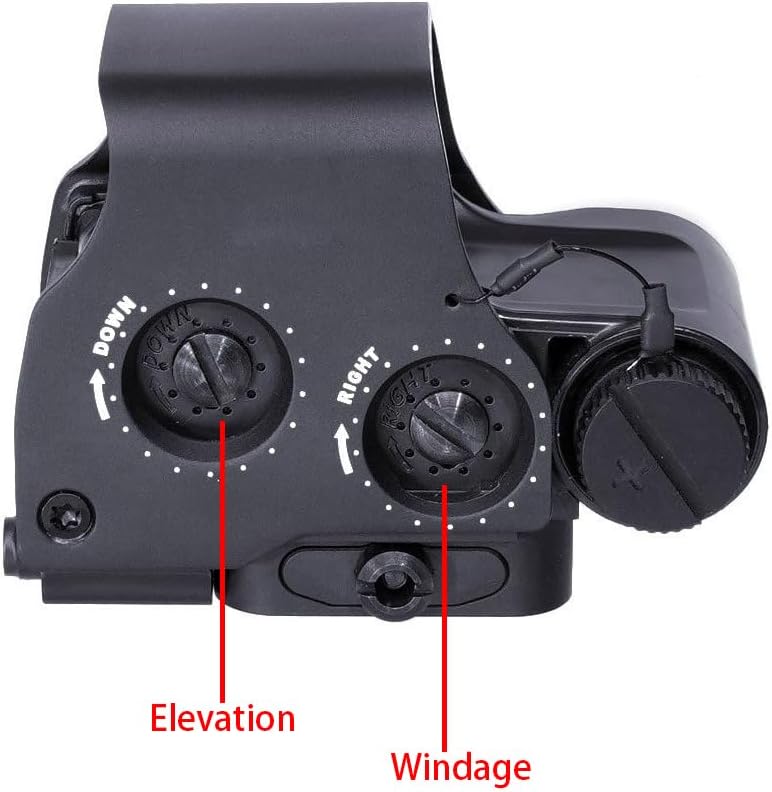
The 558 features subtle click mechanisms for elevation and windage adjustments.
PRO TIP: These adjustment mechanisms are grooved with a slotted screw head and require the use of a screwdriver, coin, or spent brass to turn.
Adjustment Details
To move the point of impact UP, turn the elevation adjustment LEFT.
To move the point of impact RIGHT, turn the windage adjustment RIGHT.
The 558 elevation and windage adjustments are factory collimated with the bore of the airsoft parallel to the mounting rail. The sight should be close to mechanical zero when mounted on a properly installed rail. Be sure to check that the mount and sight are securely mounted after initial firing.
CAUTION: When encountering an increase in resistance in adjustments, the end of the adjustment range has been reached. DO NOT turn the adjustments any farther as serious damage may occur to the sight.
 MUM/GT-14 NVG Mount Binocular Bridge System Base، نظارات الرؤية الليلية خوذة محول جبل لPVS-14 رؤية ليلية أحادية ومناظير مزدوجة، أسمر ضارب للصفرة
KWD 72.500
MUM/GT-14 NVG Mount Binocular Bridge System Base، نظارات الرؤية الليلية خوذة محول جبل لPVS-14 رؤية ليلية أحادية ومناظير مزدوجة، أسمر ضارب للصفرة
KWD 72.500
 1-4x GEN 3 نطاق رؤية ثلاثية الأبعاد DR مجال رؤية مزدوج ثابت Riflescope إضاءة بصرية حمراء، مع QD سريع التحرير، يناسب سكة Picatinny مقاس 20 مم، أسود
KWD 90
1-4x GEN 3 نطاق رؤية ثلاثية الأبعاد DR مجال رؤية مزدوج ثابت Riflescope إضاءة بصرية حمراء، مع QD سريع التحرير، يناسب سكة Picatinny مقاس 20 مم، أسود
KWD 90
 1-4X GEN 3 نطاق رؤية ثلاثية الأبعاد DR مجال رؤية مزدوج ثابت Riflescope مع مجموعة رؤية بصرية منعكسة صغيرة مدمجة بنقطة حمراء، إضاءة حمراء، مع QD سريع الإصدار، يناسب سكة Picatinny مقاس 20 مم، أسمر ضارب للصفرة
KWD 110.500
1-4X GEN 3 نطاق رؤية ثلاثية الأبعاد DR مجال رؤية مزدوج ثابت Riflescope مع مجموعة رؤية بصرية منعكسة صغيرة مدمجة بنقطة حمراء، إضاءة حمراء، مع QD سريع الإصدار، يناسب سكة Picatinny مقاس 20 مم، أسمر ضارب للصفرة
KWD 110.500
 حامل مكبر تكتيكي مقاس 2.26/2.91 قابل للطي إلى المركز (FTC)، يناسب عدسات مكبرة G33 G43 G45 3X/5X 6X، ومحول قاعدة من الوجه إلى الجانب مع إصدار/فصل سريع QD ومجموعة فاصل زيادة متضمنة
KWD 27.500
حامل مكبر تكتيكي مقاس 2.26/2.91 قابل للطي إلى المركز (FTC)، يناسب عدسات مكبرة G33 G43 G45 3X/5X 6X، ومحول قاعدة من الوجه إلى الجانب مع إصدار/فصل سريع QD ومجموعة فاصل زيادة متضمنة
KWD 27.500

 الكويت