- التسوق ، اصبح سهلا.
- /
- احصل على التطبيق!

Utilize the Half Circle Radius Tool by inputting the Radius and clicking "Calculate" to instantly find the Length; accepts a minimum Radius of 6". Use the Quarter Circle Radius Tool similarly by entering the Radius and hitting "Calculate" for automatic Length determination with a 6" minimum Radius requirement. For the Crown Radius Calculator, input Depth (inches) and Width (inches), then press "Calculate" to derive the length. Apply the Full Circle Radius Calculator by entering the Radius and selecting "Calculate" to auto-generate the Length, adhering to a 6" minimum Radius. Employ the Arch Radius Calculator by providing Rise (inches) and Width (inches), then click "Calculate" to compute the Length, also requiring a minimum Radius of 6". Important: Full Circles are produced as two separate pieces. The system automatically calculates Length upon pressing "Calculate", rounding up to the nearest foot while including extra material for trimming (minimum 4-foot order). A full-scale template is necessary for manufacturing ellipse radius curves. Trace the interior of the curve onto your paper template. Wrap around the exterior of the template to measure length, adding 12 inches for cutting and mitering. The tightest radius within the shoulder equals twice the profile width. Template length can be modified to guarantee a correct fit. A full-scale template is also needed for oval radius curves. Trace the curve's interior on your paper template. Measure the template's exterior to find the length, plus an extra 12 inches for cutting and mitering. The tightest shoulder radius is 2 times the profile width. Template length is adjustable to ensure proper fitting. Send templates to: Resinart East Inc., 201 Old Airport Road, Fletcher, NC 28732.
 KR-1054KA PANAVIA 21 سائل B Ed برايمر، الشكل
KWD 25.500
KR-1054KA PANAVIA 21 سائل B Ed برايمر، الشكل
KWD 25.500
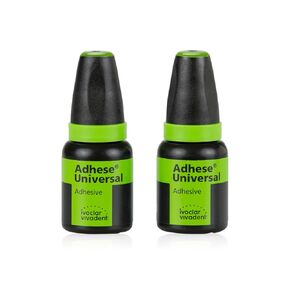 زجاجة إعادة تعبئة IVV Adhese Universal 5 جم، Pk/2
KWD 99
زجاجة إعادة تعبئة IVV Adhese Universal 5 جم، Pk/2
KWD 99
 KR-491WD-SE PANAVIA F 2.0 Ed Primer Liquid A، الشكل
KWD 25.500
KR-491WD-SE PANAVIA F 2.0 Ed Primer Liquid A، الشكل
KWD 25.500
 معزز الترابط Xfactor
KWD 19.500
معزز الترابط Xfactor
KWD 19.500

