- التسوق ، اصبح سهلا.
- /
- احصل على التطبيق!
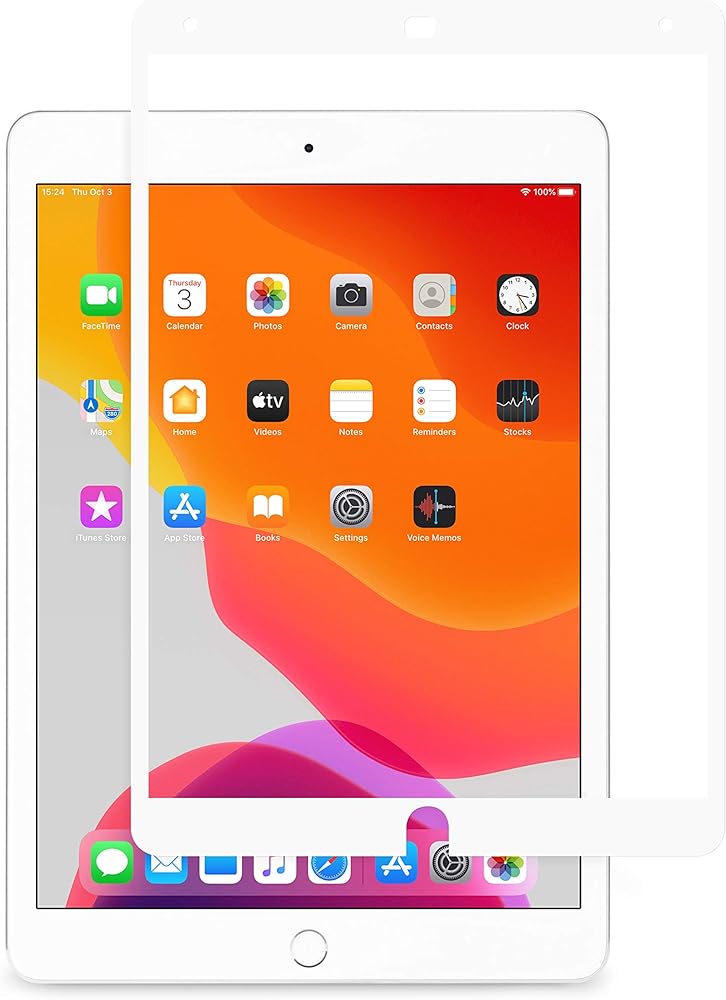
Fitted for the iPad Pro, iVisor AG is the screen protection for your device. The anti-glare screen protector has been surface-treated to provide enhanced scratch protection, reduce smudges, and maintain maximum clarity. Most screen protectors require a tedious installation process. iVisor's proprietary design allows for a flawless, bubble-free installation in seconds. The iVisor can be washed and reapplied repeatedly to ensure maximum protection all the time. iVisor is also compatible with Apple Pencil.
iVisor installationUse the micro-fiber cloth included in the package to wipe away any dust particles on your device. Do not use any cleaning solvents except pure water.
Peel off iVisor's backside film (labelled 1) gently before applying.
Align iVisor starting at the bottom; make sure iVisor's circular opening aligns with iPad's home button.
Gently apply pressure around the borders of iVisor to secure it in place.
Cleaning instructions
Use the included micro-fiber cloth to wipe any fingerprint smears or smudges from iVisor's front surface. Apply some water to the cloth to remove any stubborn stains. In the rare occasion that iVisor has lost its grip due to dust or lint build-up, a complete wash is necessary.
For a complete wash, use a mild detergent (such as dish washing liquid) and water to hand wash both sides of iVisor. Use your thumbs to brush away any dust or lint attached to iVisor's adhesive border. Rinse and gently shake to dry. Use the included micro-fiber cloth to gently wipe away any remaining water droplets on the iVisor. Do not use the micro-fiber cloth on the adhesive border. Let iVisor dry naturally by placing it on a dry paper towel with the adhesive border facing upward. Make sure no dust or lint particles stick to iVisor's adhesive border during drying then reapply. After a successful wash, iVisor's adhesive border should restore to its original stickiness.

 قفازات Moshi Digits الشتوية لشاشات اللمس، قفازات محبوكة دافئة مع 3 مقاسات: S/M/L
KWD 12.500
قفازات Moshi Digits الشتوية لشاشات اللمس، قفازات محبوكة دافئة مع 3 مقاسات: S/M/L
KWD 12.500
 موشي كابل USB إلى Lightning 90 درجة 1 متر، معتمد من MFI، متضمن حزام يدوي، أسود
KWD 15
موشي كابل USB إلى Lightning 90 درجة 1 متر، معتمد من MFI، متضمن حزام يدوي، أسود
KWD 15
 واقي لوحة المفاتيح Moshi ClearGuard MB لأجهزة Apple MacBooks (2012-2015، الاتحاد الأوروبي) - شفاف
KWD 5
واقي لوحة المفاتيح Moshi ClearGuard MB لأجهزة Apple MacBooks (2012-2015، الاتحاد الأوروبي) - شفاف
KWD 5
 واقي شاشة موشي أومبرا للخصوصية لجهاز ماك بوك إير 13.6 بوصة (2022 M2، A2681)، مضاد للتجسس، حماية من الخدش، مقاوم لبصمات الأصابع، فلتر الضوء الأزرق، سهل التركيب، قابل للغسل وإعادة الاستخدام
KWD 32.500
واقي شاشة موشي أومبرا للخصوصية لجهاز ماك بوك إير 13.6 بوصة (2022 M2، A2681)، مضاد للتجسس، حماية من الخدش، مقاوم لبصمات الأصابع، فلتر الضوء الأزرق، سهل التركيب، قابل للغسل وإعادة الاستخدام
KWD 32.500

 الكويت