- Shopping, made easy.
- /
- Get the app!
Product Description
Operating frequency:
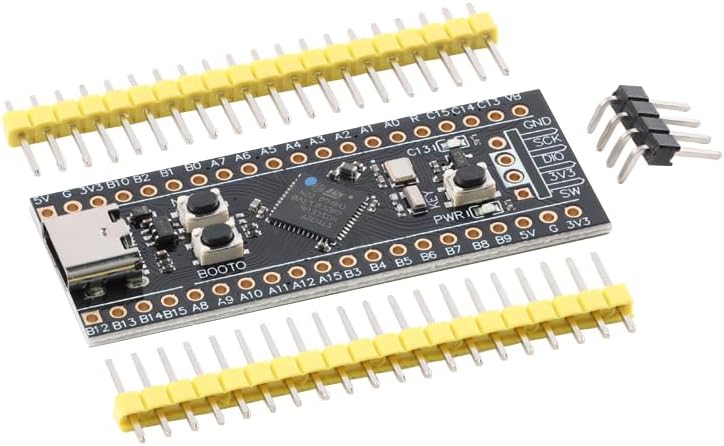
STM32F401CEU6: ARM Cortex M4 core, maximum operating frequency 84MHz;
Memory:
STM32F401CEU6: 512KB ROM flash program memory; 96KB SRAM static random access memory; SPI Flash (not soldered);
Interfaces and Buttons:
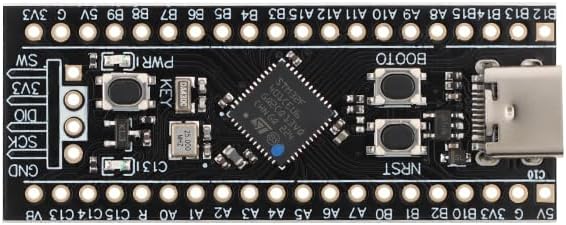
USART¡Á3, I2C¡Á3, SPI¡Á5, USBFS¡Á1, ADC¡Á1(10), I2S¡Á5, CRC¡Á1, TIM¡Á8;
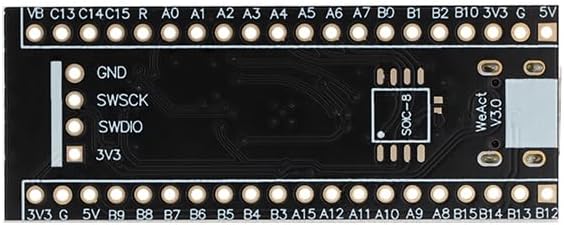
20Pin 2.54mm pitch I0 interface¡Á2, 4Pin 2.54mm pitch SW debug interface¡Á1;
USB C (type C) interface¡Á1;
User button KEY (PA0)¡Á1, Reset button NRST x1, BOOT0 button x1.
Clock and Power Supply:
3.3V-5V power input, 3.3V LDO MAX output current 100mA; Uses Type-C USB interface with a diode in series to prevent backflow.
25MHz high-speed crystal oscillator, 32.768KHz low-speed crystal oscillator.
ISP Mode Download
For ISP mode program download, we support two methods: serial download (requires USB to serial adapter) and USB download (recommended), requiring only one data cable.
How to enter ISP mode:
1. With power on, press and hold the BOOT0 button and the reset button, then release the reset button. Release the BOOT0 button after 0.5 seconds.
2. With power off, press and hold the BOOT0 button. Release the BOOT0 button 0.5 seconds after powering on.
Connection Methods:
1. USB download: Connect the USB data cable to the board's TYPE-C interface.
2. Serial download: Connect the USB to serial port to PA9 and PA10.
 2Pcs 3590S-2-103L 10K Ohm Precision Rotary Wire Wound Precision Potentiometer 10K ±5% ±50ppm/℃ 3590
KWD 8.500
2Pcs 3590S-2-103L 10K Ohm Precision Rotary Wire Wound Precision Potentiometer 10K ±5% ±50ppm/℃ 3590
KWD 8.500
 USB to UART/TTL Module with FT232 Chip and Signal Isolation for Data Communication
KWD 6.500
USB to UART/TTL Module with FT232 Chip and Signal Isolation for Data Communication
KWD 6.500
 ILI9341 2.8" SPI TFT LCD Display Touch Panel 2.8Inch LCD Screen Module Board 240 * 320 SPI Display Module Development Board
KWD 6.500
ILI9341 2.8" SPI TFT LCD Display Touch Panel 2.8Inch LCD Screen Module Board 240 * 320 SPI Display Module Development Board
KWD 6.500
 Wire Less Module 433MHz HC-12-SI4438 QFN Long Range Serial Communication Transparent Data Transmission Low Power
KWD 0
Wire Less Module 433MHz HC-12-SI4438 QFN Long Range Serial Communication Transparent Data Transmission Low Power
KWD 0