- التسوق ، اصبح سهلا.
- /
- احصل على التطبيق!
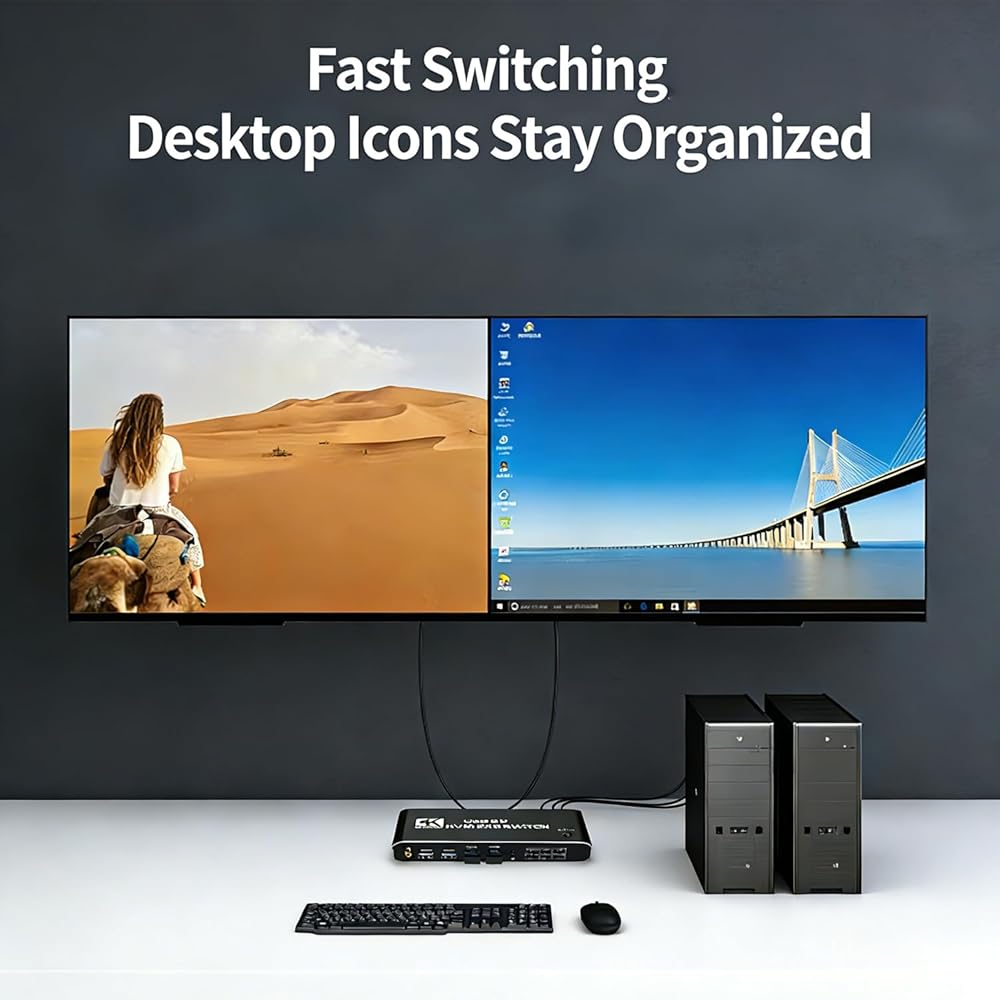
Tired of messy cables and juggling multiple keyboards and mice across your devices? This dual monitor KVM switch streamlines your workspace, cuts down clutter, and simplifies your daily workflow in one easy setup.
Designed for traders, designers, content creators, and office professionals, this KVM switch lets you seamlessly manage your dual-computer setup with a single set of peripherals. It is ideal for home offices, design studios, trading floors, and all multi-device workspaces.
Quick Setup Guide
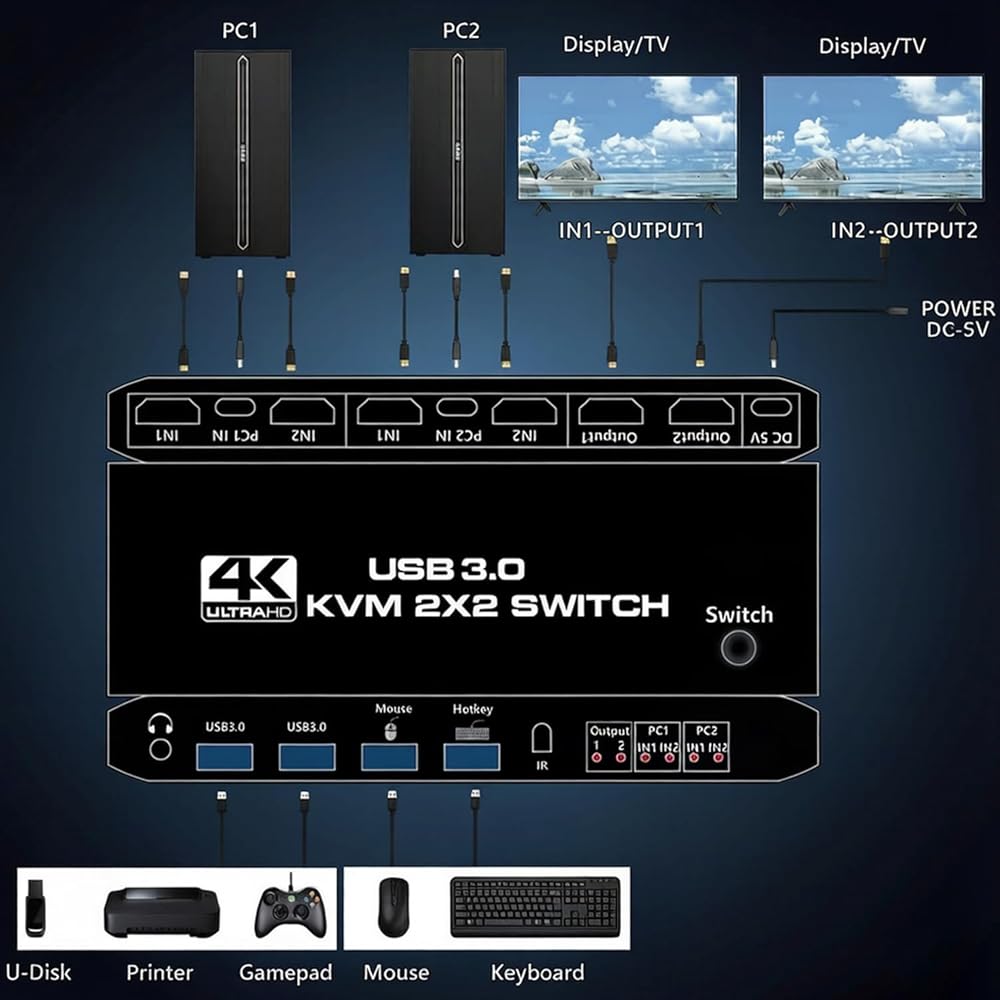
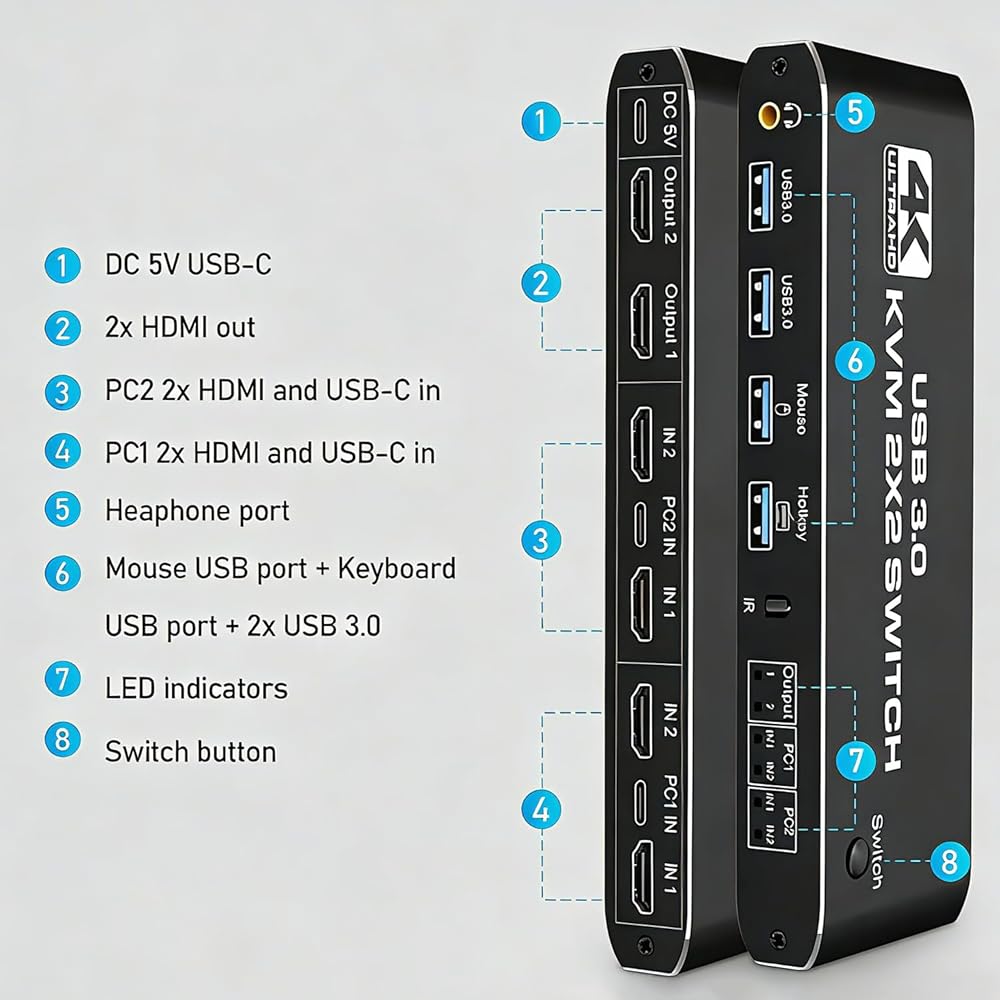
Power the KVM switch via the included USB to Type-C power cable.
Connect each computer to the KVM with 2 HDMI cables + 1 included USB 3.0 to Type-C data cable.
Plug your keyboard and mouse into the dedicated K/M ports, then connect your 2 monitors to the HDMI outputs.
Important Usage Notes
For stable signal, use high-quality 19+1 26AWG HDMI cables (≤5m)
Keyboard must be inserted into the dedicated K/M port to use the hotkey function
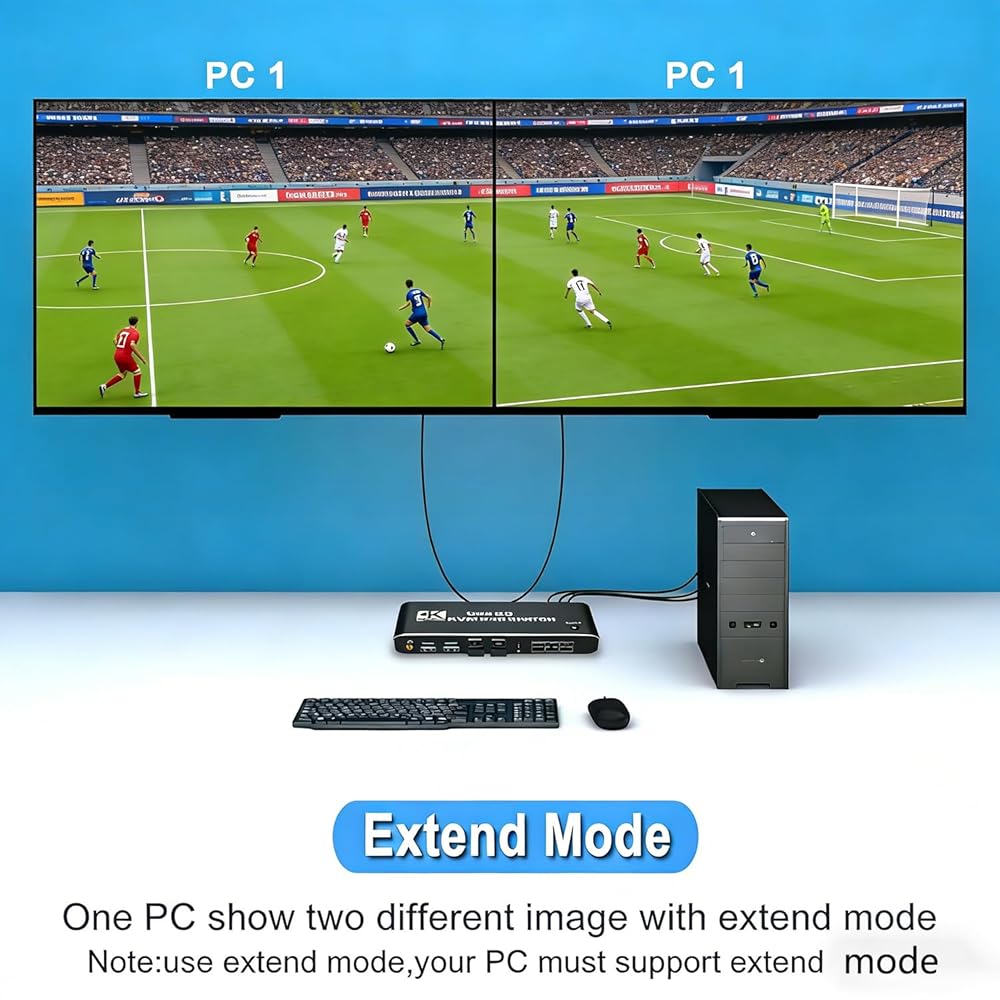
Single-HDMI computers can use VGA/DVI/DP to HDMI converters, as long as your device supports dual-screen display
Package Contents
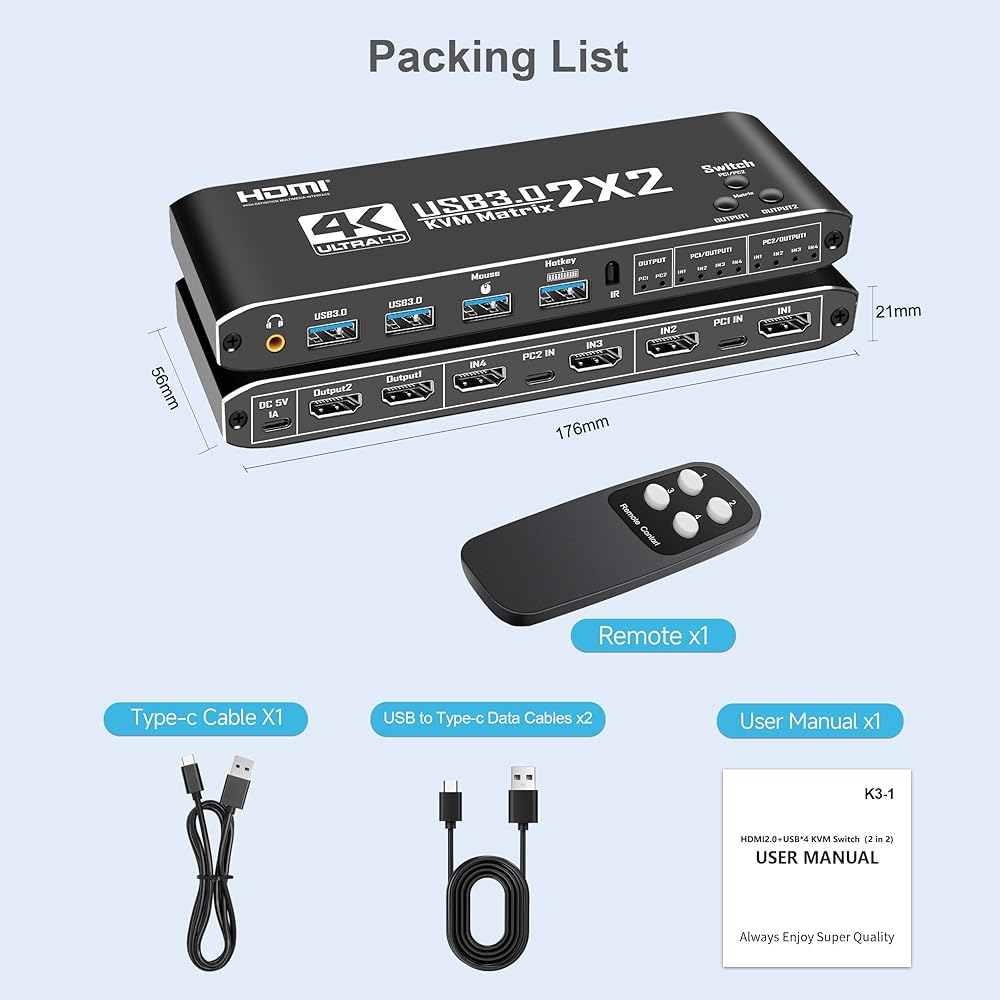
1 × 2 in 2 Out Dual Monitor HDMI KVM Switch
2 × USB 3.0 to Type-C Data Cables
1 × USB to Type-C Power Cable
1 × Infrared Remote Control
Disclaimer: Remote control does NOT include batteries; HDMI cables are NOT included.
Top FAQs
Q: Why isn't the hotkey switch working?
A: Ensure your keyboard is plugged into the dedicated K/M port (not the USB 3.0 ports). Press Ctrl+Shift+K to re-enable the hotkey function if needed.
Q: Do I need to install drivers?
A: No. This KVM switch is fully plug & play, no software or driver installation is required.
Q: Can I use this with a computer that only has one HDMI port?
A: Yes, as long as your computer supports dual-screen display, you can use a compatible VGA/DVI/DP to HDMI converter for the second video signal.
 موزع HDMI 4K HDMI من اوريكلون، موزع HDMI 2.0 من الالومنيوم 1 في 2 مخرج و2 في 1، ثنائي الاتجاه 4K@60Hz 3D HDR 1080P HDMI AB لدي في دي واكس بوكس وبلاي ستيشن 4 وروكو HDTV فاير ستيك والكمبيوتر بلو راي
KWD 10.500
موزع HDMI 4K HDMI من اوريكلون، موزع HDMI 2.0 من الالومنيوم 1 في 2 مخرج و2 في 1، ثنائي الاتجاه 4K@60Hz 3D HDR 1080P HDMI AB لدي في دي واكس بوكس وبلاي ستيشن 4 وروكو HDTV فاير ستيك والكمبيوتر بلو راي
KWD 10.500
 موزع HDMI 4K مع جهاز تحكم عن بعد، صندوق مفاتيح HDMI 3 في 1 من اوريكلون، محدد محول HDMI من 3 منافذ من الالومنيوم يدعم 4K@30Hz HD 3D 1080P لكيبل بوكس فاير ستيك نينتندو سويتش Xbox PS3/4 دي في دي بلو راي
KWD 6
موزع HDMI 4K مع جهاز تحكم عن بعد، صندوق مفاتيح HDMI 3 في 1 من اوريكلون، محدد محول HDMI من 3 منافذ من الالومنيوم يدعم 4K@30Hz HD 3D 1080P لكيبل بوكس فاير ستيك نينتندو سويتش Xbox PS3/4 دي في دي بلو راي
KWD 6
 محول بصري إلى RCA، محول صوت ORIKLON الرقمي إلى التناظري 192 كيلو هرتز، محول صوت رقمي DAC مع Toslink بصري وSPDIF محوري إلى RCA L/R ومقبس 3.5 مم لتلفزيون DVD Blu-Ray Home Cinema
KWD 5.500
محول بصري إلى RCA، محول صوت ORIKLON الرقمي إلى التناظري 192 كيلو هرتز، محول صوت رقمي DAC مع Toslink بصري وSPDIF محوري إلى RCA L/R ومقبس 3.5 مم لتلفزيون DVD Blu-Ray Home Cinema
KWD 5.500
 محول HDMI 8K@60 هرتز 2.1، صندوق محول HDMI 2 في 1 خارج، مفتاح محدد HDMI يدعم 4K@120 هرتز 1080P@240 هرتز، 2 منفذ HDMI 48 جيجابت في الثانية متوافق مع Xbox Series X PS4 Pro PS5 Roku TV Monitor Projector...
KWD 5.500
محول HDMI 8K@60 هرتز 2.1، صندوق محول HDMI 2 في 1 خارج، مفتاح محدد HDMI يدعم 4K@120 هرتز 1080P@240 هرتز، 2 منفذ HDMI 48 جيجابت في الثانية متوافق مع Xbox Series X PS4 Pro PS5 Roku TV Monitor Projector...
KWD 5.500