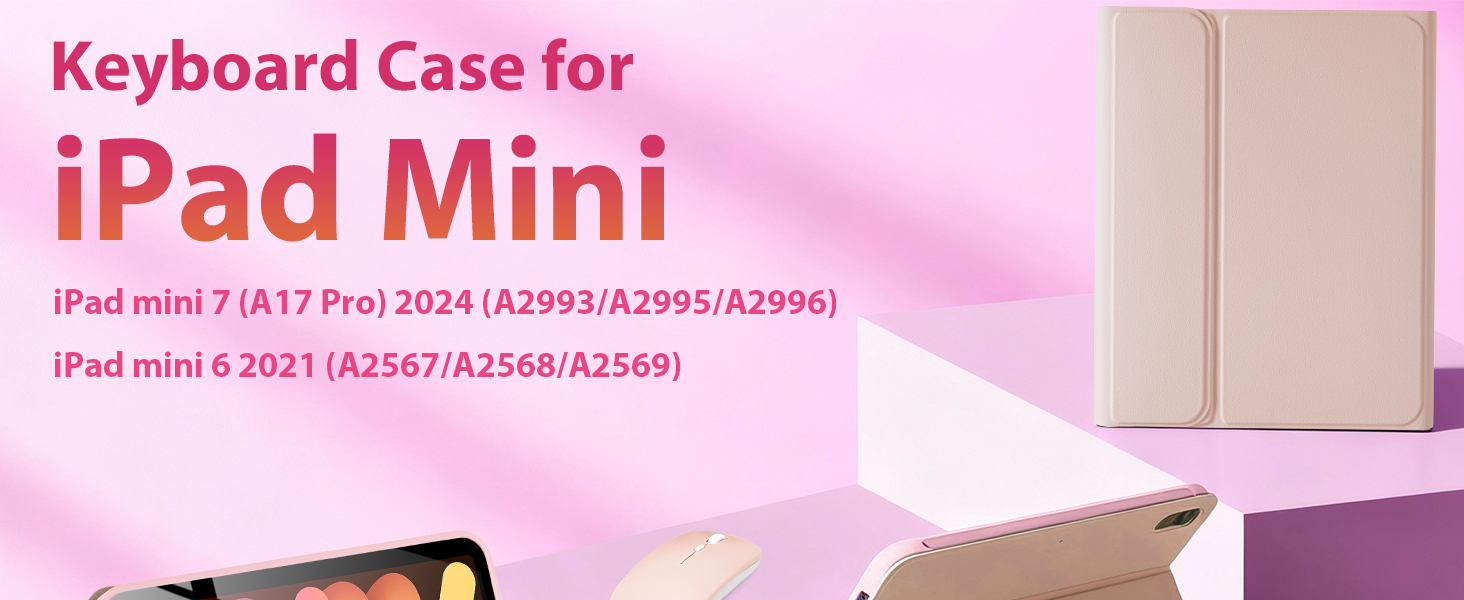
for iPad 8.3 inch Mini 7 (2024)/Mini 6 (2021) Generation Keyboard Case with Mouse, Detachable Case with Keyboard for iPad A17 Pro/Mini 7th/6th Gen, Magnetic, Auto Sleep/Wake, Pencil Holder, PK
Wide Compatibility: kantaj keyboard case with mouse is designed for 8.3 Inch iPad Mini 7/A17 Pro 2024 (models: A2993/A2995/A2996), iPad Mini 6 2021 (models: A2567/A2568/A2569). NOTE: Please check the "Axxxx" logo on the rear of the iPad before orderinging.
Rechargeable Keyboard Case: iPad keyboard built-in large capacity battery, more energy saving and lower consumption, ensure you can use at least 100 hours. It can be fully charged in 3-4 hours with Type-C charging cable. Equipped with useful shortcut keys and compatible with iOS, Windows, and Android systems, provide you with ultimate convenience.
Shortcut Keys and Multiple Viewing Angles: This Case Keyboard with multi-function keys, such as play/pause, backward and forward, volume up and down, brightness, etc, which is convenient to use. comes with power-saving mode, long periods of non-use will enter the hibernation state. The keyboard case for has three adjustable angles, which can be easily adjusted to a comfortable angle for a pleasant using experience.
Thin Case and Convenient Pencil Holder: For iPad keyboard case designed with pencil holder and pen slot on top, the cutout in the back makes it easy to take the stylus out for use. Well designed BT keyboard is very responsive. There are no delays when you are typing. Made of good quality PU. Soft, smooth and it gives a luxurious feeling. The interior case is made of high-quality flexible TPU, honeycomb grid pattern design is better for 100% heat release. NOTE: Stylus is not included.
Connect Keyboard/Mouse to the Tablet: 1. Keyboard: Power "ON" keyboard and open Bluetooth in tablet settings, long press the "Connect"button (indicator will keep twinkle)on the keyboard, search for "Bluetooth Keyboard" on tablet's Bluetooth interface,then click "Connect". 2. Mouse: Switch mouse to "Bluetooth" symbol,and seacrch the "BT5.2 Mouse" on tablet, finished connected. This mouse also can used with computer or laptop, switch the power button to"2.4G" and plug the USB receiver in deivice.



 for iPad 10.2" 9th 8th 7th Generation Keyboard Case with Mouse, 10.2 inch Wireless Bluetooth Keyboard Case with Pencil Holder for iPad Air 10.5"(3rd Gen)/iPad Pro 10.5 inch, Black
KWD 11.500
for iPad 10.2" 9th 8th 7th Generation Keyboard Case with Mouse, 10.2 inch Wireless Bluetooth Keyboard Case with Pencil Holder for iPad Air 10.5"(3rd Gen)/iPad Pro 10.5 inch, Black
KWD 11.500
 for iPad 11th (A16) 2025/10th 2022 Generation Case with Keyboard Mouse Set, Wireless Keyboard Case with Mouse for iPad 11-in 11th Gen/10.9-in 10th Gen, Detachable, Bluetooth, Pencil Holder, PK
KWD 12
for iPad 11th (A16) 2025/10th 2022 Generation Case with Keyboard Mouse Set, Wireless Keyboard Case with Mouse for iPad 11-in 11th Gen/10.9-in 10th Gen, Detachable, Bluetooth, Pencil Holder, PK
KWD 12
 -9%
for iPad Pro 9.7 inch Case with Keyboard and Mouse for iPad 2018 (6th Gen)/ 2017 (5th Gen), 2016 iPad Pro/Air 2/1 Keyboard Case with Mouse, Bluetooth Wireless Keyboard Cover with Pencil Holder, Black
KWD 10.500
-9%
for iPad Pro 9.7 inch Case with Keyboard and Mouse for iPad 2018 (6th Gen)/ 2017 (5th Gen), 2016 iPad Pro/Air 2/1 Keyboard Case with Mouse, Bluetooth Wireless Keyboard Cover with Pencil Holder, Black
KWD 10.500
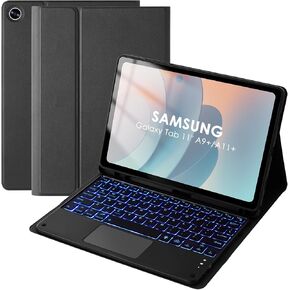 Backlit Touchpad Keyboard Case for Samsung Galaxy Tab 11inch A11 Plus & A9 Plus, Wireless Bluetooth Keyboard, Smart Trackpad for Galaxy A9 +/A11+ Tablet Case with Keyboard and Pencil Holder,BK
KWD 11.500
Backlit Touchpad Keyboard Case for Samsung Galaxy Tab 11inch A11 Plus & A9 Plus, Wireless Bluetooth Keyboard, Smart Trackpad for Galaxy A9 +/A11+ Tablet Case with Keyboard and Pencil Holder,BK
KWD 11.500

