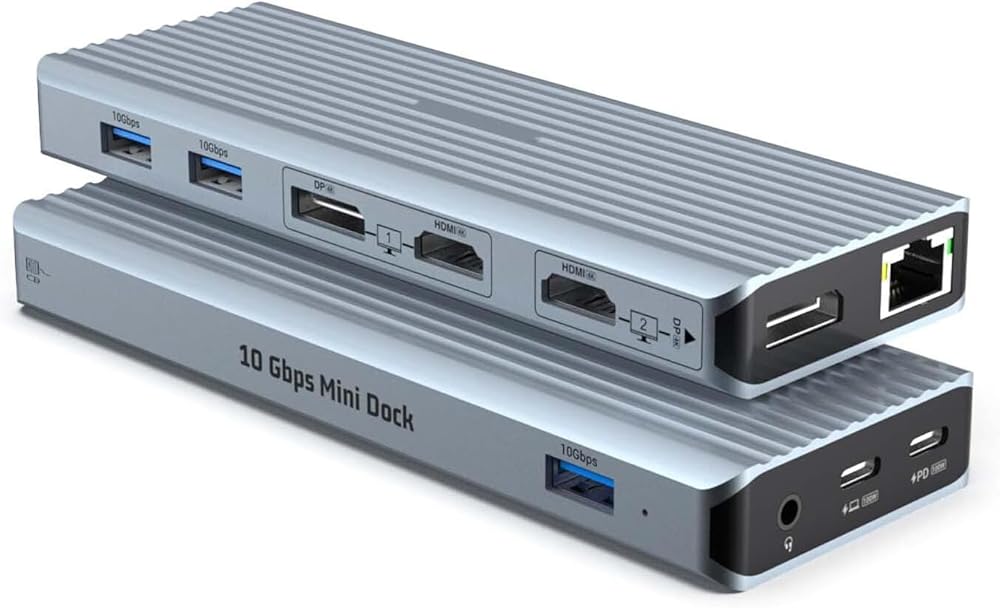
قاعدة إرساء كمبيوتر محمول عالمية 11 في 1، شاشة ثلاثية لجهاز M1 M2 M3 MacBook Pro/Air & Windows، قاعدة DisplayLink مع HDMI/DP مزدوج 4K@60 هرتز، USB-A 3.1 بسرعة 10 جيجابت في الثانية، 100 وات PD، إيثرنت، صوت
[Break M1/M2 Single Display Limit] Powered by industry-leading DisplayLink technology, this docking station overcomes the external monitor limitations of Apple M1/M2/M3 chips. Easily expand your workspace with 2 additional 4K@60Hz displays via HDMI or DisplayPort, perfect for designers, programmers, and multitaskers.
[Ultimate 11-in-1 Productivity Hub] Transform a single USB-C or USB-A port into a powerhouse. Features 2x HDMI 2.0, 2x DisplayPort, 3x USB-A 3.1 (10Gbps), 1x 100W PD 3.0 charging port, Gigabit Ethernet, and a 3.5mm Audio/Mic jack. All the connections you need in one sleek, portable device.
[Vivid 4K@60Hz Triple Display] Experience crystal-clear visuals with dual 4K@60Hz output. Whether you prefer HDMI or DP, this dock supports flexible combinations (2x HDMI, 2x DP, or 1x HDMI + 1x DP) to provide smooth, high-resolution video for professional editing and immersive entertainment.
[10Gbps Lightning-Fast Data & Stable Wired Net] Three USB 3.1 Gen 2 ports offer data transfer speeds up to 10Gbps—2x faster than traditional USB 3.0. Transfer large files, 4K movies, or backups in seconds. The built-in Gigabit Ethernet port ensures a reliable, high-speed wired internet connection for lag-free video calls.
[Universal Compatibility & 100W Power Delivery] Includes both USB-C to C and USB-C to A cables, making it compatible with MacBook, Dell, HP, Surface, and Lenovo laptops (Thunderbolt 3/4 or USB 3.0/C). Supports 100W PD input (85W output) to keep your laptop charged while managing all peripherals.
وصف
Upgrade Your Professional Workspace with SRGAFIX DC-021 Tired of the restricted view on your MacBook M1/M2? The SRGAFIX Universal Docking Station is designed to eliminate hardware barriers. Unlike standard USB-C hubs that only mirror screens, our dock uses advanced DisplayLink drivers to give you a true Extended Desktop experience on macOS and Windows. Important Note for Full Functionality: To enable dual/triple display output, please download and install the latest DisplayLink Driver from the official website (displaylink.com). This ensures seamless performance across all ports.
 SRGAFIX واقي عدسة الكاميرا الخلفية الشفاف عالي الدقة من قطعتين لهاتف iPhone 15/15 Plus - الحماية القصوى
KWD 2.500
SRGAFIX واقي عدسة الكاميرا الخلفية الشفاف عالي الدقة من قطعتين لهاتف iPhone 15/15 Plus - الحماية القصوى
KWD 2.500
 -8%
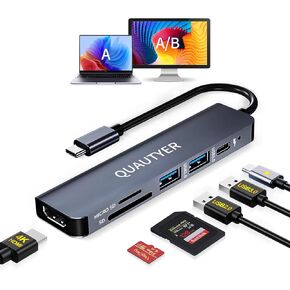
محول MacBook متعدد المنافذ usbc hub، usbc dongle mac hdmi محول MacBook dongle مع 4K HDMI، شحن PD بقوة 100 واط، محور USB 3.0، قارئ بطاقة SD/TF، محطة إرساء USB c لأجهزة الكمبيوتر المحمول MacBook Pro وiPad Pro
KWD 6
-8%
محول MacBook متعدد المنافذ usbc hub، usbc dongle mac hdmi محول MacBook dongle مع 4K HDMI، شحن PD بقوة 100 واط، محور USB 3.0، قارئ بطاقة SD/TF، محطة إرساء USB c لأجهزة الكمبيوتر المحمول MacBook Pro وiPad Pro
KWD 6
 7-Port USB 3.2 HUB ، Data USB HUB Flitter مع مفاتيح وأضواء OFF فردية ، متوافقة مع الكمبيوتر المحمول ، الكمبيوتر الشخصي ، MacBook ، Mac Pro ، Mac Mini ، IMAC ، Surface Pro والمزيد
KWD 7
7-Port USB 3.2 HUB ، Data USB HUB Flitter مع مفاتيح وأضواء OFF فردية ، متوافقة مع الكمبيوتر المحمول ، الكمبيوتر الشخصي ، MacBook ، Mac Pro ، Mac Mini ، IMAC ، Surface Pro والمزيد
KWD 7
 7 Ports USB 3.0 HUB ، USB إلى مركز الشبكة مع كابل طويل 3.9 قدم للكمبيوتر المحمول ، فاصل USB مع منفذ Gigabit Ethernet ومنفذ طاقة 5V/3A ، مركب الألومنيوم متعدد الكلام للكمبيوتر المحمول ، IMAC ، PC ، محركات فلاش
KWD 11.500
7 Ports USB 3.0 HUB ، USB إلى مركز الشبكة مع كابل طويل 3.9 قدم للكمبيوتر المحمول ، فاصل USB مع منفذ Gigabit Ethernet ومنفذ طاقة 5V/3A ، مركب الألومنيوم متعدد الكلام للكمبيوتر المحمول ، IMAC ، PC ، محركات فلاش
KWD 11.500

