- Shopping, made easy.
- /
- Get the app!
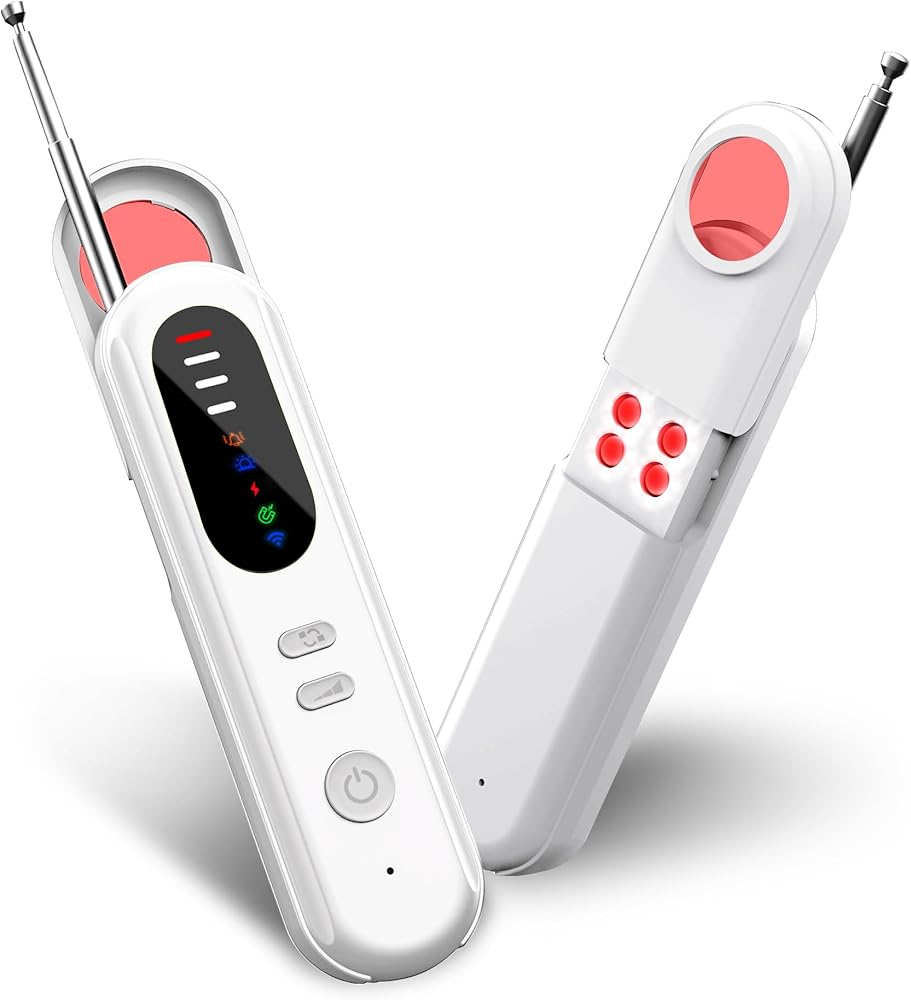
✅ Compact and lightweight, small and portable
✅ Mini 30g Design for Travel
✅ High-Sensitivity Detection (Up to 30㎡)
✅Premium Build, 30 days standby on,Up to 25 hours use
✅ Full-Range Privacy Protection
Detects infrared/wireless/wired cameras, GPS trackers, bugs, hidden mics, and suspicious signals anywhere you need privacy.
How to use?
Antenna Adjustment: Extend the antenna to enhance detection range.
Infrared Control: Press the IR button to switch infrared detection ON/OFF. Press the power button to cycle flash frequencies.
Mode / Sound: Press the mode button to switch between 3 detection modes (indicated by LED colors). Long-press for 3 seconds to mute or unmute sound alerts.
Sensitivity: Press the power button to adjust detection distance and signal strength. Note: Sensitivity cannot be adjusted in Green Mode
Note: Sensitivity adjustment is not available in green mode.
FAQ:
1.What if the detector keeps alarming when I test?
Usually the detector starts alarming when found the camera. However, if you don't find the device you want to check but the detector keep alarming, there is other signal or WIFI effect the detector. You need to cut off all interference conditions, such as adjust phone to switch your phone to airplane mode, or disconnect the router to put the entire test area offine.
2.What function I can use if I need to test the hidden camera?
All the modes you can use to detect the camera, while the wireless and infrared function you can use more. Infrared night vision and magnetic function serves as a complementary function.
3.What are the environmental requirements for using this product? Does it require a disconnected network, power off, and lights out, or does the testing method vary depending on the device? Additionally, in a hotel scenario, if I remove the key card (cutting off power to the room), will the product still function normally?
For an accurate scan, please disconnect from all networks, switch your phone to airplane mode, and in hotels, remove the key card to cut power before beginning.
4.What is the proper eye position when using the infrared detection button? Should the eye be close to the red aperture at the top, or is normal observation sufficient? Additionally, which types of devices is the infrared detection mode primarily designed to detect?
The device must be held close to the eye, aligned with the aperture on the PC board, for proper observation. And the infrared mode is applicable to all devices configured with an infrared lamp.
5. What types of devices is the magnetic detection function primarily designed to detect? Also, can this feature be used effectively outdoors?
The magnetic sensor requires direct contact with the magnetic target to function. It can detect listening devices, trackers, or cameras that are magnetically attached underneath a surface. An audible alert will sound when such devices are discovered.
6. What's the usage range of the wireless function?
This hidden camera detector can detect radio waves, 2G/3G/4G mobile signals, and SIM card eavesdropping devices. The frequency detection range is from 1MHz to 6.5GHz, helping you establish trust in your surroundings.
 1080P HD Mini Pocket Camera Video Recorder Support Loop Video Recording, Audio-only Recording, 32GB Memory Card Inserted in
KWD 8.500
1080P HD Mini Pocket Camera Video Recorder Support Loop Video Recording, Audio-only Recording, 32GB Memory Card Inserted in
KWD 8.500
 4G LTE Cellular Security Camera, No WiFi, SIM Card Included, FHD Video, Motion Sensor, 20-Day Battery, Portable
KWD 32
4G LTE Cellular Security Camera, No WiFi, SIM Card Included, FHD Video, Motion Sensor, 20-Day Battery, Portable
KWD 32
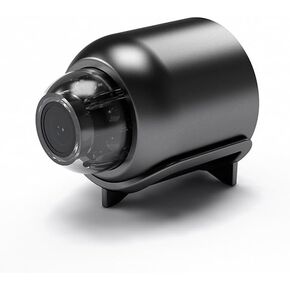 1080P WiFi Remote Monitoring Camera, Real-time Recording Monitoring, 110 Degree Wide-Angle, Suitable for Office, Hotel, Home Security (1)
KWD 4.500
1080P WiFi Remote Monitoring Camera, Real-time Recording Monitoring, 110 Degree Wide-Angle, Suitable for Office, Hotel, Home Security (1)
KWD 4.500
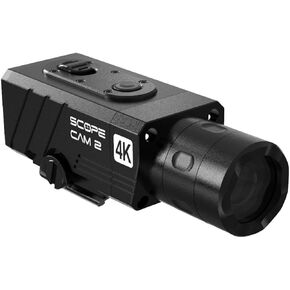 Scope Cam 2 4K WiFi Hunting Metal POV Camera 25MM Lens with Flashback Pre-Record Cable
KWD 98.500
Scope Cam 2 4K WiFi Hunting Metal POV Camera 25MM Lens with Flashback Pre-Record Cable
KWD 98.500

