- Shopping, made easy.
- /
- Get the app!


Rocket Turbo Series Brushless Speed Controller
TS160V2
Specification
32 bit processorSystem:Yes(Preset-Forward/Brake、Forward/Brake/Reverse:--------------------Yes
Dimensions--------·38.2(L)x30.6(W)x32(H)
Weight--------54g...
Voltagenput----6V-12.6V:---------------------------
Peak current................…. .........760A
Continuous current:-------------------------160A
Motor Limit -------------Over 4.5Turns
Motor Type---------------Sensored 540sized brushless motors
B.E.C----------5A 6V/7.2V-
Multi Protection System------------Yes
To begin, connect the battery wires to a charged battery, then connectsupplied 4pin wire (200mm) to the ESC setting port (4pin port) andProgram Card.Turn on the ESC and the Program Card will activateautomatically. Note that the screen will show "Program Card 1. Link ESC"You can now begin programming your ESC.Press"Enter" to access Program Mode.
TIPS! The function of each button varies depending on which screen thedisplayis showing:"Select" button-----go to next selectPress and Hold"Select" button one second ----go to back page"▲" button-Scroll up"▼" button - Scroll down"Enter" button-Send Changes from Program Card to the ESCand overwrite old data in the ESC
Send SuccessTIPS! Do not worry about making mistakes. You will not damage the ESCduring setting.lfindoubt, you can always reload the default set up and start over again.
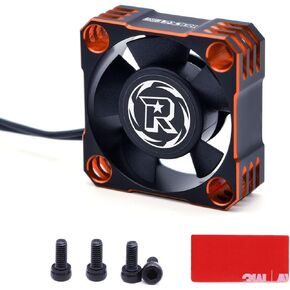 -7%
Surpass Motor Cooling Fan, Rocket V2 28000RPM Cooling Fan Brushless ESC Alluminum Motor Heat Sink Fitted Turbo ESC A3 with XH Connect for RC Car 1/8 1/10 (Red&Black)
KWD 6.500
-7%
Surpass Motor Cooling Fan, Rocket V2 28000RPM Cooling Fan Brushless ESC Alluminum Motor Heat Sink Fitted Turbo ESC A3 with XH Connect for RC Car 1/8 1/10 (Red&Black)
KWD 6.500
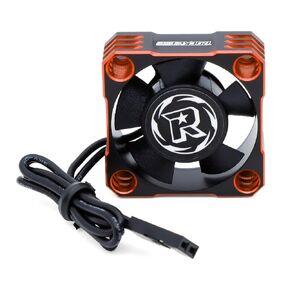 Surpass Hobby Motor Cooling Fan Heatsink 28000RPM Motor Fan 540 Motor ESC Cooling Heat Sink Fan for 1/8 1/10 1/12 Scale RC Car(Red)
KWD 6.500
Surpass Hobby Motor Cooling Fan Heatsink 28000RPM Motor Fan 540 Motor ESC Cooling Heat Sink Fan for 1/8 1/10 1/12 Scale RC Car(Red)
KWD 6.500
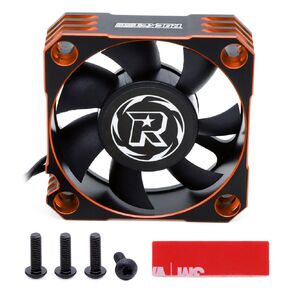 Surpass Motor Cooling Fan 10000RPM RC Motor Heatsink ESC Cooling Fan for RC Car 1/5th Scale 50mm Brushless Motor (Black+Silver)
KWD 8
Surpass Motor Cooling Fan 10000RPM RC Motor Heatsink ESC Cooling Fan for RC Car 1/5th Scale 50mm Brushless Motor (Black+Silver)
KWD 8
 Surpass Hobby 40mm RC Cooling Fans 16000 High RPM RC Car Motor Fan for 1/8 1/10 RC Car Truck Truggy (Without Motor Heatsink)
KWD 4.500
Surpass Hobby 40mm RC Cooling Fans 16000 High RPM RC Car Motor Fan for 1/8 1/10 RC Car Truck Truggy (Without Motor Heatsink)
KWD 4.500

