- التسوق ، اصبح سهلا.
- /
- احصل على التطبيق!
Quick and easy setup with WORKDONE E3.S Hot-Plug Caddy
Press the release button to open the handle and slide the hot-plug caddy into or out of the server. The WORKDONE E3.S hot-plug tray is designed for connecting an NVMe SSD to a server PCI Express backplane. If your server backplane is connected to a RAID controller (such as PERC), RAID volumes can be created or adjusted through the controller configuration menu after installation.
WORKDONE Design and Packaging
WORKDONE 4-PACK E3.S Drive Enclosure Bracket
16 × Mounting Screws
Front Sticker Labels
Screwdriver
Tweezer
Multilingual Quick Start Installation Guide
PowerEdge servers may use different drive bay sizes and standards. Verify that your server supports an E3.S 3.15" Hot-Plug Drive Bay (EDSFF standard).
PowerEdge 17th Generation – E3.S Hot-Plug Drive Bay
R470 caddy, R570 tray, R670 frame, R770 enclosure, R6715 holder, R6725 carrier, R7715 case, R7725 mount, XE9780 bracket, XE9785 slot kit, XE9785L caddy, XE7740 tray, XE7745 NVMe mount
PowerEdge 16th Generation – E3.S Hot-Plug Drive Bay
R660 caddy, R6615 tray, R6625 frame, R760 enclosure, R760xd2 holder, R7615 carrier, R7625 case, MX760c mount, R860 bracket, R760xa framework, XR7620 drive bay adapter, XE8640 hot-swap tray, XE9680 hot-plug carrier, C6615 slot kit, C6620 holder enclosure
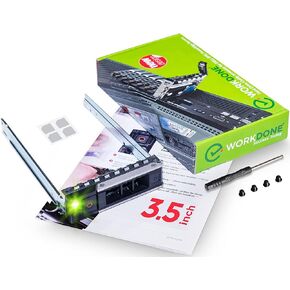 WORKDONE 4-Pack - علبة محرك الأقراص الثابتة مقاس 3.5 بوصة - متوافقة مع خوادم Dell PowerEdge - مع دليل التثبيت التفصيلي - ملصقات ملصقات أمامية مزلقة - مفك براغي - براغي صينية مضافة
KWD 9
WORKDONE 4-Pack - علبة محرك الأقراص الثابتة مقاس 3.5 بوصة - متوافقة مع خوادم Dell PowerEdge - مع دليل التثبيت التفصيلي - ملصقات ملصقات أمامية مزلقة - مفك براغي - براغي صينية مضافة
KWD 9
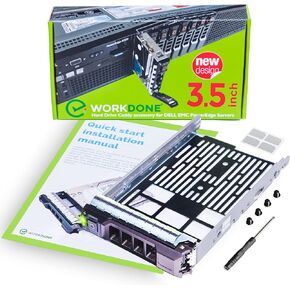 صينية قرص صلب 3.5 انش متوافقة مع خوادم ديل باور ايدج - محول SAS SATA HDD Sled - التعامل مع جدول زمني مشغول - سهل الاعداد مع دليل مفصل - الوقت الموفر لا يقدر بثمن من وورك دون
KWD 5.500
صينية قرص صلب 3.5 انش متوافقة مع خوادم ديل باور ايدج - محول SAS SATA HDD Sled - التعامل مع جدول زمني مشغول - سهل الاعداد مع دليل مفصل - الوقت الموفر لا يقدر بثمن من وورك دون
KWD 5.500
 WORKDONE 3-Pack - علبة محرك أقراص ثابتة مقاس 3.5 بوصة مع محول محرك أقراص ثابتة مقاس 2.5 بوصة - متوافق مع خوادم Dell PowerEdge - دليل - ملصقات أمامية مزلقة - مفك براغي - براغي علبة محرك الأقراص الثابتة المضافة
KWD 7
WORKDONE 3-Pack - علبة محرك أقراص ثابتة مقاس 3.5 بوصة مع محول محرك أقراص ثابتة مقاس 2.5 بوصة - متوافق مع خوادم Dell PowerEdge - دليل - ملصقات أمامية مزلقة - مفك براغي - براغي علبة محرك الأقراص الثابتة المضافة
KWD 7
 حامل دراجة WORKDONE مقاس 3.5 بوصة X7K8W R740 R640 R540 R440 R340 R740xd2 R7415 R7425 - مع محول HDD مقاس 2.5 بوصة - صينية LED ساطعة لمصدر Dell PowerEdge - الآن سهولة الإعداد مع دليل التركيب
KWD 11.500
حامل دراجة WORKDONE مقاس 3.5 بوصة X7K8W R740 R640 R540 R440 R340 R740xd2 R7415 R7425 - مع محول HDD مقاس 2.5 بوصة - صينية LED ساطعة لمصدر Dell PowerEdge - الآن سهولة الإعداد مع دليل التركيب
KWD 11.500




