- التسوق ، اصبح سهلا.
- /
- احصل على التطبيق!
Warming Tips: This wireless digital microscope camera is not suitable for professional serious biologists for viewing cells etc When using on computer, neither the camera button nor the zoon button can be used WiFi USB microscope widely used for skin detection, hair detection, industrial detection, education purpose, printing industry. Also suitable for children, students, textile industry, biological testing, jewelry and stamp inspection,find amazing moments in life. ?How to Use? ?WIFI connection for Android and IOS 1. Download the software 'Max-seeinch from Google Play or APP Store; 2. Long press power button to turn on the microscope; 3. Connect the wifi 'Max-seeinch(no password) which emits from the microscope; 4. Run the app and it is easy to use. ?USB connection on PC or Laptop ?For Windows system 1. Download the app and install it in your PC; 2. Turn on the portable wifi microscope and connect it to your computer through the usb cable 3. Open the software Smart Camerainch 4. On the 'settinginch interface, switch and select the option 'GENERAL-UVCinch (default), ready to use ?For MAC system: 1. Turn on the pocket handheld microscope and connect it to MAC terminal through the data cable; 2. Open the'Photo Boothinchsoftware in 'Applicationinch directory of the Finder window; 3. Run Photo Booth and select 'GENERAL-UVCinch, ready to use ?Specifications?:vPixels: 0.3 M pixelsvmagnification: 50-1000XvPhoto resolution: 640x480Pvfocal length:0-40mmvWIFI connection: 5MvImage format: JPG vVideo Format: MP4/AVIvUSB Interface Type: USB2.0vPower supply: USB (5V DC)vSupport system: Android 4.4, iOS 9.0, Windows vista/7/8/10, MacOS x 10.8 or later?Package includes?:1X Wireless digital USB microscope1X USB cable1x Bracket1x User m
 سخان سيارة محمول 12 فولت 150 واط لازالة الجليد وازالة الضباب، مروحة تسخين وتبريد سريع 2 في 1 مع قابس في ولاعة السجائر
KWD 10.500
سخان سيارة محمول 12 فولت 150 واط لازالة الجليد وازالة الضباب، مروحة تسخين وتبريد سريع 2 في 1 مع قابس في ولاعة السجائر
KWD 10.500
 شارة الحرية تصنيف شعار 4 × 4 المعادن شارة السيارات 3D تقليم الحاجز هوك الجذع شارة الشارات ملصقات متوافقة مع سيارات جيب رانجلر الشاحنات سيارات الدفع الرباعي (تصنيف الحرية)
KWD 3.500
شارة الحرية تصنيف شعار 4 × 4 المعادن شارة السيارات 3D تقليم الحاجز هوك الجذع شارة الشارات ملصقات متوافقة مع سيارات جيب رانجلر الشاحنات سيارات الدفع الرباعي (تصنيف الحرية)
KWD 3.500
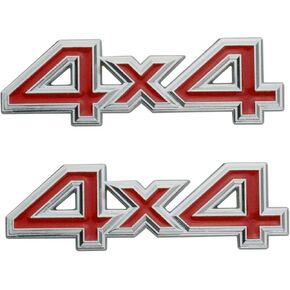 2 قطعة 4X4 محرك الدفع الرباعي شعار شارة ثلاثية الأبعاد شعار معدني شعار السيارة الجانب الحاجز الخلفي الجذع شعار شارة الباب الخلفي ملصق الشارات (فضي أسود)
KWD 7
2 قطعة 4X4 محرك الدفع الرباعي شعار شارة ثلاثية الأبعاد شعار معدني شعار السيارة الجانب الحاجز الخلفي الجذع شعار شارة الباب الخلفي ملصق الشارات (فضي أسود)
KWD 7
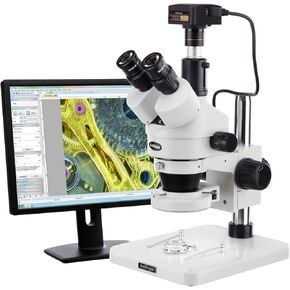 AMSCOPE 3.5x-180X تصنيع 144 مجهر ستيريو Zoom مع الكاميرا الرقمية 3MP
KWD 272
AMSCOPE 3.5x-180X تصنيع 144 مجهر ستيريو Zoom مع الكاميرا الرقمية 3MP
KWD 272




