- Shopping, made easy.
- /
- Get the app!
Package Includes:1PCS TPM 2.0 Module LPC 14pin with Infineon SLB9665 Windows 11 Upgrade
Compatible with MSI Intel X299, AMD 300 400 X570 X399 TRX40 series motherboards
Compute Securely Bus Header KeyImportant Notes:
1. This product is only compatible with older motherboards such as Intel and AMD. It is not compatible with newer motherboard models featuring firmware TPM, all-in-one PCs, or laptops.
2. The minimum hardware requirements for upgrading to Windows 11 via TPM 2.0 are as follows: a 1 GHz or faster 64-bit processor (dual-core/multi-core), 4 GB of memory, 64 GB of storage space, firmware supporting UEFI Secure Boot and TPM 2.0, a DirectX 12-compatible graphics card, and a display with a resolution of 720p or higher.
3. This product has a 14-pin-1 connector. Please carefully check the pin positions in the image to ensure compatibility with your motherboard before purchasing.
Compatible with MSI motherboards MS-4136
Creator TRX40
A320M-A PRO MAX
X399 SLI PLUS
X399 GAMING PRO CARBON AC
MEG X399 CREATION
X299-A PRO
X299 PRO
X299 PRO 10G
X299 SLI PLUS
X299 TOMAHAWK
X299 TOMAHAWK AC
X299 RAIDER
X299 XPOWER GAMING AC
X299 GAMING PRO CARBON
X299 GAMING PRO CARBON AC
MEG X299 CREATION
MPG X299M GAMING EDGE AC
Creator X299
How to select and install a security module:
1. Confirm whether the host has TPM 2.0 or if TPM 2.0 is enabled.
2. Click “Run,” enter: tpm.msc (Win+R keys), and check if the TPM version is ready.
3. If version 2.0 is displayed but not ready, you need to configure settings in the BIOS; consult the motherboard manufacturer's customer service.
4. Open the host and inspect the TPM pins on the motherboard.
5. When installing the module, ensure the chip-side faces inward, align with the pins, and insert fully to prevent loosening. (See image for direction)
Product Performance
Compatible with: TPM2.0
Chipset: SLB9665
Interface: LPC
PIN DEFINE: 14pin-1
Core Applications:
1: Seamless upgrade to Windows 11: Resolve TPM 2.0 verification issues and easily upgrade to the latest operating system.
2: Enhanced hardware-level security: Provides an independent secure encryption chip specifically designed for securely storing sensitive data (such as encryption keys, digital certificates, and login credentials), thereby enhancing overall system security.
3: Hardware encryption acceleration: Reduces CPU load by accelerating encryption operations via dedicated hardware, indirectly improving system response speed and enhancing the smooth operation of certain encryption-dependent applications (such as games and security software).
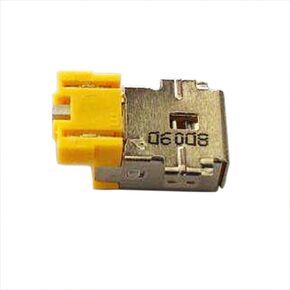 DC Power Jack Charging Port Socket Plug Replacement for Acer Aspire 3 A315-44P A315-59 N22C6 /SF313-51 SF313-52 SP111-31N SP111-32N SP111-33N Laptop Power Jack Charging Port Connector Plug
KWD 4.500
DC Power Jack Charging Port Socket Plug Replacement for Acer Aspire 3 A315-44P A315-59 N22C6 /SF313-51 SF313-52 SP111-31N SP111-32N SP111-33N Laptop Power Jack Charging Port Connector Plug
KWD 4.500
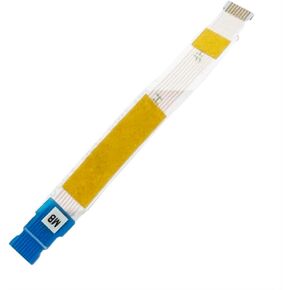 Touchpad Trackpad Board Cable Flex Replacement for Lenovo IdeaPad 1-14IJL7 82LV IdeaPad 1 14IAU7 82QC IdeaPad 1 14ALC7 82R3 IdeaPad 1 14IGL7 82V6 JS470 5C10S30338 NBX0001ZU00 NBX0001ZU20
KWD 4.500
Touchpad Trackpad Board Cable Flex Replacement for Lenovo IdeaPad 1-14IJL7 82LV IdeaPad 1 14IAU7 82QC IdeaPad 1 14ALC7 82R3 IdeaPad 1 14IGL7 82V6 JS470 5C10S30338 NBX0001ZU00 NBX0001ZU20
KWD 4.500
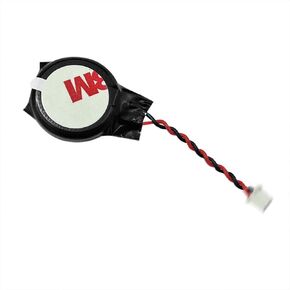 CMOS Batte-ry CR2032 Replacement for Lenovo T15p Gen 3 21DA 21DB 01HY790 04W4118 01HY789 GC02001OD10
KWD 5
CMOS Batte-ry CR2032 Replacement for Lenovo T15p Gen 3 21DA 21DB 01HY790 04W4118 01HY789 GC02001OD10
KWD 5
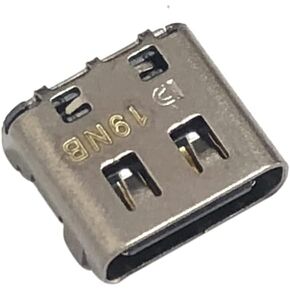 USB Type-C Charging Port Dock DC Jack Connector Replacement for Dell Latitude 7390 P29S002 2-in-1,Latitude 9410 P110G001 2-in-1/XPS 13 9305 P82G004, 9380 P82G002,7390 P82G003
KWD 5
USB Type-C Charging Port Dock DC Jack Connector Replacement for Dell Latitude 7390 P29S002 2-in-1,Latitude 9410 P110G001 2-in-1/XPS 13 9305 P82G004, 9380 P82G002,7390 P82G003
KWD 5




