- التسوق ، اصبح سهلا.
- /
- احصل على التطبيق!
LCD Screen Shaft Hinge Cover For MSI:
MS-16R1
GF63 Thin 9SC
GF63 Thin 9SCX
GF63 Thin 9SCSR
GF63 Thin 9SCXR
GF63 8Rc
GF63 Thin 8RCS
GF63 Thin 8RCS
GF63 8RD
GF63 8RC
MS-16R3
GF63 Thin 9RCX
GF63 Thin 9RC
GF63 Thin 9SC
GF63 Thin 9SCX
GF63 Thin 9SCSR
GF63 Thin 9SCXR
GF63 THIN 8SC
MS-16R4
WF65 10TJ
WF65 10TI
WF65 10TH
GF63 Thin 10SCSR
GF63 Thin 10SCS
GF63 Thin 10SCXR
GF63 Thin 10SCX
GF63 Thin 10SC
MS-16RK
Thin A15 B7UC
Thin A15 B7UCX
Thin A15 B7VE
Thin A15 B7VF
Thin A15 AI B8VE
Thin A15 AI B8VF
Thin GF63 B7VE
The correct installation steps are outlined below:
1. Preparation:
Power off: Shut down the laptop and unplug the power cord.
Clean the contact surfaces. Use a soft cloth to clean the contact areas of the hinge and hinge cover to prevent dust from affecting the snap-fit connection.
Check the snap-fit positions. Make sure that the snap-fit positions of the new and old hinge covers are the same.
2. Align the clip positions.
Gently position the new hinge cover near the hinge area, ensuring the correct orientation (do not install it upside down).
Locate the clip slots on the inner side of the hinge cover and align them with the corresponding clip points on the laptop casing.
3. Press to secure.
Starting from one end (e.g., the side near the screen), gently press each latch into place with your fingers or a plastic pry tool.
Once you hear a "click" or feel the latch secure, move on to the next section.
Do not use excessive force! If a latch is difficult to secure, check that it is properly aligned and that there are no obstructions.
4. Check stability.
After installation, gently pull the hinge cover to ensure it is secure.
Open and close the screen several times to see if the cover is firmly secured with no unusual sounds or movement.

 Gintai Laptop Type-C Charging Port DC في Power Jack Connector Socket Plug USB-C لـ Microsoft Surface Go 2 GO 3 1901 1926 1927
KWD 7.500
Gintai Laptop Type-C Charging Port DC في Power Jack Connector Socket Plug USB-C لـ Microsoft Surface Go 2 GO 3 1901 1926 1927
KWD 7.500
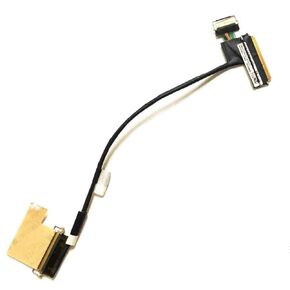 Gintai not touch WQHD LCD Cable LED Cable Cable لـ Lenovo ThinkPad T460s T470s 00ur903 20f9 20HF 20HG 20JS 20JT 20FA SC10E50371 DC02C00E10 40PIN SC10H45488 CN-00ur903 DC02C00E
KWD 5.500
Gintai not touch WQHD LCD Cable LED Cable Cable لـ Lenovo ThinkPad T460s T470s 00ur903 20f9 20HF 20HG 20JS 20JT 20FA SC10E50371 DC02C00E10 40PIN SC10H45488 CN-00ur903 DC02C00E
KWD 5.500
 -32%
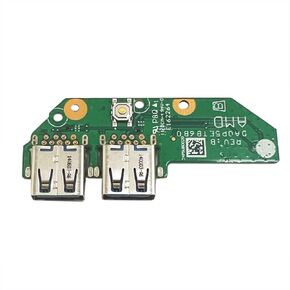
Gintai PC BUNTIN BUNTIN SWITCH FOR HP 15-EF 15-DY 15S-EQ 15S-FQ 15-EQ 15-FQ Series 15-EF1073WM 15-EF1072NR 15-EF0021NR 15-EF0023DX 15-DY1973CL 15-DY0013DX L63580-001
KWD 7.500
-32%
Gintai PC BUNTIN BUNTIN SWITCH FOR HP 15-EF 15-DY 15S-EQ 15S-FQ 15-EQ 15-FQ Series 15-EF1073WM 15-EF1072NR 15-EF0021NR 15-EF0023DX 15-DY1973CL 15-DY0013DX L63580-001
KWD 7.500
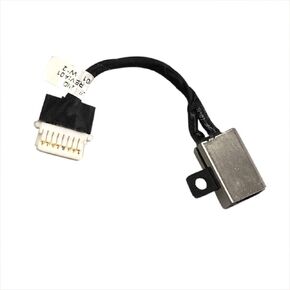 Gintai DC Power Jack Socket Pluct Port مع استبدال الكابلات لـ Dell Ins-Piron 17-7786 17-7791 2-in-1 0xymjp Xymjp/ 7779 7386 13 7390 LAPTOP 06VV22 0ND3N8
KWD 2.500
Gintai DC Power Jack Socket Pluct Port مع استبدال الكابلات لـ Dell Ins-Piron 17-7786 17-7791 2-in-1 0xymjp Xymjp/ 7779 7386 13 7390 LAPTOP 06VV22 0ND3N8
KWD 2.500




