【Left-Handed Numeric Keypad Device】This stream controller deck has three modes: shortcut keyboard, calculator mode, and numeric keypad mode. Shortcut key mode allows you to operate with one touch. Calculator mode allows for easy calculations. Numeric keypad mode supports comfortable numerical input.
【Freely Customizable】 Drag and drop your desired actions onto the 15 customizable LCD macro keys and LCD bar, then set their properties to assign single or multiple actions. Additionally, you can assign your own images, logos, screenshots (JPG, PNG), or animations (GIF) to each LCD key, enhancing button recognition and memorization. The large dial makes it easy to adjust the volume and button brightness.It provides solid support for fine adjustments during creative work such as video editing.
【Work Efficiently with One Touch】Instantly launch macro commands, enter text, open documents and websites, execute game combos, launch apps, edit videos, control media, switch OBS scenes, hide sources, start streaming, and more with just one touch. Additionally, the "Action Flow" feature lets you execute multiple macro actions in a specific order, giving you complete control over your tasks.
【Multiple Compatibility】This shortcut keyboard is compatible with both Windows and macOS. It works seamlessly with popular software such as OBS, PowerPoint, YouTube, Twitter, Discord, Excel, Word, Photoshop, and Adobe Premiere Pro, making your workflow even smoother.
【Meets a Variety of Needs】The application space of this macro keypad offers hundreds of plugins, including schedule reminders, weather, calendars, etc., making it not only a productivity tool but also the perfect desktop companion. In addition, there are 60 icon packs available for you to download and use according to your needs.
【Warranty Period】The product warranty period is 24 months from the date of purchase.
【Customer Support】If you are still unsure about the setup or operation of the product after reading the Quick Start Guide that came with it, you can get support in the following ways: 1. Watch the tutorial video for each operation below the product image. 2. Select the "Ask a Question" button to contact us.


 -14%
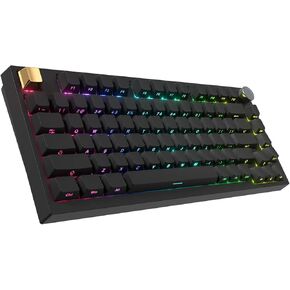
COSTOM WK75 75% Wireless Gaming Mechanical Keyboard,BT5.0/2.4GHz/USB-C, Hot Swappable Pre-lubed Custom Linear Switches,Gasket Structure,RGB Backlit Keyboard for PC/Laptop/Xbox/PS4/PS5 (Topographic)
KWD 21
-14%
COSTOM WK75 75% Wireless Gaming Mechanical Keyboard,BT5.0/2.4GHz/USB-C, Hot Swappable Pre-lubed Custom Linear Switches,Gasket Structure,RGB Backlit Keyboard for PC/Laptop/Xbox/PS4/PS5 (Topographic)
KWD 21
 -32%
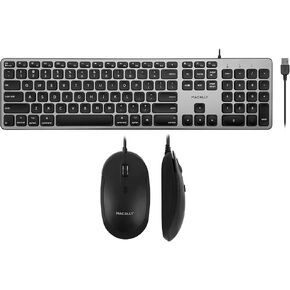
Macally Backlit Keyboard and Mouse Combo, Enhance Your Workflow
KWD 22.500
-32%
Macally Backlit Keyboard and Mouse Combo, Enhance Your Workflow
KWD 22.500
 -22%
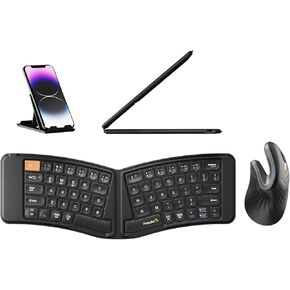
ProtoArc XK03 Ergonomic Foldable Keyboard and Rechargeable Ergonomic Vertical Mouse Gray
KWD 26
-22%
ProtoArc XK03 Ergonomic Foldable Keyboard and Rechargeable Ergonomic Vertical Mouse Gray
KWD 26
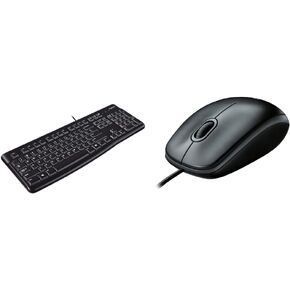 Logitech K120 Ergonomic Desktop USB Wired Keyboard B100 Corded Mouse – Wired USB Mouse - Black
KWD 8.500
Logitech K120 Ergonomic Desktop USB Wired Keyboard B100 Corded Mouse – Wired USB Mouse - Black
KWD 8.500




