بطاقة PCIe USB 3.2 Gen 1، نقل سريع بسرعة 5 جيجابت في الثانية 2X Type C 1x USB Type E بطاقة توسيع داخلية، مع عرض نطاق ترددي يصل إلى 5 جيجابت في الثانية، لأجهزة الكمبيوتر المكتبية Winos MacOS
TYPE-C EXPANSION CARD: This PCIe expansion card easily adds 2 USB 3.2 Gen 1 Type-C ports and 1 internal 19 pin USB Type E interface to your desktop computer. It is designed to enhance USB connectivity, supporting high speed data transfers of up to 5Gbps. Whether you are building a new computer or upgrading an old one, it is a practical choice that supports various Type C devices, including external storage, VR headsets, game controllers, and printers.
HIGH SPEED TRANSFER RATE: This adapter card belongs to the USB 3.2 Gen 1 standard, with 2 Type C ports on the card providing a 5Gbps bandwidth; however, using both ports simultaneously may reduce speed. This PCIe USB 3.2 Gen 1 card can transfer a 2GB file in just 1.6 seconds, allowing for smooth operation without waiting. It can easily handle heavy tasks like large data transfers, game downloads, sound editing, and image design. Note: The USB expansion card only supports data transfer and
UPGRADE FOR OLDER PC TO USB 3.2 GEN 1: This USB expansion card is compatible with older PCs and supports PCIe 2.0 motherboards. The USB 3.2 Gen 1 PCIe card is compatible with for WinOS, for , and for OS X systems and fits in PCIe x1, x4, x8, or x16 slots. For WinOS 8 and later versions, plug and play without needing drivers. Driver support can be provided for older operating systems. Note: In PCIe 2.0 systems, the maximum transfer rate may be lower than that of PCIe 3.0 or higher versions.
STABLE AND EASY TO USE: The motherboard provides external and internal USB cards through the PCI Express slot to ensure stable connections and enhance data transfer speed. It will not experience disconnection issues like external USB hubs can. Installation is quick and straightforward, making it a simple solution for connecting and using USB 3.2 devices on standard desktops.
EASY INSTALLATION: Before installation, make sure to turn off the computer and disconnect the power cord. Remove the side panel of the case, insert the USB expansion card into the PCIe slot, and secure it with screws. For smaller cases with narrow slots at the back, use the included low profile bracket. Be cautious of incisive edges when removing the case to avoid injury.
وصف
Spec:
Item Type: PCIe USB 3.2 Gen 1 Card
Material: PCB
Color: Black
Bus Type: PCIe
Interface Specification: USB 3.2 Gen 1
Front Interface: 2 x Type-C
Back Interface: 19pin + USB Type E
System Compatibility: for WinOS, for , and for OS X systems
Bandwidth: 5Gbps
How to Use:
Simply remove the product and it is ready for use.
packing list:
1 x Expansion Card
1 x Low Profile Bracket
 -13%
بطاقة EM7511، وحدة EM7511 1104712 4G، تنزيل 600 ميجا بت في الثانية، تحميل 150 ميجا بت في الثانية، وحدة 4G LTE لأجهزة الكمبيوتر المحمولة مع واجهة NGFF M2، جهاز توجيه 4G، دعم متعدد النطاقات
KWD 24
-13%
بطاقة EM7511، وحدة EM7511 1104712 4G، تنزيل 600 ميجا بت في الثانية، تحميل 150 ميجا بت في الثانية، وحدة 4G LTE لأجهزة الكمبيوتر المحمولة مع واجهة NGFF M2، جهاز توجيه 4G، دعم متعدد النطاقات
KWD 24
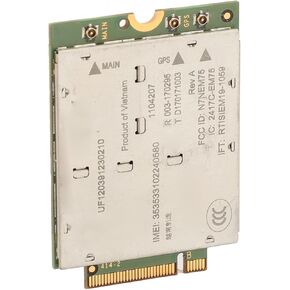 بطاقة EM7565، وحدة EM7565 1104207 4G لأجهزة الكمبيوتر المحمولة مع واجهة NGFF M2، جهاز توجيه 4G، بطاقة شبكة PCI Express M.2 Cat 12 عالية السرعة 4G LTE، 24 نطاق LTE
KWD 25
بطاقة EM7565، وحدة EM7565 1104207 4G لأجهزة الكمبيوتر المحمولة مع واجهة NGFF M2، جهاز توجيه 4G، بطاقة شبكة PCI Express M.2 Cat 12 عالية السرعة 4G LTE، 24 نطاق LTE
KWD 25
 -13%
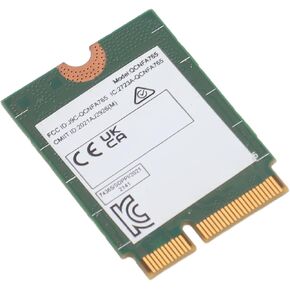
بطاقة الشبكة M.2 WiFi6، نطاق 2400 ميجا بت في الثانية BT5.2 2.4G 5G سلك أقل محول بطاقة الشبكة، QCNFA765 PC Wi Fi Card for Win 10 Win 11
KWD 7
-13%
بطاقة الشبكة M.2 WiFi6، نطاق 2400 ميجا بت في الثانية BT5.2 2.4G 5G سلك أقل محول بطاقة الشبكة، QCNFA765 PC Wi Fi Card for Win 10 Win 11
KWD 7
 PCIE إلى USB3.2 Gen 1 بطاقة مع 5 جيجابت في الثانية النطاق الترددي 5 منافذ USB (3 منافذ USB من النوع A و 2 USB C) ، بطاقة توسيع USB PCI E للفوز 7/8/10/11 (32 ، 64 بت) ، OS X 10.8.2 ، Linux
KWD 9.500
PCIE إلى USB3.2 Gen 1 بطاقة مع 5 جيجابت في الثانية النطاق الترددي 5 منافذ USB (3 منافذ USB من النوع A و 2 USB C) ، بطاقة توسيع USB PCI E للفوز 7/8/10/11 (32 ، 64 بت) ، OS X 10.8.2 ، Linux
KWD 9.500




