- التسوق ، اصبح سهلا.
- /
- احصل على التطبيق!

📌Compatible Models:
This screen replacement is compatible with Samsung Galaxy Tab A 8.0" (2019) model number SM-T290 (Wi-Fi version). Please confirm your model in Settings > About Tablet before purchase to ensure compatibility.
🖼️Product Details:
The screen assembly includes a white LCD display and touch screen digitizer, already bonded together for simplified installation. It restores clear image quality and touch accuracy, helping you get your tablet functioning like new again.
🧩Recommended for Repairing:
Cracked or shattered screen
Touch screen not responding
Black screen or no display
Display flickering or color distortion
⚠️ This part will not fix hardware problems related to the motherboard or battery.
🧰Tool Kit Includes:
1x Pointed Pry Tool
1x Tweezers
1x Triangular Pry Tool
1x Screwdriver Set
1x Flat Dual-Ended Pry Bar
1x Twin-Sided Adhesive Tape
1x Dust Removal Sticker
These tools assist in disassembling and installing your screen. Prior experience is recommended to ensure a safe and successful repair.
⚙️Installation Notes:
– Turn off the device before beginning the repair
– Disconnect the battery before removing or attaching flex cables
– Test the screen before final installation
– Avoid bending or pulling on the flex cable
– Use anti-static precautions such as grounding tools or ESD straps
– If unsure, consult a professional repair technician
📩Customer Support:
If the screen arrives damaged or does not function correctly after testing, please contact us before final installation. Provide a clear photo or video to help us resolve the issue quickly.
✅ FAQ: Q: Does this work with the SM-T295 model?
A: No. This replacement is for SM-T290 only. It is not compatible with LTE models like SM-T295.
Q: Is this the full screen assembly?
A: Yes, it includes the LCD and digitizer as one bonded unit. The frame is not included.
Q: Can I install this myself?
A: If you have repair experience and the proper tools, installation is possible. Otherwise, professional assistance is recommended.
Q: What should I do if the screen doesn't work after installation?
A: Re-check all connections and make sure the battery is reconnected. If issues remain, contact our support team with a video for help.
Q: Does the tool kit include tweezers?
A: Yes. A set of tweezers is included along with tools for disassembly and adhesive for screen replacement.
 لشاشة ASUS ZenPad 3S 10 Z500M P027 البديلة (غير متضمنة شاشة LCD) لشاشة ASUS Z500 التي تعمل باللمس Z500M محول رقمي مستشعر زجاجي مجموعة قطع غيار كاملة 9.7 بوصة
KWD 13
لشاشة ASUS ZenPad 3S 10 Z500M P027 البديلة (غير متضمنة شاشة LCD) لشاشة ASUS Z500 التي تعمل باللمس Z500M محول رقمي مستشعر زجاجي مجموعة قطع غيار كاملة 9.7 بوصة
KWD 13
 محول رقمي لجهاز iPad 2018 9.7 استبدال شاشة iPad 6th A1893 A1954 قطع غيار لوحة زجاجية لشاشة اللمس لجهاز iPad6 مجموعة أدوات مجانية لشاشة اللمس + زجاج مقسى (أبيض مع زر الصفحة الرئيسية)
KWD 8
محول رقمي لجهاز iPad 2018 9.7 استبدال شاشة iPad 6th A1893 A1954 قطع غيار لوحة زجاجية لشاشة اللمس لجهاز iPad6 مجموعة أدوات مجانية لشاشة اللمس + زجاج مقسى (أبيض مع زر الصفحة الرئيسية)
KWD 8
 شاشة بديلة لجهاز لينوفو تاب P11 / P11 بلس TB-J606 LCD TB-J606F شاشة TB-J606N TB-J606L 11 انش LCD تعمل باللمس مجموعة اصلاح محول رقمي اسود مع اطار
KWD 32.500
شاشة بديلة لجهاز لينوفو تاب P11 / P11 بلس TB-J606 LCD TB-J606F شاشة TB-J606N TB-J606L 11 انش LCD تعمل باللمس مجموعة اصلاح محول رقمي اسود مع اطار
KWD 32.500
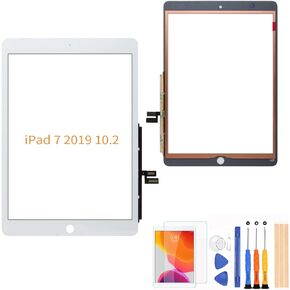 A-MIND لجهاز iPad 7 ipad 2019 10.2 بوصة A2197 A2198 A2200 استبدال شاشة اللمس (شاشة LCD غير متضمنة، بدون تعليمات) استبدال اللوحة الزجاجية الأمامية، مع مجموعات أدوات مجانية وواقي شاشة (أسود)
KWD 6.500
A-MIND لجهاز iPad 7 ipad 2019 10.2 بوصة A2197 A2198 A2200 استبدال شاشة اللمس (شاشة LCD غير متضمنة، بدون تعليمات) استبدال اللوحة الزجاجية الأمامية، مع مجموعات أدوات مجانية وواقي شاشة (أسود)
KWD 6.500

