- التسوق ، اصبح سهلا.
- /
- احصل على التطبيق!
About the product
1. Replacement Touch Panel for Acer Iconia Tab A200.
2. Replace the old, broken, cracked, damaged one.
3. Make your device look more refreshing than ever.
4. Completely fit and work.
5. Each item has been checked and in good condition before shipping.
6. Professional installation is highly recommended. We will not be responsible once the screen is installed.
Before Installation Notes
1. Tips 1: Test before installation
When testing, do not remove any protective film or tags. Please pay attention to the problem of static electricity.
Before attempting any repair, be sure to ground yourself is an ESD (electro static discharge) strap. This will prevent static electricity from damaging the electronic components within the phone.
Ensure you wear eye protection and use caution not to cut your finger with the glass splinters.
2. Tips 2: Simulates testing
Screen replacement is very fragile product. We strongly suggest test before installation. Please simulates testing, which means mobile phone apart, (motherboard + LCD or screen) connected audio cable and new replacement, power on, test finished. If test OK, please install it. If it can not show, please contact us at the very first time. And please do not force it to be installed in mobile phone. We will not be responsible once the screen is installed.
3. Tips 3: Do not over-bend cable
Please make sure LCD cable Do not over-bend. Over 90 degrees bent will cause black display.
 شاشة LCD CHENYAN OEM لجهاز Lenovo Tab 2 A8-50 محول رقمي كامل مع إطار
KWD 12.500
شاشة LCD CHENYAN OEM لجهاز Lenovo Tab 2 A8-50 محول رقمي كامل مع إطار
KWD 12.500
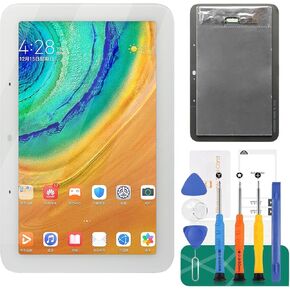 بالنسبة لـ Google Home Nest Hub 2nd Gend LCD ، استبدال شاشة Google Nest Hub 2nd Gend Display Touch Screen Digitizer Assembly Repair Repair White 7 "
KWD 15
بالنسبة لـ Google Home Nest Hub 2nd Gend LCD ، استبدال شاشة Google Nest Hub 2nd Gend Display Touch Screen Digitizer Assembly Repair Repair White 7 "
KWD 15
 -6%
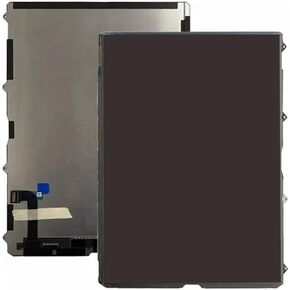
THECOOLCUBE LCD شاشة عرض شاشة لـ iPad 10th Generation 10.9 بوصة A2757 A2696 (وليس زجاج أرقام لوحة اللمس)
KWD 54
-6%
THECOOLCUBE LCD شاشة عرض شاشة لـ iPad 10th Generation 10.9 بوصة A2757 A2696 (وليس زجاج أرقام لوحة اللمس)
KWD 54
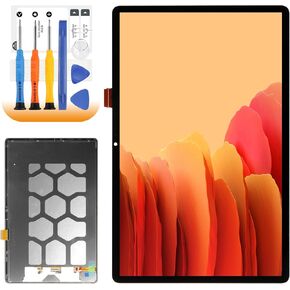 ل Samsung Galaxy Tab S9 Fe+ استبدال الشاشة لـ Samsung Tab S9 Fe Plus LCD Display SM-X616B SM-X610 LCD Digitizer Touch Assembly Repair
KWD 28.500
ل Samsung Galaxy Tab S9 Fe+ استبدال الشاشة لـ Samsung Tab S9 Fe Plus LCD Display SM-X616B SM-X610 LCD Digitizer Touch Assembly Repair
KWD 28.500




