- التسوق ، اصبح سهلا.
- /
- احصل على التطبيق!
📌Compatible Models:
This display replacement is designed for the Motorola Moto G 5G (2024), specifically models XT2417-1 and XT2417-4. The display size is 6.6 inches, and this product includes the original-quality IPS screen, digitizer, and mid-frame in black.
🖼️Factory-Grade IPS Panel:
This is not a third-party or aftermarket display. It uses the same IPS LCD technology as your original Moto G 5G 2024 screen—delivering natural colors, uniform brightness, and smooth touch response. Whether you're streaming video, browsing, or gaming, the visual experience remains authentic and immersive.
🔧Easy Installation with Frame:
Thanks to the pre-attached mid-frame, replacing your broken screen is faster and more reliable. Frame alignment helps reduce flex cable damage and air gaps during reassembly. If you're not experienced, we still recommend professional assistance.
📦Package Contents:
1x olivechard Original Screen Assembly with Frame (Black)
1x Triangular Pry Tool
1x Screwdriver Set
1x Flat Dual-Ended Pry Tool
1x Twin-Sided Adhesive Tape
1x Dust Removal Sticker
1x Tweezers
⚙️Installation Tips:
Turn off the phone and disconnect the battery before installation
Do not bend the flex cables more than 90 degrees
Test the display before fully sealing the phone
Work in an anti-static environment to prevent internal damage
📩Customer Support:
If the display doesn't function as expected after installation, or arrives damaged, contact us within 30 days. We'll assist with diagnostics or provide a replacement as needed. Proof of issue (photo/video) is required.
✅FAQ:
Q: Is this screen compatible with Moto G 5G 2023 or older models?
A: No. It is only designed for Moto G 5G 2024 models (XT2417-1 / XT2417-4).
Q: Does it include the fingerprint sensor?
A: No fingerprint sensor is included in this assembly. The screen supports touch and display only.
Q: Is this an original screen?
A: Yes. This is a factory-grade IPS screen that matches the original Moto G 5G 2024 display in color, brightness, and resolution.
Q: Can I install it myself?
A: Yes, but only if you have repair experience. If not, we recommend professional installation to avoid damaging the display or internal parts.
Q: What should I do if the screen doesn't turn on?
A: Check all flex cables and connections. Ensure the battery was disconnected before installation. If problems persist, contact our support team with video proof.
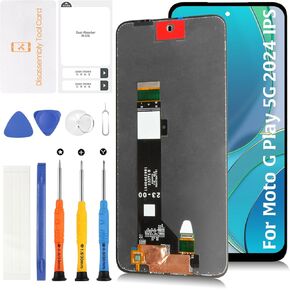 OEM LCD لـ Motorola Moto G Play 5G 2024 XT2413 OEM LCD شاشة استبدال 6.5 "
KWD 9
OEM LCD لـ Motorola Moto G Play 5G 2024 XT2413 OEM LCD شاشة استبدال 6.5 "
KWD 9
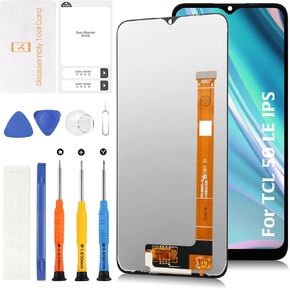 الأصلي لـ TCL 50 LE 6.6 "استبدال شاشة LCD 50LE 5G T510SP T510SPP T510D LCD Display Touch Digitizer Assembly مع أدوات الإصلاح
KWD 11
الأصلي لـ TCL 50 LE 6.6 "استبدال شاشة LCD 50LE 5G T510SP T510SPP T510D LCD Display Touch Digitizer Assembly مع أدوات الإصلاح
KWD 11
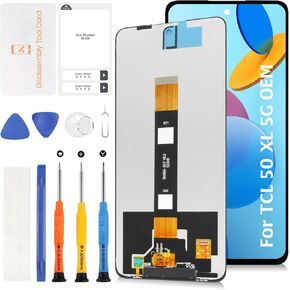 الأصل لـ TCL 50 XL 6.78 "استبدال شاشة LCD 50XL 5G T702W LCD Display Touch Digitizer Screens مع أدوات الإصلاح
KWD 16
الأصل لـ TCL 50 XL 6.78 "استبدال شاشة LCD 50XL 5G T702W LCD Display Touch Digitizer Screens مع أدوات الإصلاح
KWD 16
![incell for iPhone 14 Pro LCD Screen Replacement [Sensor Cable+مماثلة من الشق] in Kuwait](https://cdn1.tilga.com/md/prod/3/6001/3/155014291.32093.jpg) incell for iPhone 14 Pro LCD Screen Replacement [Sensor Cable+مماثلة من الشق]
KWD 26
incell for iPhone 14 Pro LCD Screen Replacement [Sensor Cable+مماثلة من الشق]
KWD 26




