- التسوق ، اصبح سهلا.
- /
- احصل على التطبيق!
📌Compatible Models:
This display assembly is made for Motorola Moto Edge 2022 (6.6") and supports the following models: XT2205, XT2205-1, XT2205-3.
Please check your device model under: Settings > About Phone before purchase.
🖼️Material & Quality:
This screen uses a genuine OLED panel, just like the original. Compared to aftermarket LCDs, OLED delivers deeper blacks, higher contrast, smoother animations, and more vibrant colors. Touch sensitivity is accurate and lag-free, making it ideal for gaming, media, and daily use.
⚙️Important Notes:
This replacement screen does not include the mid-frame. You will need to transfer or reuse the original frame from your current device.
Professional installation is strongly recommended to avoid accidental damage, flex cable tear, or misalignment.
🛠️Installation Tips:
Power off the device completely before disassembly
Use proper tools and work on a static-free surface
Disconnect the battery before unplugging or installing any flex cables
Do not over-bend the flex cable during installation
Test display and touch before final sealing
📩Customer Support:
If the screen fails due to manufacturing defects or arrives damaged, contact us within 30 days. We'll provide assistance with troubleshooting or arrange a replacement. Please include a clear photo or video when reaching out.
✅FAQ:
Q: Does this come with the frame?
A: No. This screen assembly does not include the mid-frame. You must reuse your existing frame or consult a professional repair service.
Q: Is this an OEM OLED screen?
A: Yes. This is a factory-grade OLED panel, the same type used in the original Moto Edge 2022, ensuring top visual quality and responsiveness.
Q: What tools are needed for installation?
A: Basic disassembly tools such as a pry tool, screwdriver set, and tweezers are needed. These are not included with this item.
Q: Can I install this by myself?
A: If you have prior experience with phone screen replacements, it's possible. Otherwise, we recommend professional installation to prevent damage.
Q: What should I do if the screen doesn't work after installation?
A: Check all flex connections and ensure the battery is properly seated. If the issue persists, contact our support team with photo or video proof for assistance.
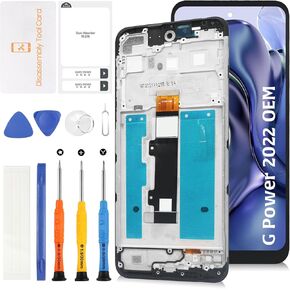 ل Motorola Moto G Power 2022 6.5 "OEM LCD +شاشة الإطار استبدال LCD شاشة شاشة اللمس الشاشة XT2165-5 XT2165DL مع أدوات الإصلاح
KWD 8
ل Motorola Moto G Power 2022 6.5 "OEM LCD +شاشة الإطار استبدال LCD شاشة شاشة اللمس الشاشة XT2165-5 XT2165DL مع أدوات الإصلاح
KWD 8
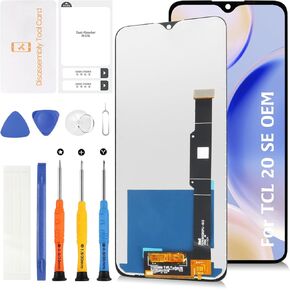 الأصل لـ TCL 20 SE 6.82 "استبدال شاشة LCD T671O LCD شاشة شاشة لمحترم اللمس مع أدوات الإصلاح
KWD 9.500
الأصل لـ TCL 20 SE 6.82 "استبدال شاشة LCD T671O LCD شاشة شاشة لمحترم اللمس مع أدوات الإصلاح
KWD 9.500
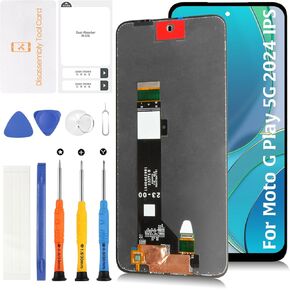 OEM LCD لـ Motorola Moto G Play 5G 2024 XT2413 OEM LCD شاشة استبدال 6.5 "
KWD 9
OEM LCD لـ Motorola Moto G Play 5G 2024 XT2413 OEM LCD شاشة استبدال 6.5 "
KWD 9
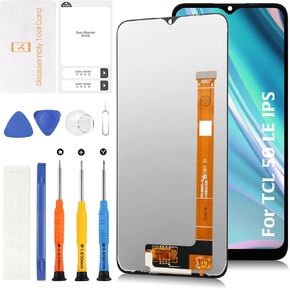 الأصلي لـ TCL 50 LE 6.6 "استبدال شاشة LCD 50LE 5G T510SP T510SPP T510D LCD Display Touch Digitizer Assembly مع أدوات الإصلاح
KWD 11
الأصلي لـ TCL 50 LE 6.6 "استبدال شاشة LCD 50LE 5G T510SP T510SPP T510D LCD Display Touch Digitizer Assembly مع أدوات الإصلاح
KWD 11




