- التسوق ، اصبح سهلا.
- /
- احصل على التطبيق!
The MAIWO Dual M.2 SATA SSD Docking Station is a professional-grade solution for anyone who needs fast, reliable, and easy data cloning or expansion.
Featuring dual bays for M.2 SATA SSDs and a one-touch offline clone function, this device lets you duplicate drives in minutes — no PC or software required. It also doubles as a high-speed external dock via USB 3.0, letting you read, write, and back up your SSDs conveniently from any computer.
The K3016 is built for efficiency and reliability:
a vertical design for better cooling, anti-slip base for stability, and dual-interface connectivity for universal use. Whether you're upgrading drives, transferring systems, or maintaining backups, this device keeps your workflow faster, safer, and simpler.
Ideal for:
IT professionals & data recovery engineers
Gamers upgrading SSDs
Content creators handling large media files
Everyday users who need secure backups
Warm Tips
Supports M.2 SATA SSDs only (B+M Key). Does not support NVMe drives.
Ensure the target SSD capacity ≥ source SSD when cloning.
Avoid unplugging power or cables during the cloning process.
For best performance, allow short breaks after long operations for heat dissipation.
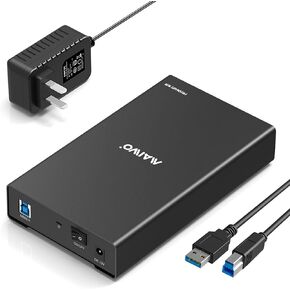 -16%
حاوية محرك الأقراص الصلبة الخارجية MAIWO USB 3.0 إلى SATA لـ 2.5 3.5 بوصة 7 مم 9.5 مم HDD SSD، سرعة نقل 5 جيجابت في الثانية، تصل إلى 16 تيرابايت، تدعم تسريع UASP، ألومنيوم
KWD 24.500
-16%
حاوية محرك الأقراص الصلبة الخارجية MAIWO USB 3.0 إلى SATA لـ 2.5 3.5 بوصة 7 مم 9.5 مم HDD SSD، سرعة نقل 5 جيجابت في الثانية، تصل إلى 16 تيرابايت، تدعم تسريع UASP، ألومنيوم
KWD 24.500
 -13%
مايوو حاوية قرص صلب خارجية ثنائية الاتجاه لهارد SSD ساتا I/II/III مقاس 2.5 انش، RAID 0/1/Large/PM، USB 3.0 6Gbps يدعم UASP سعة 12 تيرابايت
KWD 10
-13%
مايوو حاوية قرص صلب خارجية ثنائية الاتجاه لهارد SSD ساتا I/II/III مقاس 2.5 انش، RAID 0/1/Large/PM، USB 3.0 6Gbps يدعم UASP سعة 12 تيرابايت
KWD 10
 حاوية MAIWO 40 جيجابت في الثانية M.2 NVMe SSD لـ 2280 مم M Key B+M Key PCIe NVMe SSD، متوافقة مع Thunderbolt4/3 USB4/3.2/3.1/3.0/2.0 (40 جيجابت في الثانية NVMe مع مروحة)
KWD 17
حاوية MAIWO 40 جيجابت في الثانية M.2 NVMe SSD لـ 2280 مم M Key B+M Key PCIe NVMe SSD، متوافقة مع Thunderbolt4/3 USB4/3.2/3.1/3.0/2.0 (40 جيجابت في الثانية NVMe مع مروحة)
KWD 17
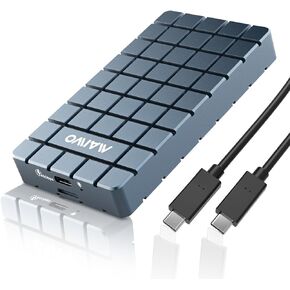 -16%
حاوية MAIWO 40 جيجابت في الثانية M.2 NVMe SSD، محول USB4 إلى NVMe لـ 2280 مم M Key B+M Key PCIe NVMe SSD، متوافق مع Thunderbolt4/3 USB4/3.2/3.1/3.0، سعة 8 تيرابايت خالية من الأدوات
KWD 20.500
-16%
حاوية MAIWO 40 جيجابت في الثانية M.2 NVMe SSD، محول USB4 إلى NVMe لـ 2280 مم M Key B+M Key PCIe NVMe SSD، متوافق مع Thunderbolt4/3 USB4/3.2/3.1/3.0، سعة 8 تيرابايت خالية من الأدوات
KWD 20.500




