Only compatible with iPhone 17 Pro & iPhone 17 Pro Max 2025 released camera lens
Package included: 1 x Silver iPhone 17 Pro / iPhone 17 Pro Max Lens Protector. Note: smartphone and display screen protector or other accessories are not included
Please watch our installation video tutorial before installation. Removing dust and aligning it properly before actual installation
Made of 9H Hardness Tempered Glass and Aluminium Alloy, protecting the lens from Scratches, Scrapes and Bumps. The special coating can effectively reduce fingerprint and enhance light transmission, the original quality of photos and videos can be restored when the flash is turned on at night
Anti-Scratch, Case Friendly, Does not Affect Night Shots, Drop Protection, Easy to Install, Not Easy to Break, Strong Adsorption, Ultra HD
وصف
1. Remove phone case and use crowbar to remove old lens protector
2. Cleanning the camera lens and wipe off oil, fingerpringt and dust
3. Peel off the white PET and paste on cell phone camera
4. Press the lens protector several second
5. Peel off the arclicy baseplate slowly
 واقي عدسة الكاميرا TENOC لهاتف iPhone 16 وiPhone 16 Plus، غطاء شاشة كاميرا من الزجاج المقوى 9H، حلقة فردية معدنية سوداء
KWD 2
واقي عدسة الكاميرا TENOC لهاتف iPhone 16 وiPhone 16 Plus، غطاء شاشة كاميرا من الزجاج المقوى 9H، حلقة فردية معدنية سوداء
KWD 2
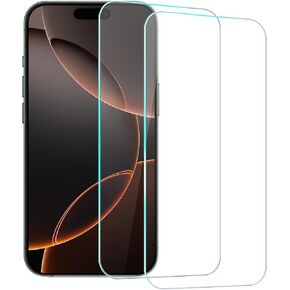 واقي شاشة TENOC لهاتف iPhone 16 Pro Max، عبوتان من غطاء حماية من الزجاج المقوى الشفاف 9H مناسب لجهاز 6.9 بوصة
KWD 2
واقي شاشة TENOC لهاتف iPhone 16 Pro Max، عبوتان من غطاء حماية من الزجاج المقوى الشفاف 9H مناسب لجهاز 6.9 بوصة
KWD 2
 واقي عدسة الكاميرا TENOC لهاتف iPhone 11 Pro وiPhone 11 Pro Max وiPhone 12 Pro، غطاء شاشة كاميرا من الزجاج المقوى 9H، حلقة فردية معدنية لامعة فضية
KWD 2.500
واقي عدسة الكاميرا TENOC لهاتف iPhone 11 Pro وiPhone 11 Pro Max وiPhone 12 Pro، غطاء شاشة كاميرا من الزجاج المقوى 9H، حلقة فردية معدنية لامعة فضية
KWD 2.500
 واقي عدسة الكاميرا TENOC لهاتف iPhone 14 وiPhone 14 Plus، غطاء شاشة كاميرا من الزجاج المقوى 9H، حلقة فردية معدنية سوداء
KWD 2
واقي عدسة الكاميرا TENOC لهاتف iPhone 14 وiPhone 14 Plus، غطاء شاشة كاميرا من الزجاج المقوى 9H، حلقة فردية معدنية سوداء
KWD 2




