- Shopping, made easy.
- /
- Get the app!
Specifications:
USB Input : 5V≦2A / DC Input : 5V≧ 2A Output Charging: DC 5V =1.4A;
How to Charge the P5 Controller;
1.Turn on your P5 Console;
2.Connect your P5 Console to Station's USB supply port via the A to A cable included in package;
3.Drop your controller to the right charging location,LED light will turn to Orange color,when fully charged,Blue light will become solid.
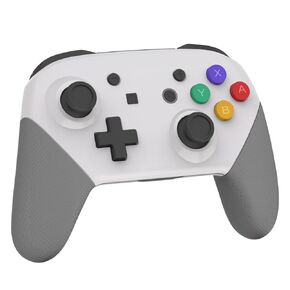 JDDWIN Wireless Controller Compatible With Nintendo Switch/Lite/Oled/Switch Pro Controller,Switch Remote Gamepad with NFC Amiibo,Dual Vibration, Wake -Up And Motion Control Function
KWD 10.500
JDDWIN Wireless Controller Compatible With Nintendo Switch/Lite/Oled/Switch Pro Controller,Switch Remote Gamepad with NFC Amiibo,Dual Vibration, Wake -Up And Motion Control Function
KWD 10.500
 Vertical Stand for PS5/PS5 Slim/PS5 Pro Console, Compatible with PS5/PS5 Slim/PS5 Pro Disc and Digital, ABS + zinc Alloy, Safe and Stable,Easy to Install with Screws for PlayStation 5, Blue
KWD 4.500
Vertical Stand for PS5/PS5 Slim/PS5 Pro Console, Compatible with PS5/PS5 Slim/PS5 Pro Disc and Digital, ABS + zinc Alloy, Safe and Stable,Easy to Install with Screws for PlayStation 5, Blue
KWD 4.500
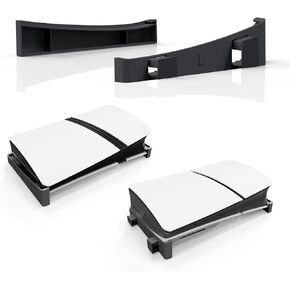 dghsa Slim/PS5 Pro Horizontal Stand for Disc & Digital Editions Console, adsg Secure and Sleek Design for PlayStation 5 Slim/Pro Console
KWD 4.500
dghsa Slim/PS5 Pro Horizontal Stand for Disc & Digital Editions Console, adsg Secure and Sleek Design for PlayStation 5 Slim/Pro Console
KWD 4.500
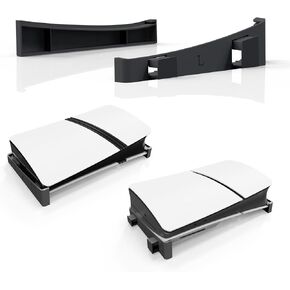 adgag PS5 Pro Horizontal Stand for Disc & Digital Editions Consoladssa ES Base Stand Space-Savingadgsa Sign for PlayStation 5 Slim/Pro Console (White)
KWD 4.500
adgag PS5 Pro Horizontal Stand for Disc & Digital Editions Consoladssa ES Base Stand Space-Savingadgsa Sign for PlayStation 5 Slim/Pro Console (White)
KWD 4.500




